
Urgent Care Walk-In Queue & Waiting Room Software
Updated
Walk-ins check in on their phone, your clinicians triage, patients wait in their car, and staff get a calm queue dashboard. No app download. No hardware. No more crowded lobby on a busy Saturday.
Designed for urgent care centres, extended-hours clinics & Medicare Urgent Care Clinics · Privacy-first design · Free plan available · No credit card required
Walk-In Volume Is Unpredictable. Your Queue System Should Not Be.
Urgent care lives in the gap between a booked GP clinic and a hospital emergency department. The economics, the patient mix, and the workflow are all different. Most queue tools are not designed for it.
On a Tuesday afternoon, your urgent care centre has four patients in the waiting room and two of your three rooms are empty. By 6 PM, twenty-two patients have arrived in ninety minutes and the waiting room is standing room only. By 8 PM, six of those patients have walked out. Some will go home and self-treat. A few will end up in a hospital emergency department, which is exactly the outcome the urgent care model was supposed to prevent. A handful will leave a one-star review on Google about the wait. None of this is on you. Walk-in volume is genuinely unpredictable, and that unpredictability is the defining problem of urgent care.
The other defining problem is acuity. A booked GP clinic can run on a 15-minute appointment grid because every patient has been pre-screened by reception and self-screened by the act of booking a slot. An urgent care walk-in queue mixes a parent with a feverish 18-month-old, a tradie with a hand laceration, an elderly patient with chest tightness, and someone wanting a Centrelink medical certificate. They cannot all wait the same length of time. A queue system that orders patients purely by arrival time is not just inefficient. In urgent care it is clinically unsafe.
The third problem is the waiting room itself. Urgent care patients are sicker on average than GP patients. A meaningful share are presenting with respiratory or febrile illness. Putting them shoulder to shoulder in a windowless waiting area for sixty to ninety minutes is bad medicine, and it has been bad medicine for years. The 2020 to 2022 respiratory pandemic made the cost of crowded waiting rooms visible, but the underlying infection-control logic predates COVID and outlasts it. Every flu season, every RSV surge, every paediatric viral wave hits the same pressure point.
In the United States, urgent care typical wait times sit between 15 and 45 minutes on quiet days and balloon to 60 to 90 minutes during evening and weekend peaks. Industry benchmarks consistently report LWBS rates between 4% and 8% across walk-in clinic networks, and individual centres on bad weeks can hit double figures. A patient who leaves before being seen does not just represent lost revenue. They represent a patient who came to you for help, sat in your waiting room, and decided your operations were worse than going untreated.
In Australia, the picture is shifting fast. The federal government's Medicare Urgent Care Clinic (MUCC) rollout, expanded across 2023 and 2024 to roughly 87 sites nationally, has created a new category of bulk-billed walk-in centre operating under a hybrid model — partly a public commitment to bulk-billed access, partly a private operating overlay run by GPs and primary health networks. These clinics are explicitly positioned to take pressure off hospital EDs. They handle higher acuity than a booked GP and lower acuity than an emergency presentation. Demand has been strong, and operators are confronting urgent-care-specific operational problems for the first time. Most of them inherited a regular GP practice management workflow that was never built for walk-in surges.
The traditional response to all of this is to add chairs. Build a bigger waiting room. Hire more reception staff. Put up a paper triage sheet. None of these address the core issue, which is that the patients sitting in your waiting room have no information. They do not know how long the wait is, they do not know where they are in the queue, and they do not know whether someone sicker just walked in and pushed them back. With no information, anxiety rises, complaints rise, and LWBS rates rise.
A virtual waiting room with one-tap priority tackles all three problems at once. Your clinicians triage, and staff move an urgent patient to the front in one tap, so the sickest patients are not stuck behind arrival order. Everyone else still sees their position and an estimated wait, so they have agency and information even when someone is moved ahead of them. Patients with respiratory symptoms can wait in their car instead of in your waiting room. And on the night when twenty-two walk-ins arrive in ninety minutes, the waiting room stays calm because most of those patients are in the car park or the cafe next door — and they all walk in to a treatment room that is actually free.
A virtual waiting room does not eliminate the surges. It makes the surges survivable.
- Acuity
- A measure of how urgent a patient's condition is. Higher-acuity patients should be seen sooner. Clinicians judge acuity; in ScanQueue, staff act on it by moving a patient to the front of the queue.
- Walk-In
- A patient arriving without an appointment. Urgent care centres handle walk-ins as their primary service model.
- Left Without Being Seen (LWBS)
- A patient who registers but leaves before being seen by a clinician. Reducing LWBS is a key urgent-care quality metric.
How ScanQueue Works for Urgent Care
ScanQueue replaces the crowded urgent care waiting room with a virtual queue. Walk-ins check in on their phone (or with reception), nursing triages and staff set priority, patients wait wherever is comfortable, and clinicians notify them when a room is free. See how ScanQueue compares in our healthcare queue management guide.
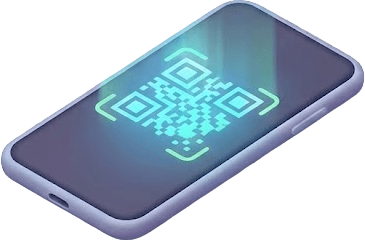
Walk-In Patient Scans the QR Code (or Staff Registers Them)
Print your unique QR code and place it at the intake desk and entrance. Walk-in patients scan it with their phone camera and join the queue in 15 seconds. For elderly patients, those without smartphones, or anyone in obvious distress, your reception or nursing team can register them on a tablet in under a minute. No app download is required either way.
For Medicare Urgent Care Clinics running a hybrid model with a small number of bookable slots, ScanQueue handles both. Walk-ins join the live queue, scheduled patients arrive at their slot time and merge into the same dashboard view.

Your Clinician Triages, Staff Set Priority
Your nurse or intake clinician triages each walk-in in whatever framework your centre uses. ScanQueue does not record the triage level or reorder the queue by it. When a patient needs to be seen sooner, staff move them to the front of the queue in one tap. Everyone else still sees their live position and estimated wait, and the reason for the move is never shown publicly.
You can also run a separate isolation queue for respiratory symptoms, fever, or suspected infection. Patients can pick it at check-in, or staff move them into it after triage, and they wait in their car instead of the lobby. Their SMS notification still fires when a room is ready.

Patient Waits in Their Car or the Lobby with Live Position
Once checked in, patients see their live position in the queue and an estimated wait time on their phone. They are free to wait in their car, in the lobby, or at the cafe across the road. They do not need to hover at reception asking how much longer it will be.
This addresses the main reason patients leave before being seen: a long wait with no information. A parent waiting in the car at 7:30 PM with a sleeping toddler and a live position has far less reason to give up than one trapped in a crowded waiting room.

Clinician Ready — SMS Sent, Patient Walks In
When a treatment room is free and the next patient is up, a staff member taps “Notify” on the dashboard. The patient receives an instant SMS or WhatsApp message telling them to come in. They walk straight from the car park to the treatment room. The handover is clean — no shouting names, no patients lost in the lobby, no repeat triage.
Features Built for Urgent Care
Every feature is designed for the realities of running a walk-in centre — unpredictable volume, clinical prioritisation, and waiting rooms that need to stay calm during respiratory surges.
One-Tap Clinical Priority
Triage stays with your clinicians. When a patient needs to be seen sooner, staff move them to the front of the queue in one tap. Everyone else still sees their position and estimated wait, without uncomfortable conversations at reception.
Walk-In + Appointment Hybrid
Run pure walk-in flow, pure appointment flow, or both side by side. Useful for Medicare Urgent Care Clinics and extended-hours practices that book a small number of slots while keeping walk-in capacity open.

Isolation Queue for Respiratory Patients
Route flu, RSV, COVID, and other respiratory or febrile patients to a separate queue. They wait in their car instead of the lobby and get an SMS when a treatment room is ready. Major infection-control improvement during winter surges.
SMS & WhatsApp Notifications
One-tap notifications when a clinician is ready. Patients receive an SMS or WhatsApp message and walk in to the treatment room.
Live Queue Dashboard
Clinical staff see every walk-in in real time: name, queue, and wait time. Manage flow at a glance from any device. Visible to staff, never to patients.
Live Wait Estimates
Show patients an estimated wait based on how many people are ahead and the service time you set, updated as the queue moves. When walk-ins know they have a 50-minute wait, they make the call to stay or come back later. When they have no information, they leave.
Volume & Wait Time Reporting
See patient volumes and average wait times in Reports, for operational reviews and staffing decisions.
Privacy Mode
Display ticket numbers instead of patient names on any visible dashboards or display boards. Configurable retention so queue data is purged at the end of each clinical day if your privacy policy requires it. Encrypted in transit and at rest.
No Hardware, No App
No kiosks, no check-in tablets required (though they work fine if you want one), no patient-facing hardware. Patients use their own phones. Your team uses any internet-connected device. Print a QR code and you are live in five minutes.
How Urgent Care Centres Use ScanQueue
Every walk-in centre operates differently. Here is how ScanQueue adapts to the most common urgent care models.
Medicare Urgent Care Clinic (MUCC)
Your MUCC operates seven days a week with a mix of true walk-ins and a small number of bookable slots. On Saturday afternoons, walk-in volume spikes and the waiting room hits capacity. With ScanQueue, walk-ins join the queue on arrival and your nurse triages as usual. Staff move an urgent presentation to the front in one tap. Everyone else sees a live wait estimate and can choose to wait in the car or come back in 45 minutes. The lobby stays calmer, and Reports show patient volumes and average waits for your monthly reviews.
Independent Urgent Care Centre
Your independent urgent care centre runs evenings and weekends to fill the gap between booked GP appointments and the local hospital ED. Volume is unpredictable — quiet Tuesday lunchtime, slammed Friday night. With ScanQueue, walk-ins check in by QR code, your nurse triages on intake, and patients see their live position. On busy nights you can ask every patient to wait outside until called. The waiting room becomes a transit point, not a holding pen.
Extended-Hours GP Clinic
Your practice runs an extended-hours walk-in service alongside the booked daytime GP roster. The walk-in service handles minor injuries, scripts, certificates, and acute presentations that cannot wait for a booked appointment. Reception is overwhelmed on Sunday mornings. With ScanQueue, walk-ins check in independently while your reception team handles phones, billing, and Medicare claims. When the nurse triages the patient with chest tightness, staff move them to the front in one tap, ahead of the Centrelink certificate.
Paediatric Urgent Care
Your paediatric urgent care centre sees a high mix of febrile and respiratory presentations during winter. Crowding the waiting room with sick toddlers is bad medicine and parents hate it. With ScanQueue, parents can wait in the car with a sleeping or distressed child, watch their position drop on their phone, and walk in only when a treatment room is ready. A separate isolation queue keeps respiratory presentations away from the main queue. Parents with a live position on their phone have less reason to give up after 45 minutes in a chaotic waiting area.
Super Clinic with Multiple Services
Your super clinic combines urgent care, GP, allied health, pathology, and imaging under one roof. Patients are confused about which queue they are in and who they are seeing. With ScanQueue, each service runs its own queue. Patients select their service at check-in. On the urgent care queue, staff move urgent patients to the front in one tap, while the other services run in arrival order. Reception sees every queue at a glance and routes patients without manual coordination.
Hospital-Affiliated Walk-In Centre
Your walk-in centre operates as the front door for a hospital network — patients who do not need an ED but do need same-day care. The job is to keep ED volume down by handling lower-acuity presentations efficiently. With ScanQueue, walk-ins check in on arrival and your clinicians triage as usual, escalating anyone who needs the ED under your existing protocol. Everyone who stays sees their wait time and stays informed, and Reports show volumes and average waits for operational review.
What Urgent Care Centres Gain
What a centre gets when walk-in patients can follow the queue on their own phones.
Patients scan a QR code at the front desk and see their live position and estimated wait in the phone browser. No app store, no account.
Patients get a text or WhatsApp message when a room is ready, so they can wait in the car without missing the call.
Display Mode shows the queue full-screen on any TV or monitor with a browser, so patients in the lobby can follow it too.
When walk-ins can wait outside the building, the lobby stays calm. Particularly valuable during flu, RSV, and paediatric viral surges.
No kiosks, no display boards required, no check-in tablets unless you want them. Just a printed QR code and devices your team already uses.
Sign up, name your centre, add your queues (for example an isolation queue), print your QR code. Live. No IT project, no integration timeline, no staff training week.
How ScanQueue Compares for Urgent Care
Most urgent care queue platforms are built for large US chains, integrate deeply with EHRs, and require significant implementation budgets. ScanQueue focuses on the core problem — a calm walk-in queue with no hardware. Try our virtual queue app to experience it.
| Feature | ScanQueue | Solv | Clockwise.MD | Qminder | Waitwhile |
|---|---|---|---|---|---|
| Free plan | Free forever | No | No | No | Limited free |
| Starting price | Free / $49/mo | Custom | Custom | $869/mo | Free / $39/mo ($31 annual) |
| Triage-aware queues | Manual priority | Limited | |||
| Walk-in + appointment hybrid | |||||
| SMS notifications included | 500–2,800/mo | Add-on | Add-on | Varies | Varies |
| No hardware required | |||||
| Setup time | 5 minutes | Days | Days | Minutes | ~15 minutes |
| EHR integration | Operates alongside | Athena, Epic | Limited | Custom | Custom |
| After-hours support | Email + chat | Business hours | Business hours | Enterprise only | Email + chat |
| Best for | Independent urgent care & MUCCs | US urgent care chains | Hospital-affiliated UC | Enterprise health | Mid-size practices |
Note: Solv and Clockwise.MD are deeply integrated with US-specific EHR ecosystems (Athena, Epic, Cerner) and are the dominant choices for large US urgent care chains. Qminder is enterprise healthcare. ScanQueue is the right fit for independent urgent care centres, Medicare Urgent Care Clinics, and extended-hours clinics that want walk-in queue management without an EHR integration project or six-figure implementation budget.
Pricing for Urgent Care Centres
Straightforward pricing with no per-patient charges, no hardware costs, and no long-term contracts.
5 SMS credits/mo trial
Small centres testing the platform. QR code, live dashboard, WhatsApp + SMS, up to 10 patients/day. One-tap priority included.
500 SMS credits/mo included
Busy urgent care centres needing SMS notifications, isolation queues, one-tap priority, analytics, and custom branding.
1,400 SMS credits/mo included
High-volume urgent care centres handling up to 2,000 patients/day, with priority support.
From $499/mo
Multi-site MUCC operators and urgent care groups with 2,800+ SMS credits/mo, dedicated support, multi-location reporting, and custom EHR handoffs.
All plans include WhatsApp + SMS notifications. No per-patient fees. Cancel anytime. See Full Pricing →
Urgent Care Queue Management FAQ
See ScanQueue Calm Your Waiting Room
Join the urgent care centres modernising walk-in flow with virtual waiting rooms. ScanQueue is free to start, takes five minutes to set up, and requires no hardware, no app downloads, and no integration with your practice management system.
Free plan available · No credit card required · Cancel anytime · Local support
Resources for Urgent Care Operators
Learn how to optimise walk-in patient flow, shorten waits, and run a calmer waiting room
Best Queue Management for Healthcare
Side-by-side comparison of queue platforms across clinical settings — including urgent care.
Queue Management System
How modern queue management systems work and what to look for in a healthcare setting.
Complete Virtual Queue Guide
Everything you need to know about virtual queue management — applies directly to walk-in centres.
How It Works
See exactly how ScanQueue manages queues for any walk-in business.
Virtual Queue
Step-by-step guide to running a virtual waiting room at your urgent care centre.
Reduce Wait Times
Practical tactics for reducing average wait at a walk-in centre.
See It in Action

5-Minute Setup
Sign up, name your business, print your QR code. You're live in under 5 minutes — no hardware, no IT team.
No App Download
Customers scan your QR code with their phone camera. No app download, no account needed — works in any browser.

Instant SMS Alerts
Staff tap Notify. Customer gets an SMS within seconds with their queue status. No shouting names across the room.