
A queue management system is software that organises a waiting line. Customers join digitally, by QR code, kiosk or staff, see their place and estimated wait, and get an alert when it is their turn. Staff manage the line from a dashboard and see reports on waits and no-shows. ScanQueue is a browser-based queue management system with a free plan.
Queue Management System for Walk-In Businesses
ScanQueue replaces physical waiting lines with a virtual queue. Customers scan a QR code to join, track their position live, and get an SMS when it's their turn — all from a browser, no app required.
Built for restaurants, barbershops, clinics, events, and retail stores that want fewer walkaways and less front-desk chaos.
Free plan available No app needed Set up in 5 minutes
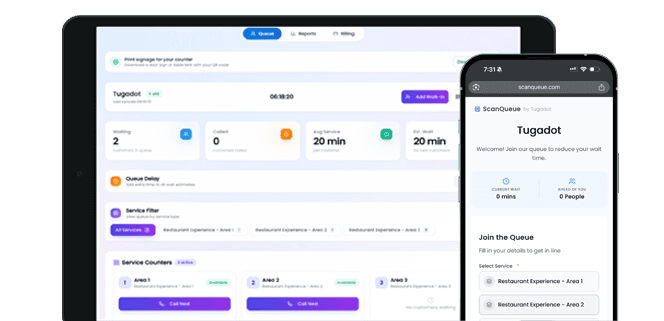
A queue management system is software that runs your waiting line. Customers join by QR code, kiosk or staff, see their place and estimated wait on their phone, and get a push, WhatsApp or SMS alert when called. Staff call the next person from one dashboard. ScanQueue is a queue management system with a free plan and no hardware.
It is also called a queue system, queuing system or queue management software. Restaurants, barbershops, clinics, councils, universities and events use ScanQueue, on plans from $0.
Why a Queue Management System Beats Manual Queues
Manual queues create bottlenecks that ripple through your entire operation. When customers arrive and find a clipboard or a crowded doorway, they have no idea how long they will wait. Some leave immediately. Others hover around the counter asking staff for updates every few minutes, pulling your team away from the work that actually moves the line forward.
Staff interruptions are the hidden cost of paper-based queues. Every time a team member stops to answer “how much longer?” or manually crosses off a name, they lose focus on the customer they are currently serving. These micro-interruptions compound quickly during peak hours, slowing throughput and increasing error rates.
Customer drop-off is the most visible symptom. Industry data shows that walk-in businesses lose up to 30% of potential customers who see a long or disorganized queue and decide it is not worth the wait. Without visibility into wait times and position, customers make the rational choice to leave — and most never come back.
How ScanQueue Works
| Stage | What happens in ScanQueue |
|---|---|
| Join | Customer scans a QR code (one per service if you like), uses a kiosk, or staff add them as a walk-in. No app, no account. |
| Wait | Customer sees a live place in line and estimated wait. Your TV display can call by name or ticket number. |
| Call | Staff tap to call the next person. The alert goes by push, WhatsApp or SMS, with automatic fallback. |
| Serve and report | Mark served or no-show. Reports show average wait, peak hours and no-shows by service. |
1
Customer Joins via QR Code
Display your unique QR code at the entrance, counter, or table tent. Customers scan with their phone camera, enter their name, select a service if applicable, and tap to join. No app download, no account creation — they are in the queue in under 10 seconds.
2
Staff Manage from the Live Dashboard
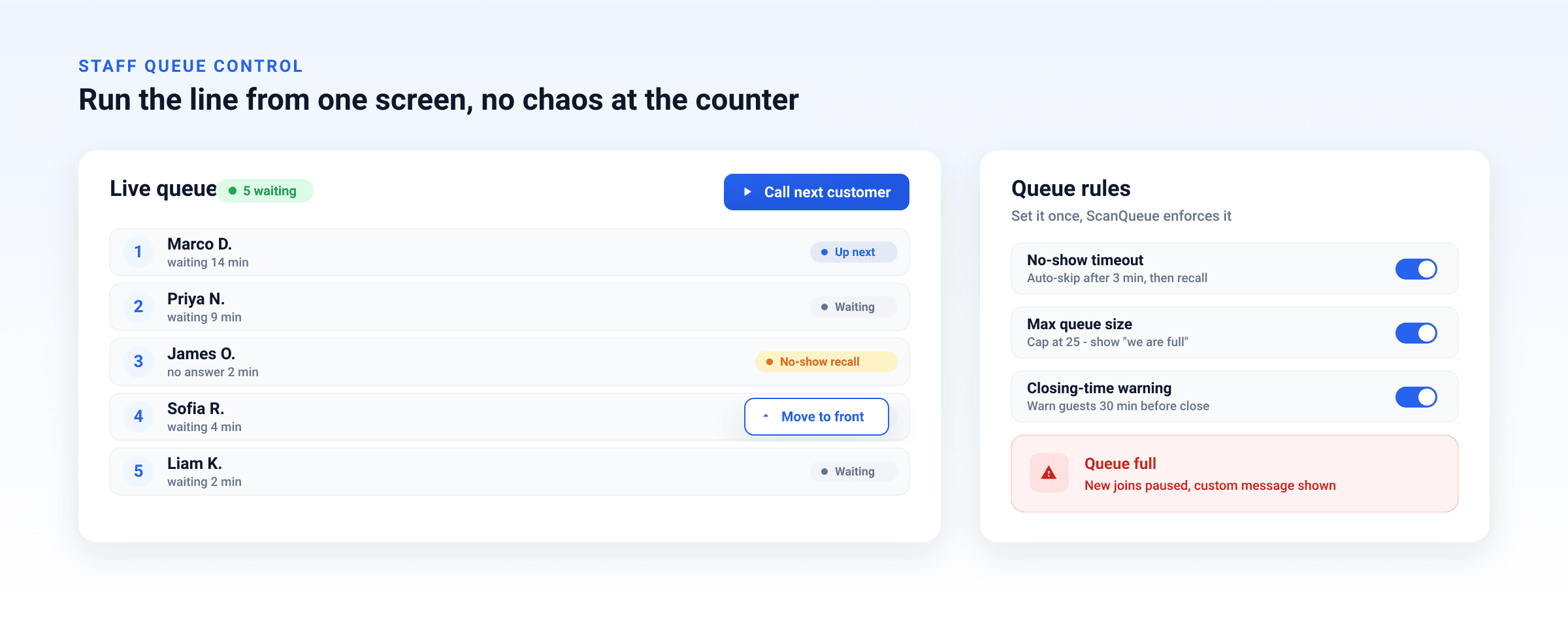
Your team sees every queue entry in real time on a clean web dashboard. Call the next person, skip someone who stepped out, reorder entries, or add walk-ins manually. Every action instantly updates the customer's position on their phone.
3
Automated Updates Keep Customers Informed
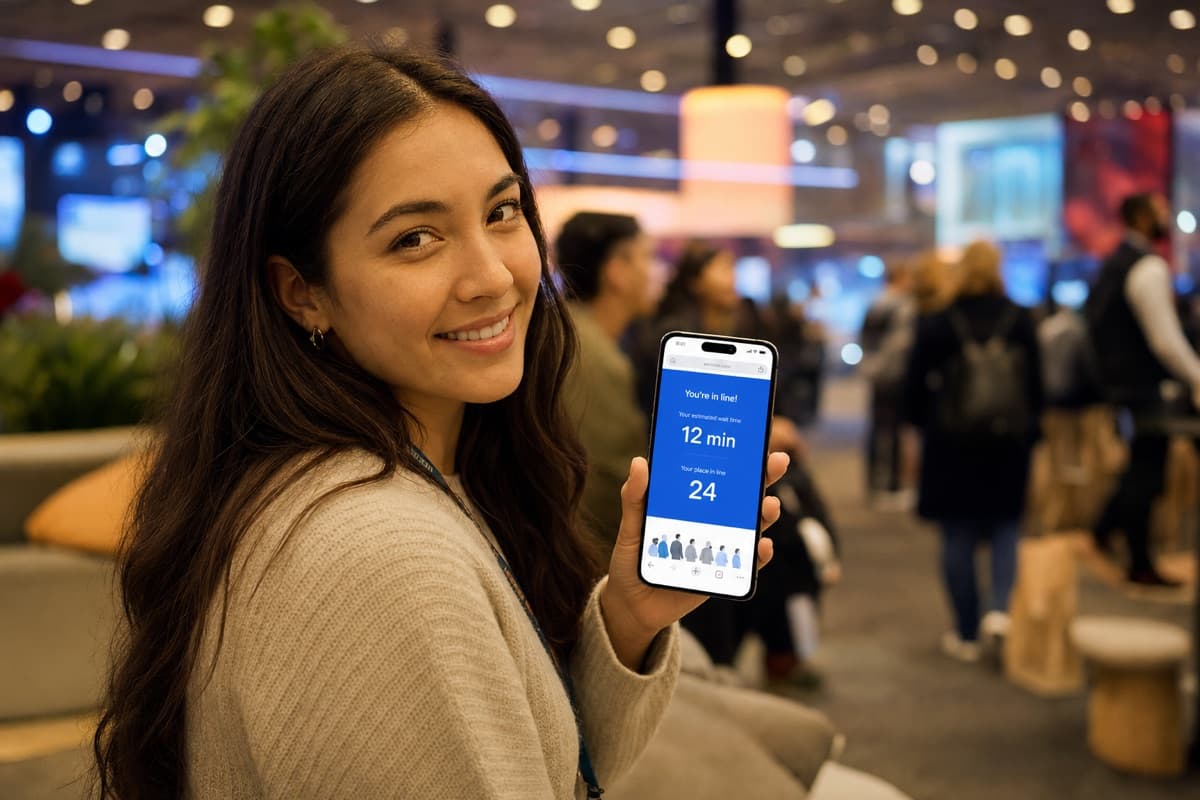
Customers see their live position and estimated wait time on their phone. When their turn is approaching, they get an SMS notification so they can head back. No shouting names, no missed turns — just a smooth handoff from waiting to being served.
Built for High-Footfall Teams
Restaurants & Cafes
Manage walk-in diners without a crowded lobby. Guests wait at the bar or outside and get a text when their table is ready.
Barbershops & Salons
Customers join the queue before arriving so they can time their visit instead of sitting in a waiting room.
Events & Venues
Run virtual queues at expos, festivals, conferences, and brand activations. Attendees scan once, roam the floor, and get an SMS when their booth or session is ready.
Clinics & Healthcare
Reduce crowded waiting rooms. Patients check in via QR and wait in their car or a quieter area until called.
Retail & Services
Manage fitting room queues, service desks, and consultation lines with a single digital system.
Beauty & Wellness
Let clients check in digitally and wait comfortably instead of crowding a small reception area.
Built for Events
Queue Management for Events & Venues
Expos, festivals, conferences, and brand activations run on flow. ScanQueue gives every booth, stage, demo, or experience zone its own virtual queue and QR code. Attendees scan once, explore the floor freely, and get an SMS the moment their turn comes up — no lines, no crowding, no missed sessions.
- Unlimited independent queues, managed from one dashboard
- Per-zone capacity limits with automatic waitlisting
- Works outdoors on attendee mobile data — no venue Wi-Fi required
Queue Management System Features
QR Check-In
Customers scan a QR code at your entrance and join the queue instantly from their phone. No app downloads, no sign-ups.
Live Queue Controls
Call, skip, reorder, or remove entries from a real-time dashboard. Every action updates the queue and notifies the customer.
Queue State Management
Track each customer through waiting, called, serving, and completed states. Know exactly where everyone is at a glance.
Automated Notifications
SMS and in-browser alerts notify customers when their turn is approaching. Fewer no-shows, fewer missed calls.
Queue Analytics
Track average wait times, peak hours, throughput, and drop-off rates. Use data to optimize staffing and scheduling.
Multi-Service Queues
Run separate queues for different services within the same location. Each queue tracks its own positions and metrics.
Queue Management System vs Paper, Buzzers and Kiosks
Most walk-in businesses still run on a clipboard or an aging ticket kiosk. Here is how a modern queue management system compares.
| Capability | Paper / Clipboard | Legacy Ticket Kiosk | ScanQueue |
|---|---|---|---|
| Customers join from their own phone | |||
| Live position & wait-time visibility | |||
| Automated SMS notifications | |||
| Multiple / per-service queues | |||
| Wait-time & throughput analytics | |||
| No dedicated hardware required | |||
| Live in under 5 minutes | |||
| Free plan available |
Legacy ticket kiosks typically require dedicated hardware, on-site installation, and per-terminal licensing.
Outcomes You Can Expect
Here is what changes when your queue runs itself:
- Lower congestion at the entrance. Customers wait wherever they want — their car, a nearby bench, or the coffee shop next door. Your lobby stays clear and welcoming for new arrivals.
- Fewer staff interruptions. Customers check their own position on their phone instead of asking your team. Staff stay focused on service delivery, not queue management.
- Better customer flow during peak hours. Automated notifications bring customers back at the right moment, eliminating gaps between served customers and keeping throughput steady.
- Data-driven staffing decisions. Queue analytics show you exactly when demand peaks, how long customers wait, and where bottlenecks form — so you can staff smarter, not harder.
See It in Action
5-Minute Setup
Sign up, name your business, print your QR code. You are live in under 5 minutes — no hardware, no IT team.
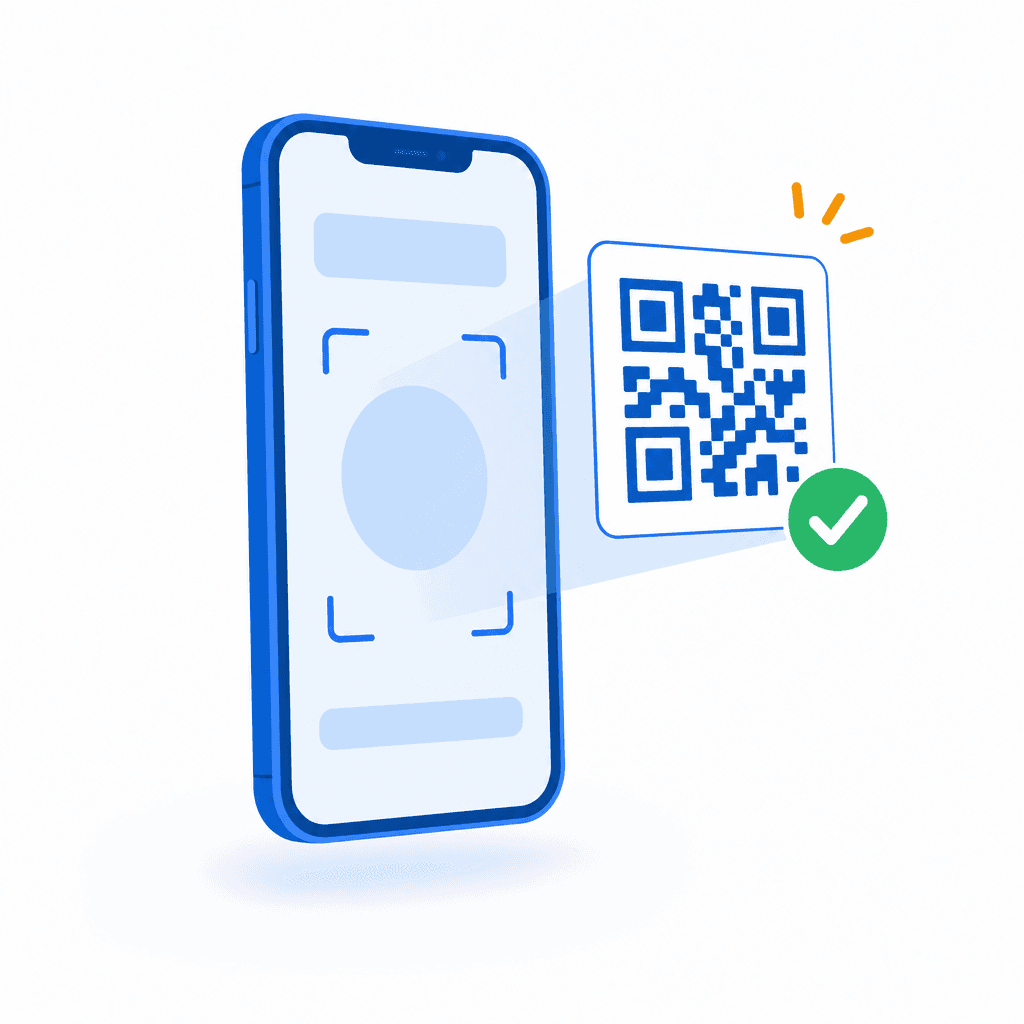
No App Download
Customers scan your QR code with their phone camera. No app download, no account needed — it works in any browser.
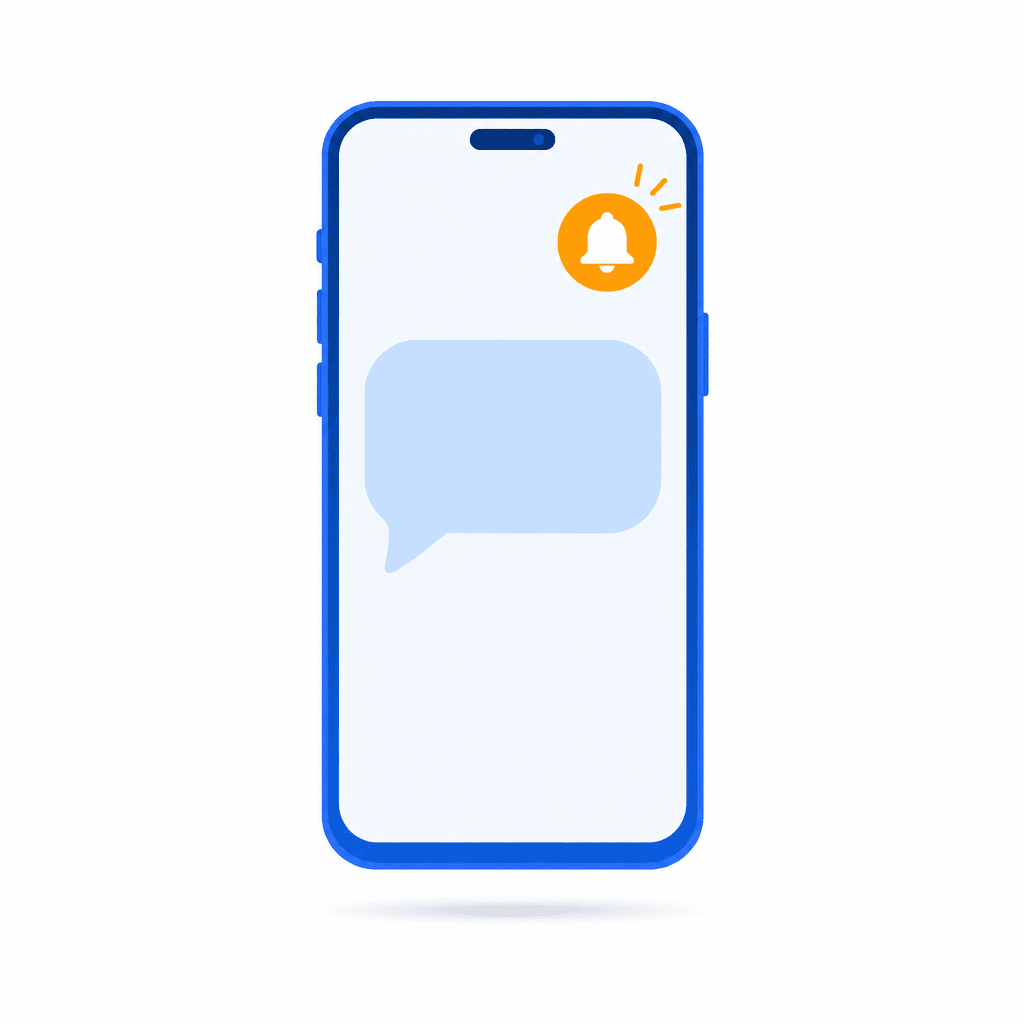
Instant SMS Alerts
Staff tap Notify. The customer gets an SMS within seconds with their queue status. No shouting names across the room.
Queue Management Guides
4 Types of Queue Management System
A plain-English breakdown of how virtual queue systems work and what to look for.
Read guideBest Queue Management Systems (2026)
A comparison of the leading queue management platforms for small and growing businesses.
Read guideFree Queue Management Software
How to run a live queue at no cost — and when it makes sense to upgrade.
Read guideQueuing Theory Explained
The math behind waiting lines: Little's Law, the main queuing models and how businesses use them to staff counters.
Read guideFree Sign-In Sheet Templates
Printable sign-in sheets for visitors, patients, staff and events, plus the QR alternative to paper.
Read guideFrequently Asked Questions
They usually mean the same thing. "Queue system" can also mean physical ropes, ticket dispensers or kiosks, while a queue management system adds the software: joining from a phone, live position, alerts and reports. ScanQueue replaces the ticket dispenser with a QR code and needs no hardware.
ScanQueue starts free (Starter: up to 100 queue joins a month). Paid plans are $49 (Essential), $99 (Growth), $249 (Pro) and $499 (Enterprise) a month in USD, with no hardware to buy. Kiosk-based systems usually add hardware and installation costs on top.
No. ScanQueue works entirely in the browser. Customers scan a QR code and join the queue from a mobile web page, with no app store visit or account creation required.
Yes. Staff can add customers directly from the dashboard with a single click. This is useful for phone-in requests, elderly customers, or anyone who prefers not to scan a QR code.
Yes. ScanQueue supports per-service queues so you can run separate waiting lines for different services within the same business. Each queue tracks its own positions and wait times independently.
Yes. You can go from sign-up to live queue in under 5 minutes. No hardware is needed. Just print your QR code and start accepting customers. ScanQueue runs on any device with a browser.
Yes. ScanQueue runs virtual queues at events of any size — expos, festivals, conferences, and brand activations. Create a separate queue with its own QR code for each booth, stage, or experience zone, set capacity limits per zone, and let attendees explore freely until they get an SMS that it is their turn. It runs on attendees’ own mobile data, so it works outdoors without venue Wi-Fi.
Yes. ScanQueue has a free plan with no credit card required, so you can run a live queue management system at no cost. Paid plans add higher notification volumes, multiple locations, and advanced analytics, starting well below the cost of legacy ticket-kiosk hardware.
Related Resources
Virtual Queue App
Let customers join and track their position from any device — no app download needed.
QR Code Queue
Learn how QR code queues replace paper sign-up sheets.
Waitlist Software
Digital waitlist management with SMS notifications and live tracking.
ScanQueue vs Waitwhile
Side-by-side feature and pricing comparison with the most popular alternative.
ScanQueue vs Qminder
See how ScanQueue compares to enterprise queue management platforms.

Run Faster Queues Starting Today
Set up in minutes. Customers scan, join, and wait on their own terms — while your team focuses on delivering great service.
Free plan available No credit card required Set up in 5 minutes