Event queue management is the systematic approach to handling crowd flow at festivals, conferences, markets, and pop-up events. Done well, it keeps attendees moving, vendors happy, and safety incidents at zero. Done poorly, it turns an exciting event into a frustrating, potentially dangerous experience.
This guide provides actionable strategies for managing queues at events of all sizes, from 200-person pop-ups to 50,000-attendee festivals.
The Unique Challenges of Event Queues
Event queues differ from permanent venue queues in fundamental ways. Understanding these differences is the first step to managing them effectively.
Unpredictable Demand Spikes
Unlike a restaurant where customer flow follows predictable patterns, events experience sudden surges. A headline act finishes and 5,000 people simultaneously head to food vendors. A rain shower drives everyone toward covered areas. A social media mention sends a wave of walk-ups to a pop-up market.
Temporary Infrastructure
Events don't have the luxury of permanent signage, established traffic patterns, or familiar layouts. Everything is set up temporarily, which means queue systems need to be deployable in minutes, not days. There's no time for complex installations or staff training marathons.
Multiple Simultaneous Queues
A typical festival might have 15-30 separate queue points: entry gates, food vendors, bars, merchandise stands, photo ops, VIP areas, activities, and restrooms. Each needs its own management approach, and they all compete for the same pool of attendees.
Queue Management Strategies by Event Type
Festivals and Outdoor Events
Large outdoor festivals face the toughest queue challenges — thousands of people, limited infrastructure, and weather variables. The key strategies are:
- Staggered entry windows. Instead of one gate opening time, offer early entry, standard entry, and late entry passes. This spreads the entry surge over 2-3 hours instead of 30 minutes.
- Virtual queues for popular vendors. Place QR codes at high-demand food and beverage stalls. Attendees join digitally and get an SMS when their order is ready — no standing in line under the sun.
- Distributed service points. Instead of one main bar, set up 4-5 smaller stations across the venue. This naturally distributes demand and shortens individual queue lengths.
- Real-time crowd monitoring. Use queue data to identify bottlenecks in real-time and redirect foot traffic via announcements or digital signage.
Conferences and Trade Shows
Conference queues center around registration, session entry, and networking events. The professional audience expects efficiency.
- Pre-event registration with QR badges. Send QR-coded badges or digital passes before the event. Attendees scan on arrival instead of queuing at a registration desk.
- Session capacity management. Popular sessions fill up. Use a virtual waitlist so attendees can join a backup queue and get notified if spots open up, rather than hovering outside a full room.
- Separate VIP/speaker lanes. High-value attendees and speakers should never wait in general queues. Dedicated lanes or mobile check-in keep them moving.
Markets and Pop-Up Events
Markets face a unique challenge: individual vendors often create their own queues that spill into walkways, blocking foot traffic and creating safety hazards.
- Vendor-specific virtual queues. Each vendor gets a QR code that customers scan to join their queue. This eliminates physical lines and lets shoppers browse other stalls while waiting.
- Entry management for limited-capacity venues. For indoor markets or pop-ups with fire code limits, use a virtual queue at the entrance to manage capacity in and out.
- Pre-ordering systems. High-demand food vendors benefit from letting customers order and pay in advance, then collecting their items at a designated time.
Pro Tip — Vendor QR Placement: Print QR codes on A3-size weatherproof stands placed 2-3 meters in front of the vendor stall. This catches customers as they approach and prevents physical queues from forming in the first place.
What is the best way to manage the queue at a pop-up store launch?
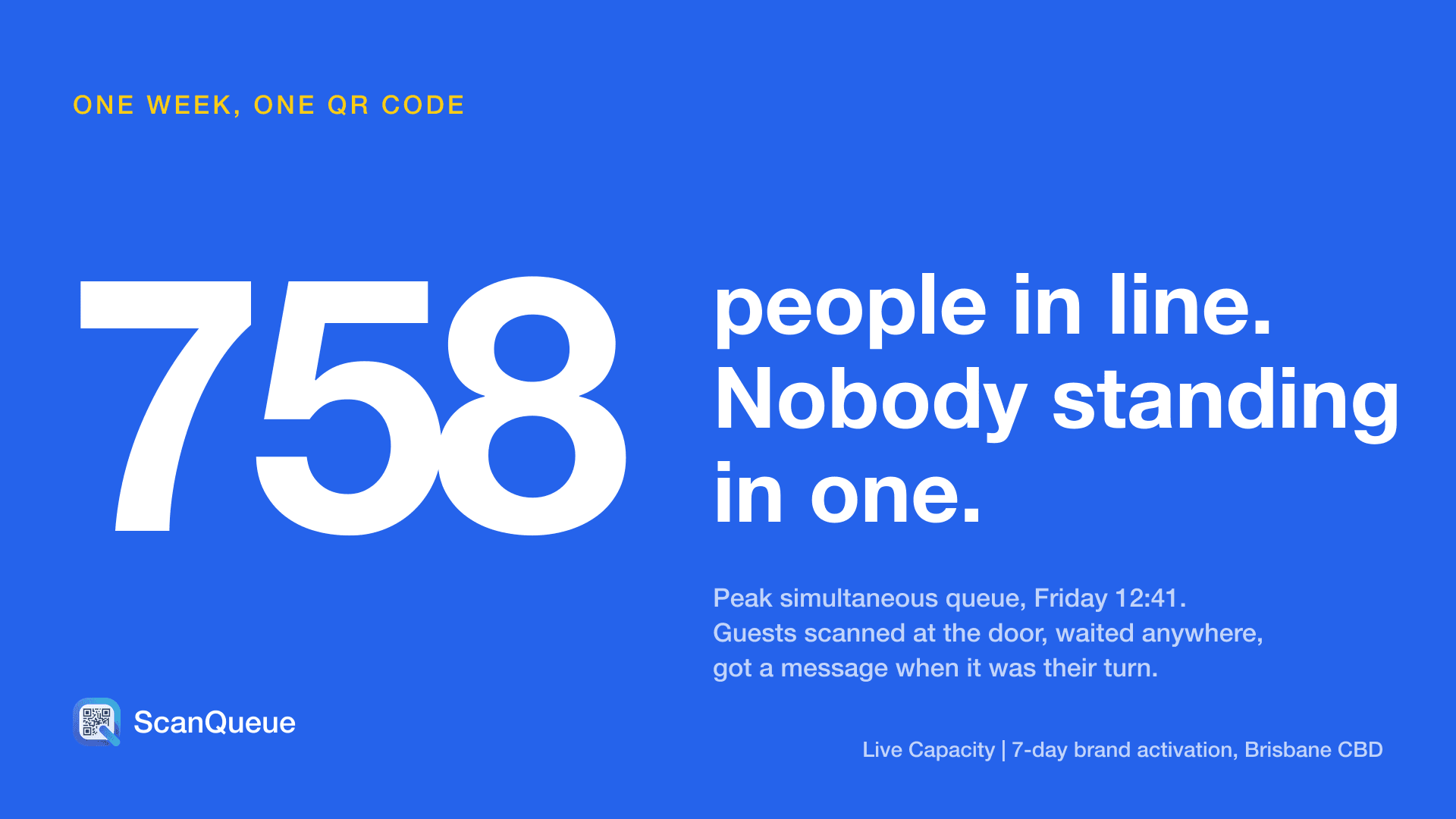
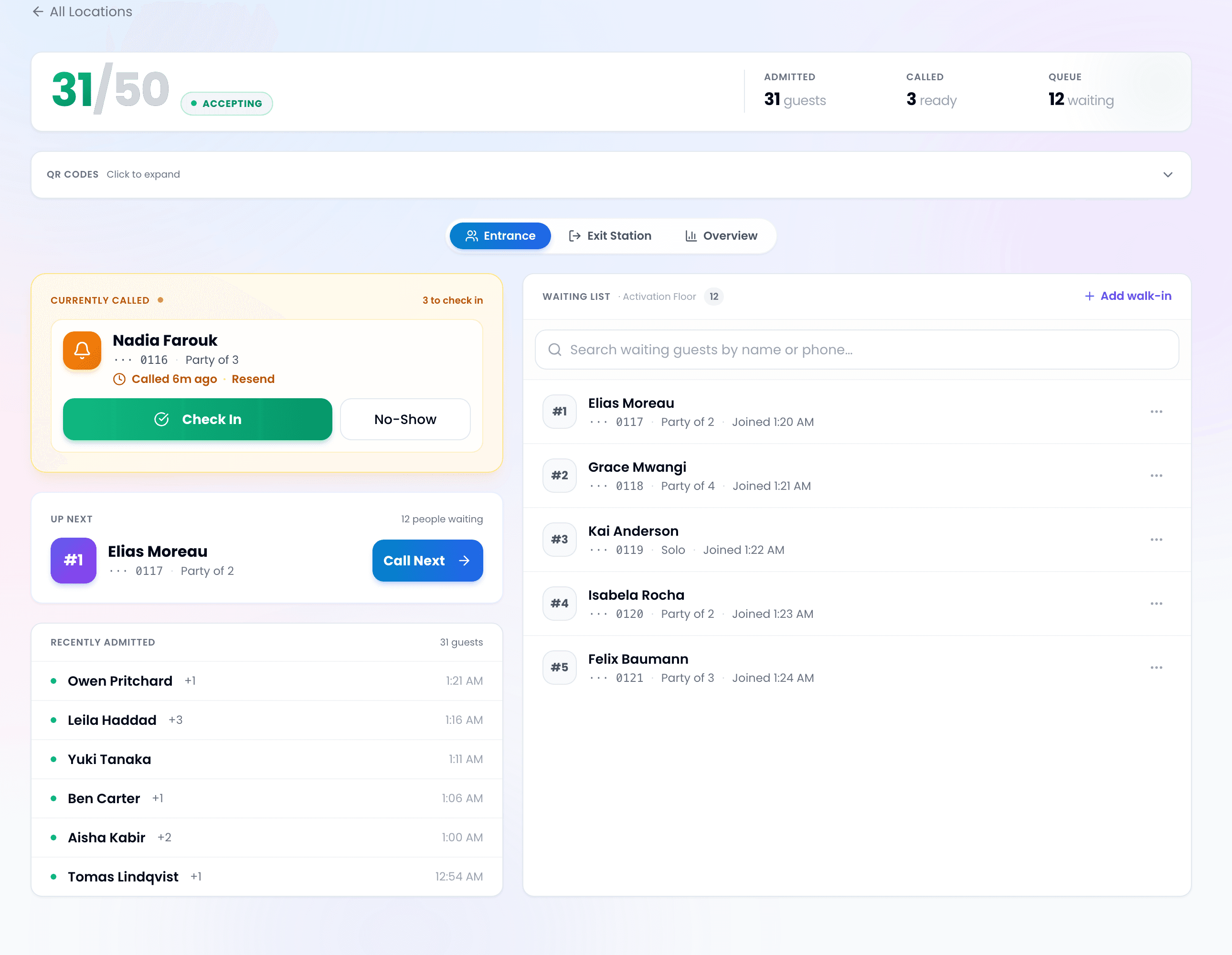
Give the launch a virtual queue and a capacity cap: guests scan a QR code outside to join the line, browse nearby until a text calls them, and staff admit them as others leave, so the pavement never fills with a crowd. ScanQueue's Live Capacity mode, for example, runs both as one flow: guests join from the entrance QR code, wait on their phones, are called when the floor has room, and scan out when they leave, with no app for guests and no hardware for the brand.
Safety Considerations
Queue management at events isn't just about customer experience — it's about safety. The UK Health and Safety Executive lists crushing among the main crowd hazards at events, and warns that poorly managed queues can lead people to surge towards the doors when they open.
Key safety practices:
- Maintain emergency access. Physical queues must never block emergency exits, vehicle access routes, or medical stations.
- Set capacity limits per queue. When a physical queue reaches a defined length, redirect arrivals to a virtual queue or alternate service point.
- Monitor queue density. Crowd density above about 4 people per square meter is widely treated as a rising crush risk. Virtual queuing reduces it by removing the physical line.
- Weather contingencies. Heat, rain, and cold all affect queue tolerance and safety. Virtual queues let attendees shelter while waiting.
Knowing How Many People Are Actually Inside
Managing the line is only half of it. For any space with a limit, whether that is a fan zone, a viewing platform, a breakout room or an activation, you also need to know how many people are inside right now. A clicker at the door counts entries but never exits, so the number drifts all day and nobody trusts it by the afternoon.
ScanQueue handles this with Live Capacity: guests scan a QR poster to enter and a second one to leave, staff see the count update in real time, and forgotten exits clear themselves after a session window you set. No turnstiles. See how Live Capacity works for the full walkthrough.
Technology Setup for Events
The best event queue technology is simple to deploy and doesn't require internet infrastructure you can't guarantee.
What You Need
- Printed QR codes — Weatherproof, visible from 2+ meters away, placed at each queue point
- Mobile devices for staff — Phones or tablets to manage queues from the dashboard
- Reliable cellular coverage — Both for staff devices and attendee SMS delivery
- Backup signage — Clear directional signs in case technology fails
Scenario: A 5,000-Person Food Festival
Consider a weekend food festival with 25 vendors, 3 bars, and a main stage area. Here's how queue management works in practice:
- Each vendor has a QR code stand. Attendees scan, join the virtual queue, and see their position and estimated wait time on their phone.
- When their food is ready, the vendor taps "notify" on their dashboard. The attendee gets an SMS: "Your order at Smoky BBQ is ready! Head to stall #14."
- Festival organizers monitor a central dashboard showing all queues, identifying which vendors are overloaded and can adjust staffing or direct foot traffic accordingly.
- At the end of the event, analytics show average wait times per vendor, peak hours, and total customers served — valuable data for next year's planning.
Frequently Asked Questions
How quickly can I set up a queue system for an event?
With a QR code-based system like ScanQueue, you can have queues running within minutes. Print your QR codes, open the dashboard on your phone, and you're live.
What if attendees don't have smartphones?
Staff can manually add attendees to the queue from the dashboard. This covers anyone without a phone or those who prefer not to scan.
How do I handle VIP or fast-track attendees?
Set up a separate VIP queue with higher priority, or use priority placement to move VIP attendees ahead of the general queue automatically.
Can each vendor manage their own queue independently?
Yes. Each vendor gets access to their own queue dashboard while the event organizer maintains a bird's-eye view of all queues.
What's the cost for a one-day event?
ScanQueue's free tier handles up to 100 queue joins a month with 5 SMS/month. For larger events needing more SMS notifications, paid plans start at $99/month.
Queue Management Built for Events
From pop-up markets to multi-day festivals, ScanQueue gives you instant virtual queues with QR codes, SMS notifications, and real-time analytics.
Explore Event Solutions →Last updated: February 2026
Stop losing walk-ins to wait times
Set up ScanQueue in 5 minutes. Customers scan a QR code, get SMS alerts when it's their turn, and wait anywhere.
- Free plan — no credit card
- No app download for customers
- QR code, SMS, and WhatsApp notifications
ScanQueue Team
Queue Management Experts
Helping businesses reduce wait times and improve customer experience with smart queue management solutions.