
Stop Losing Attendees at the Door. Event & Venue Queue Management Software
Updated
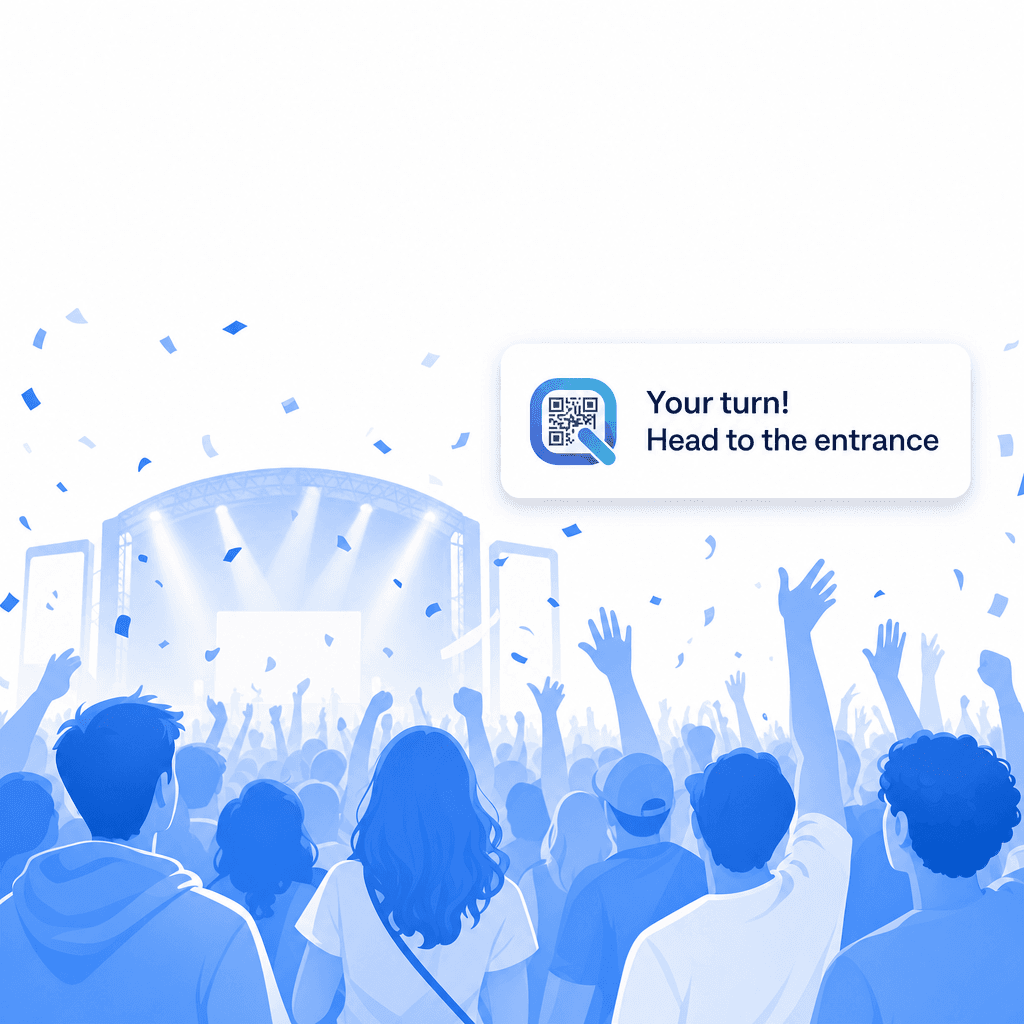
Long lines kill the event experience. Replace physical queues with a digital one — attendees scan a QR code, join a virtual waitlist, explore the venue freely, and get an SMS when it's their turn. Works for conferences, trade shows, festivals, pop-ups, and any venue where people wait.
Works for events of any size · Free plan available · Set up in 5 minutes · No app download required
is what exhibitors routinely spend on a single booth. Do not lose the attendees you paid to reach to a slow line at the entrance.
See exactly what your attendees experience when they join your queue. 15 seconds, no app, no sign-up.
Open the live demo- No app download for customers
- No hardware. Just a QR code
- Free plan. Live in 5 minutes
Long Lines Are Ruining Your Event Experience
Lines are the number one frustration at events.
Whether it's a 40-minute queue to enter a brand activation, a bottleneck at a conference demo booth, or a crush at a festival food stall — physical queues waste your attendees' time, create safety risks, and undermine the experience you've worked months to create.
The economics are brutal. Event exhibitors routinely spend $40,000 or more on a single trade show booth— airfare, hotels, staff, materials — all for the goal of connecting with attendees. Every minute an attendee spends standing in a queue is a minute they're not engaging with exhibitors, speakers, or sponsors. For ticketed experiences with limited capacity, a visible line discourages potential attendees from even joining.
Crowding creates real safety concerns too. Venue capacity limits exist for good reason, and managing one-in-one-out flow manually — with clickers, clipboards, and stressed staff — is error-prone and labour-intensive. Post-pandemic, attendees have lower tolerance for being packed shoulder-to-shoulder in queues.
The traditional solution is more staff, more stanchions, and more shouting. But physical crowd management doesn't scale, doesn't give attendees any information, and doesn't capture data about flow patterns that would help you improve future events.
Your attendees didn't buy a ticket to stand in a line. Give them their time back.
- Crowd Distribution
- Spreading attendees across time slots or zones to prevent dangerous overcrowding and improve the event experience.
- Session Queue
- A dedicated queue for a specific talk, workshop, or attraction within a larger event, managing capacity independently.
- Fast-Pass Lane
- A priority access queue for VIP ticket holders or premium attendees, allowing them to skip the general queue.
How ScanQueue Works for Events & Venues
ScanQueue replaces physical lines with a digital queue. Attendees check in remotely, explore the venue freely, and return when it's their turn.
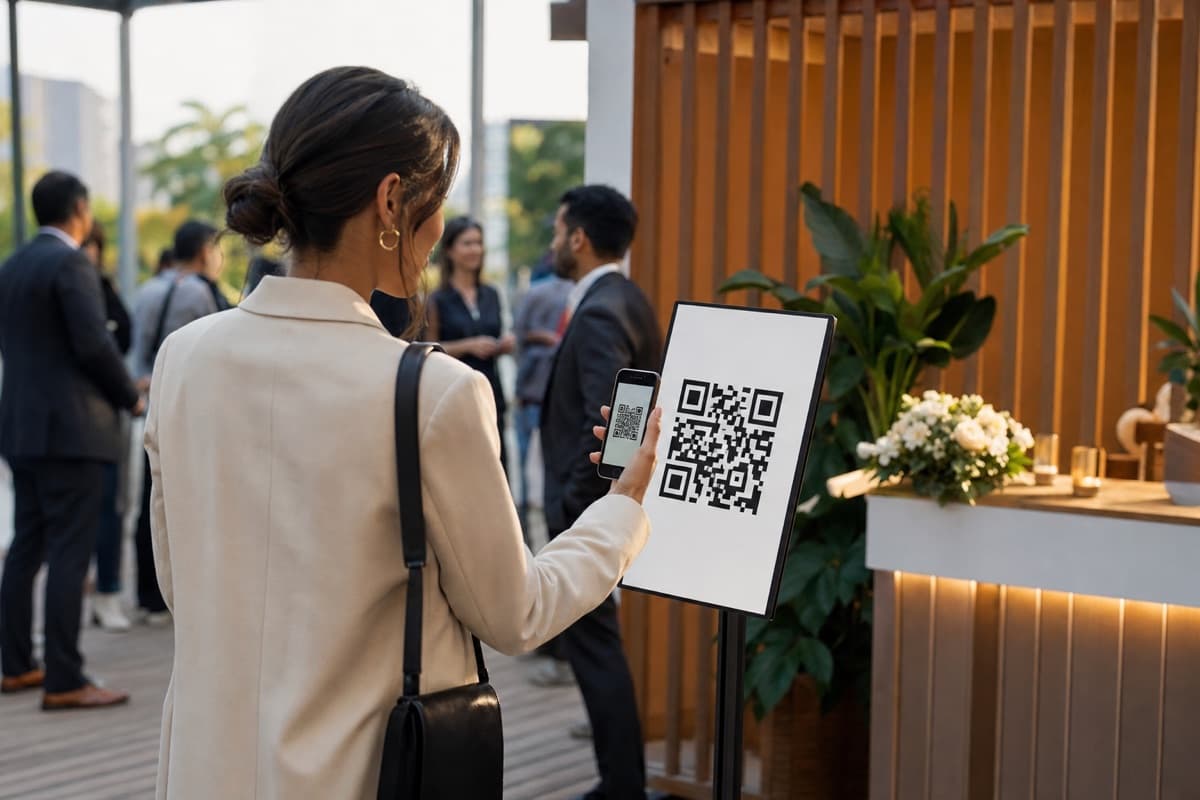
Place QR Codes at Entry Points
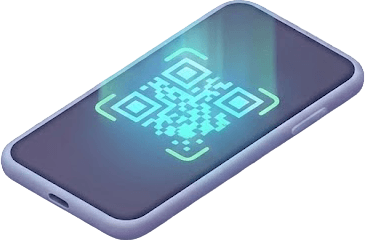
Print QR codes on signage, table tents, banners, or screens at any queue point — main entrance, demo booths, workshop rooms, food stalls, VIP experiences. Attendees scan with their phone camera. No app download, no account creation.
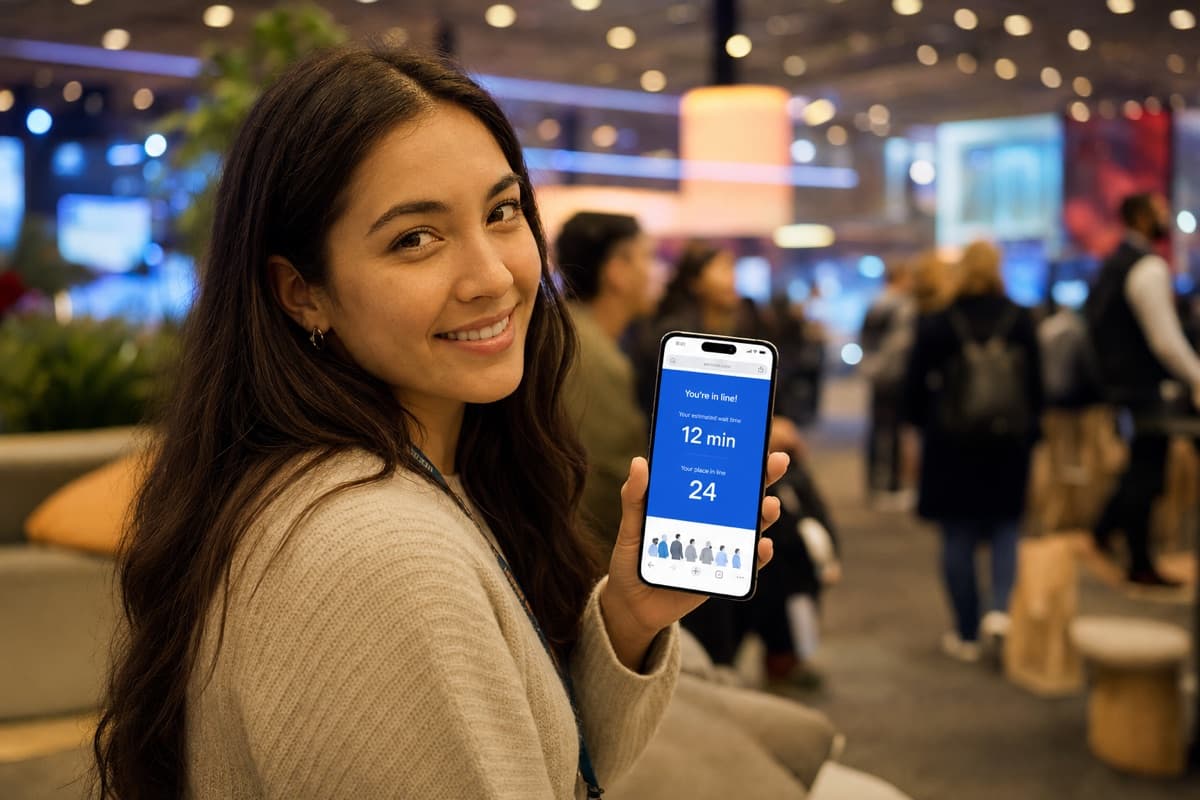
Attendees Join the Virtual Queue
They enter their name, select the experience or session they want, and join the digital queue in about 15 seconds. They see their live position and estimated wait time on their phone immediately.

They Explore Freely
Instead of standing in a physical line, attendees roam the event, visit other booths, grab food, network — using their time productively. Their phone shows their queue position updating in real time.
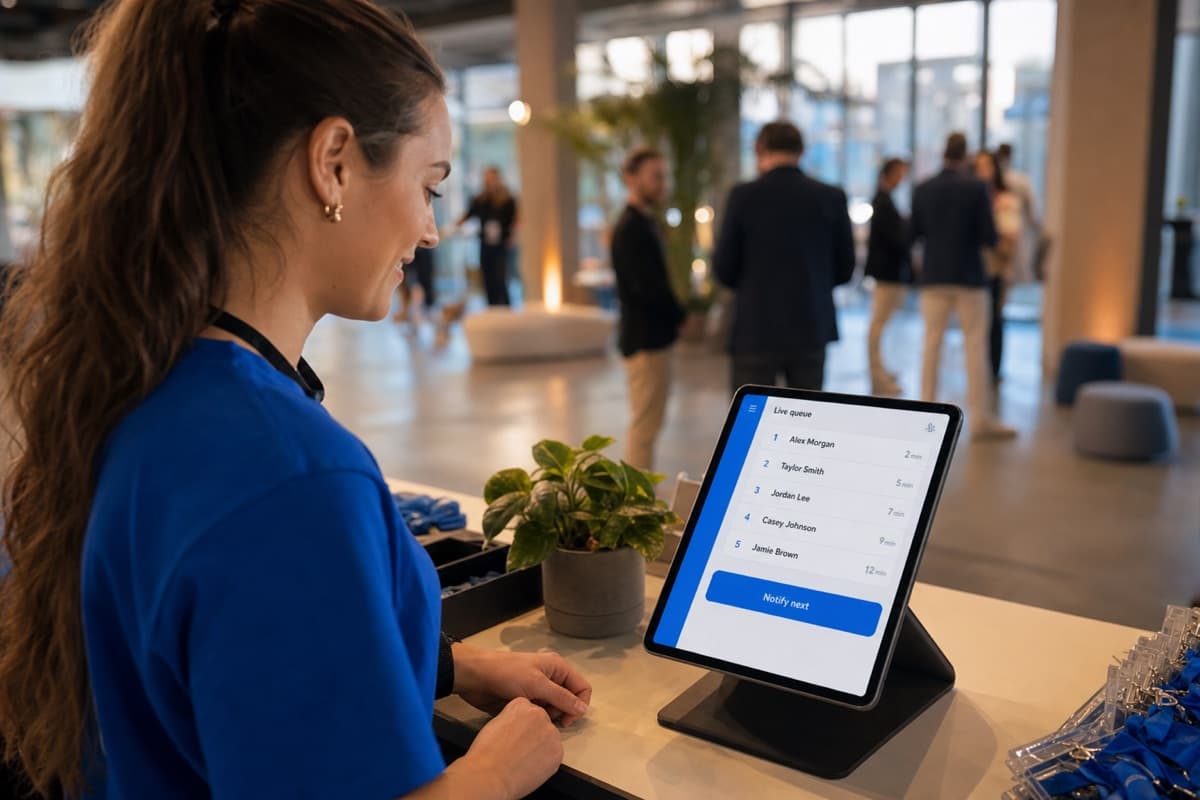
You Notify When Ready
When it's their turn, your team taps “Notify” on the dashboard. The attendee gets an instant SMS or WhatsApp message. They return to the experience, ready to engage. The handover takes seconds instead of the chaos of managing a physical crowd.
Features Built for Events & Venues
Every feature is designed for the realities of running events — crowd flow, multiple queue points, and an experience that needs to stay smooth and safe.
QR Code Self-Check-In
Attendees join any queue in 15 seconds by scanning a QR code. Place codes at every queue point across the venue. No staff needed for initial check-in. Scale to as many queues as you need.

Multiple Independent Queues
Run separate queues for different experiences, stages, demo booths, workshop rooms, food areas, or VIP zones — each with its own QR code. Manage all queues from a single dashboard. Perfect for multi-experience venues and large-format events.
Capacity Management
Set maximum capacity for any queue or zone. When capacity is reached, new attendees are automatically waitlisted and notified when a spot opens. Door staff run one-in-one-out from the live count instead of a clicker tally.

SMS & WhatsApp Notifications
Instant notifications when an attendee's turn arrives. WhatsApp or SMS alerts reach attendees wherever they are, so no one misses their slot.
AI Wait Time Predictions
Give attendees accurate estimates. When someone knows they have a 20-minute wait, they'll explore the venue. When they have no information, they either stand in line or leave.
Real-Time Dashboard
See every queue across your event on one screen — attendee count, average wait time, throughput rate, and capacity status. Your event operations team gets real-time visibility without radio calls and manual headcounts.
Analytics & Post-Event Reporting
Track peak times, average wait times per queue, attendee throughput, and drop-off rates. Use the data to optimise layout, staffing, and scheduling for your next event.
No Hardware, No App, No Wi-Fi Dependency
Attendees use their own phones over mobile data. No kiosks, no wristbands, no beacon hardware to install. Works indoors and outdoors.
How Events & Venues Use ScanQueue
Every event is different. Here's how ScanQueue adapts to different venue types and formats.
Conference & Trade Show Booths
Your exhibitor has a hands-on demo that takes 10 minutes per group. Instead of a crowd blocking the aisle, a QR code at the booth lets attendees join a virtual queue and continue browsing other exhibits. An SMS brings them back when the demo is ready. Exhibitors connect with more attendees, attendees waste less time, and the event floor flows smoothly.
Brand Activations & Pop-Up Experiences
Limited-capacity immersive experiences — photo ops, product launches, interactive installations — draw crowds that create bottlenecks. A QR queue lets attendees register their interest and explore while they wait. Process groups smoothly without the chaos and safety risks of a physical line.
Festival Food & Drink Stalls
Festival-goers abandon food stalls when they see long lines, hurting vendor revenue. A QR code at each stall lets guests join a digital queue and continue enjoying the festival. An SMS brings them back when their order window opens. Less crowding, more revenue per stall.
Workshops, Talks & Limited-Capacity Sessions
Your conference workshop holds 40 people. When it fills, a virtual waitlist captures overflow demand and notifies waitlisted attendees if spots open from cancellations. Better than “first come, first served” physical queuing, and you capture data on demand to inform future programming.
VIP & Hospitality Zones
Manage access to VIP lounges, sponsor hospitality suites, or exclusive experiences with a separate queue. Control capacity and flow without visible gatekeeping. Guests check in via QR and are notified when the zone has availability.
Sporting & Entertainment Venues
Concession stands, merchandise stores, and experience zones at stadiums and arenas all benefit from virtual queuing. Fans spend time in their seats watching the event instead of standing in lines, and return to the concession point only when notified.
The Briefs Event Teams Send Us
Real inbound briefs from recent months, scale figures exactly as received. If your event looks like one of these, it has already been scoped on this platform.
Printed QR codes at the entrance, unlimited staff logins, and proof the system holds at more than 10,000 registrations a day.
Sixteen queue points across merch, gaming and theatre rooms, with one account and counters for every station.
SMS only, no app for guests, full event branding, data wiped after each event, and an entry waitlist for a venue at capacity.
A product-collection queue for more than 15,000 joins a day, and an honest answer on what that many notifications cost.
Fifteen stores live on the same day, custom copy on every text, a VIP queue and pre-registered time slots.
Stop the line wrapping the booth and clogging the aisles, cap the active queue, and hold everyone else virtually.
Running a brand activation specifically? See the dedicated brand activation queue page, or try the interactive guest flow demo your attendees would experience.
What Events & Venues Gain
What an event gets when its lines move onto attendees' phones.
Attendees scan a QR code and hold their place in the phone browser, then explore the event while they wait. No app store, no account.
Digital capacity management replaces manual headcounts. Set limits, run one-in-one-out from the live count, and ease crowding.
No kiosks, no wristbands, no beacon infrastructure. Just printed QR codes and the phones your attendees already carry.
Create a new queue, print a QR code, and place it. Add as many queues as your event needs — no lead time, no integration.
When attendees aren't trapped in lines, they visit more booths, attend more demos, and engage more deeply.
See every queue's status, wait times, and capacity on one dashboard. Make staffing and flow decisions in real time.
Delivered, Not Promised
Recent event deployments, with the numbers as they happened.
A Formula 1 race-week activation
Four days at the Melbourne Grand Prix: three experiences, six counters, 625 queue entries and 1,537 notifications, WhatsApp-first with SMS fallback. The client took ScanQueue to the next Grand Prix city, where the whole setup was replicated onto the new agency's account overnight and expanded to five queues.
A World Cup watch party in three cities
One dashboard running branded queues in three US cities. SMS only, per-station call texts, and a venue entry waitlist with a 10-minute hold that releases spots automatically — scoped, approved, built and live within four hours of the request.
A global exhibition operator
From one New York venue to nine venues across the US, UK, Netherlands, Belgium and Germany in about three weeks. Bookable timed-entry slots were requested and delivered the same day, at every venue, and existing printed QR codes survived the whole restructure.
A weekend event series
One operator put 384 people through the queue in a single weekend. Days after the event they asked for closing-time warnings, a no-show holding list and time-slot staff scheduling — all three shipped four days later.
“The team at ScanQueue have worked closely with us to deliver a product that truly suits our business. From weekend calls to live updates during events, their support has been outstanding. Highly recommend.”
Event-Day Queue Operations Playbook
A simple timeline to keep queue operations running smoothly from doors open to final guest.
T-30 min: Pre-Open Check
Verify QR codes scan correctly. Confirm all staff have dashboard access. Test notification delivery on a sample phone. Print backup QR sheets if using signage.
Doors Open: First 15 Minutes
Monitor the initial wave of joins. Watch for queue depth building faster than expected. Adjust call rate early — the first 15 minutes set the pace for the entire session.
Peak Window: Surge Management
When queue depth spikes, increase throughput by calling groups rather than individuals. Use the dashboard to identify which service points have capacity and redirect overflow.
Wind-Down: Final Hour
Communicate estimated remaining wait times. Close the queue to new joins when you can no longer serve new attendees before the event ends. Process the remaining queue steadily.
Post-Event: Export and Review
Export queue data while the event is still fresh. Review peak wait times, no-show rates, and throughput per hour. Use these numbers to plan staffing for your next event. See our State of Queuing report for how long attendees actually wait at events and activations, and our comparison of the best event check-in apps if you are choosing a tool.
Value by Role
Different roles get different things from queue management. Here's what each team member gains.
Event Ops Lead
Real-time visibility into queue depth across all zones. Make staffing decisions based on live data instead of radio calls. Know exactly when queues are building before they become crowd-control problems. Post-event reports give you concrete numbers for stakeholder debriefs.
Brand Activation Manager
Protect the brand experience by eliminating visible congestion around your activation. Track how many attendees completed the experience versus how many joined the queue. Use throughput data to justify staffing levels and prove activation ROI to clients.
On-Site Staff
Call the next person with one tap — no shouting names or holding clipboards. The dashboard shows who's next, who's been waiting longest, and how many are left. Staff spend less time managing the line and more time delivering the experience.
Metrics to Track at Every Event
The right queue metrics tell you whether your event operations are improving — or just surviving.
- Average wait time — How long attendees actually waited from join to service. Compare across events to measure operational improvement.
- Peak queue depth — The maximum number of people waiting at any point. Helps you plan staffing for future events.
- No-show rate — The percentage of people who joined but never showed when called. High no-show rates indicate notification or timing issues.
- Throughput per hour — How many attendees you process each hour. The single best indicator of whether your queue flow is efficient.
- Service time per guest — Time from calling a guest to completing service. Helps identify which experiences or stations are bottlenecks.
5 Queue Mistakes Event Teams Make
Most event queue problems are preventable. These are the patterns we see repeatedly.
- 1No queue system at all. Relying on physical lines and shouted names. Staff burn out, guests walk away, and you have no data to show what happened.
- 2Starting too late. Setting up queue management after doors open means you miss the first surge — which is often the biggest and most chaotic.
- 3Single queue for everything. Running one line when you have multiple experiences or service points. This creates unnecessary bottlenecks and longer waits.
- 4No communication with waiting guests. When people don't know their status, they crowd the front of the line and ask staff repeatedly. This slows service.
- 5Not reviewing data afterward. Events are learning opportunities. Without post-event queue data, you make the same staffing and flow mistakes at the next one.
How ScanQueue Compares
Most event queue solutions are enterprise platforms designed for theme parks and mega-venues. ScanQueue gives event organisers the same virtual queuing technology at a fraction of the cost and complexity. See how our queue management system works.
| Feature | ScanQueue | Waitwhile | NextMe | InSite | QLess |
|---|---|---|---|---|---|
| Free plan | Free forever | Limited free | Free tier | No | No |
| Starting price | Free / $49/mo | Free / $39/mo ($31 annual) | $59.99/mo ($49.99 annual) | Enterprise | Enterprise |
| QR code check-in | Paid plans | Kiosk/text | |||
| No hardware required | |||||
| Multiple queues | Unlimited | ||||
| Capacity management | |||||
| WhatsApp + SMS notifications | SMS only | ||||
| AI wait predictions | |||||
| No app download | N/A | Varies | |||
| Setup time | 5 minutes | ~15 minutes | ~30 minutes | Weeks | Weeks |
| Best for | Events and venues, pop-ups to enterprise activations | Mid-size events | Brand activations | Large venues | Enterprise venues |
Note:InSite, QLess, and enterprise solutions like Q-Flow and Qmatic are designed for theme parks and mega-venues. They're powerful but require weeks of setup and dedicated hardware. If your event needs a simple, affordable way to manage queues without infrastructure, ScanQueue does the job.
Pricing for Events & Venues
Straightforward pricing with no per-attendee charges, no hardware costs, and no long-term contracts.
5 SMS credits/mo trial
Perfect for testing virtual queuing at small events. QR code, live dashboard, WhatsApp + SMS.
500 SMS credits/mo included
Multiple queues, analytics, custom branding, WhatsApp + SMS.
1,400 SMS credits/mo included
High-volume events with up to 4,000 queue joins per month and priority support.
From $499/mo
Multi-venue operations with 2,800+ SMS credits/mo, dedicated support, and custom solutions.
All plans include WhatsApp + SMS notifications. No per-attendee fees. Cancel anytime. See Full Pricing →
Real-Time Event Dashboard
See exactly what is happening across your entire event from a single screen — and act on it before problems escalate.
The ScanQueue event dashboard gives organizers a live view of every queue, entry point, and attraction across the venue. See how many attendees are waiting at each station, which lines are growing fastest, and where wait times are approaching your threshold. No more radio calls asking "how long is the line at Gate B?" — the answer is always on screen.
With Live Capacity on, every zone shows its count against its cap in colour: green with room to spare, amber with a Near cap badge from 70% full, red from 90%, and Paused at the limit, where the admit controls disable and door staff hold the line until someone leaves. The ops lead sees every zone change state on one screen and can redirect flow or open an overflow area before the line outside becomes a problem, instead of waiting for a radio call.
Staff reallocation becomes data-driven instead of guesswork. When the dashboard shows one attraction with a 45-minute wait and another at 5 minutes, you can move team members in real time. Post-event, the analytics show peak times, average wait by station, and throughput per hour — giving you the data to plan staffing, layout, and scheduling for future events.
Know how many people are inside, not just how many are waiting
For fan zones, activations, pop-ups and any space with a set cap, ScanQueue switches from a queue to a live people counter. Guests scan one QR code to enter and another to leave. Staff see the live count against the cap, admit up to the limit, and hold the door when the floor is full. No clickers, no turnstiles, no sensors.
The screenshot is the real dashboard: a 50-person activation floor at 31 inside, 12 waiting outside, and a 60-minute occupancy trend.
See Live Capacity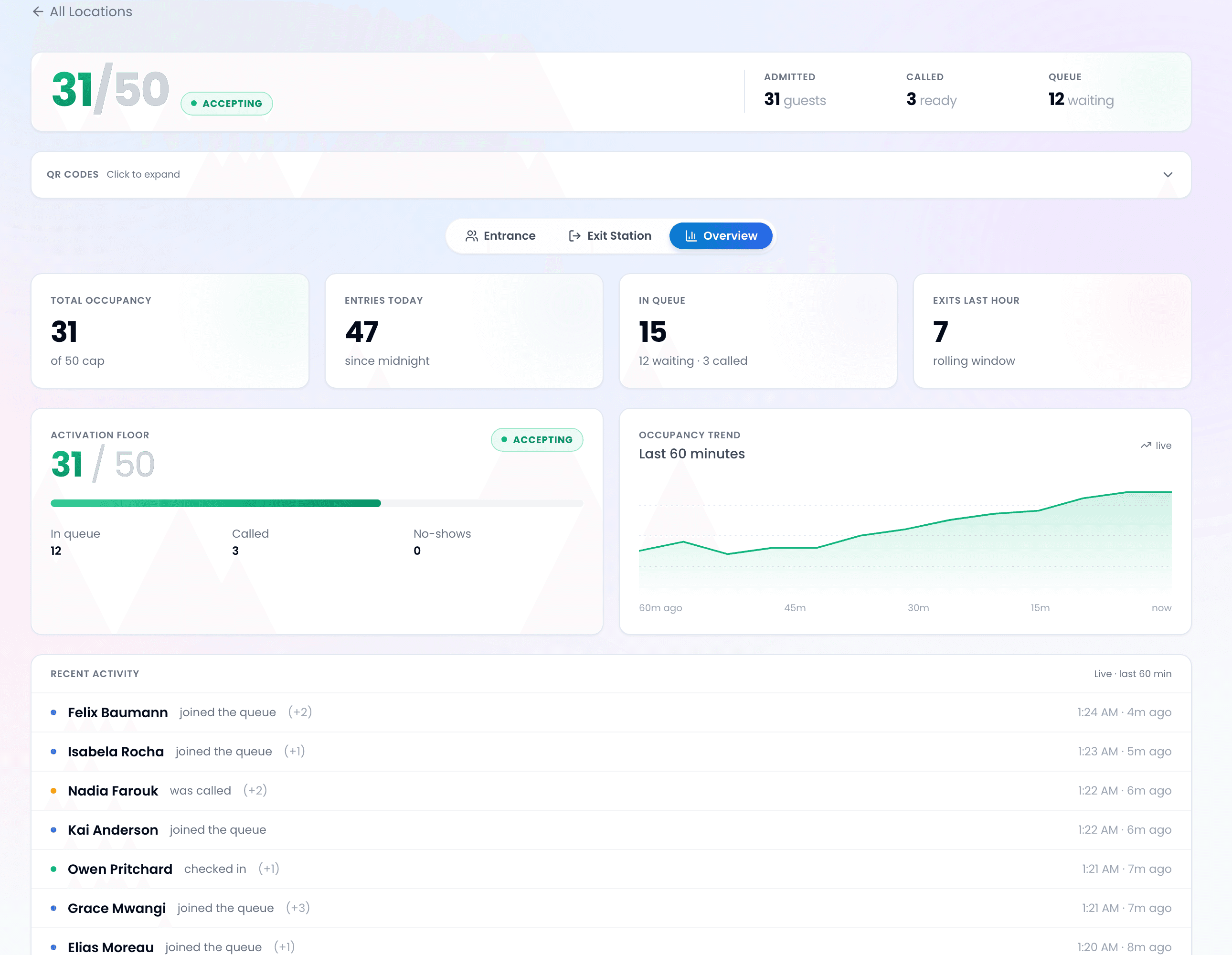
Event & Venue Queue Management FAQ
Resources for Event Organisers
Learn how to optimise your event's crowd flow and attendee experience
How to Reduce Wait Times
Principles that apply across industries — including events, venues, and festivals.
Best Queue Management Software
Compare the top queue management systems for small businesses and events.
Complete Virtual Queue Guide
Everything you need to know about virtual queue management.
How It Works
See exactly how ScanQueue manages queues for any business or event.
Manage Walk-Ins
Step-by-step guide to managing walk-in attendees at your event.
Improve Customer Experience
Step-by-step guide to improving the attendee experience at events.
See It in Action

5-Minute Setup
Sign up, name your business, print your QR code. You're live in under 5 minutes — no hardware, no IT team.
No App Download
Customers scan your QR code with their phone camera. No app download, no account needed — works in any browser.
Instant SMS Alerts
Staff tap Notify. Customer gets an SMS within seconds with their queue status. No shouting names across the room.