
Stop Losing Diners to the Wait.
Restaurant Waitlist App: Text Guests When Their Table Is Ready
Updated
A digital waitlist for restaurants replaces the clipboard and pager buzzers. Guests scan a QR code, enter their name and party size, and wait anywhere with their place in line on their phone. When a table is ready, the host calls them by WhatsApp, SMS or push alert. ScanQueue works this way, with no app download and a free plan. Get set up in under 5 minutes.
Trusted by restaurants and cafes across the world · Free plan available · No credit card required
of diners walk away rather than wait more than 30 minutes for a table. For a venue turning away five parties a night, that is $500–$1,000 in lost revenue every day.
See exactly what your guests experience when they join your queue. 15 seconds, no app, no sign-up.
Open the live demo- No app download for customers
- No hardware. Just a QR code
- Free plan. Live in 5 minutes
Every Minute Customers Wait, You Lose Money
A packed entrance looks like success — until you count how many diners are walking away.
The numbers behind restaurant wait times paint a concerning picture for venue owners. Research consistently shows that around 30% of potential diners will leave rather than wait for more than 30 minutes. During lunch service, half your customers won't wait more than 15 minutes. And one in five walk-aways never comes back to try your restaurant again.
For a busy venue turning away just five parties per night, that adds up to between $500 and $1,000 in lost revenue every day. Over a year, that's anywhere from $180,000 to $365,000 simply walking out your door.
But lost covers aren't the only cost. Wait time complaints appear in nearly a quarter of negative restaurant reviews, and those reviews carry weight — mentions of long waits average just 2.3 stars compared to 4.1 overall. One viral complaint about your queue can undo months of positive marketing.
Then there's the hidden cost of inefficient table turnover. When your front-of-house team spends time managing a chaotic physical queue — writing names on paper, shouting across the room, chasing down guests who wandered off — they're not turning tables or greeting new arrivals. Add 10 wasted minutes per table turn and a 20-table restaurant loses the equivalent of 20 additional parties per night.
The traditional response is to hire more staff. But adding a part-time host costs upwards of $33,000 per year when you factor in wages, benefits, training, and uniforms. And extra staff managing a broken process just means more people supervising chaos.
The smarter approach: replace the chaos with a system that works automatically.
- Digital Waitlist
- A cloud-based queue that replaces paper sign-in sheets. Customers join from their phone and track their position in real time.
- Virtual Queue
- A queue where customers wait remotely — at the bar, in their car, or nearby — instead of standing in a physical line.
- Table Turnover Rate
- The number of times a table is occupied by different parties during a service period. Higher turnover means more revenue per seat.
How ScanQueue Restaurant Queue Management Works
ScanQueue replaces pen-and-paper waitlists, expensive buzzer systems, and crowded foyers with a digital queue that runs itself. The entire process takes three steps. See how ScanQueue stacks up in our comparison of the best queue management systems.
| Step | What the guest does | What your host does |
|---|---|---|
| 1. Join | Scans the QR code at the door, or opens your waitlist link, and enters name, party size and phone. No app, no account. | Nothing. The party appears on the live list with its party size. |
| 2. Wait | Sees their place in line and estimated wait on their phone, and waits at the bar, outside or nearby. | Sees every party, its size and how long it has waited, on a phone, tablet or laptop. Adds walk-ins by hand for anyone who prefers not to scan. |
| 3. Seat | Gets a WhatsApp, SMS or push alert that the table is ready and comes back. | Taps to call the next party. WhatsApp falls back to SMS if it can't deliver. |
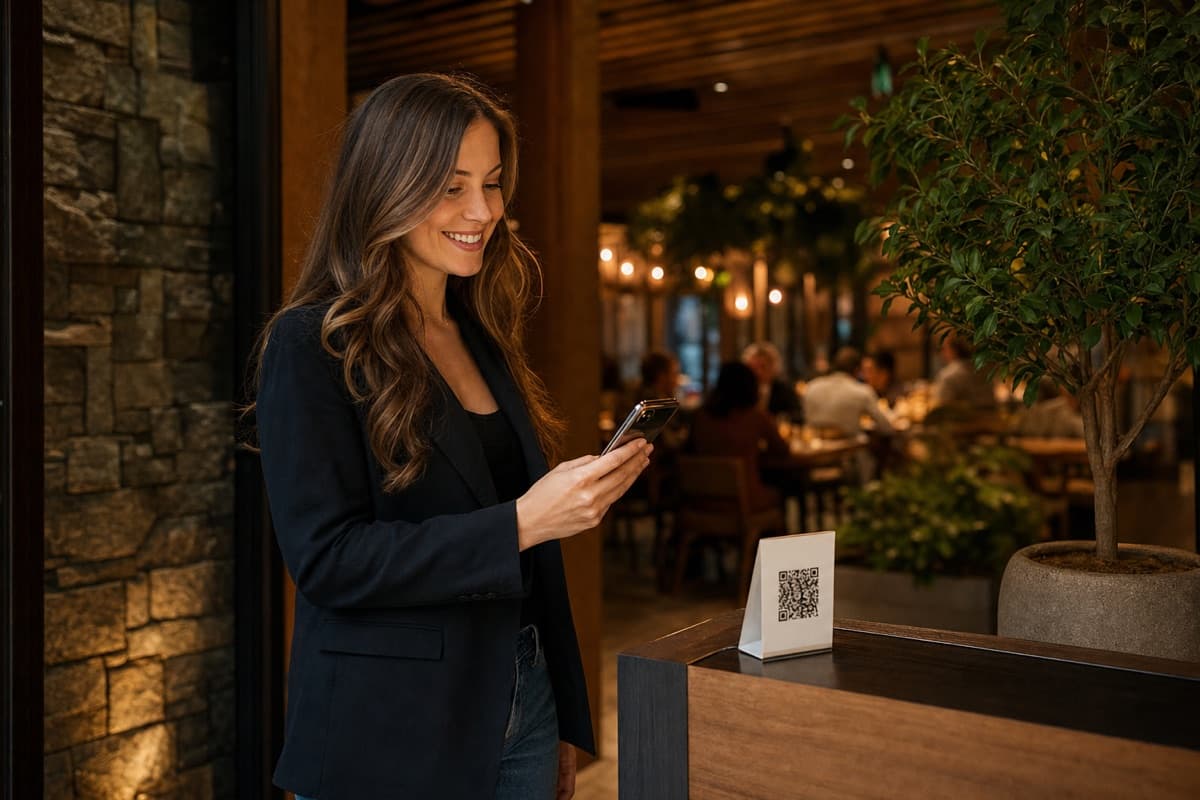
Guests Scan Your QR Code
Print your unique QR code and place it at the entrance, on the window, or on table tents outside. Customers scan it with their phone camera — no app download needed. It opens instantly in Safari, Chrome, or any mobile browser.
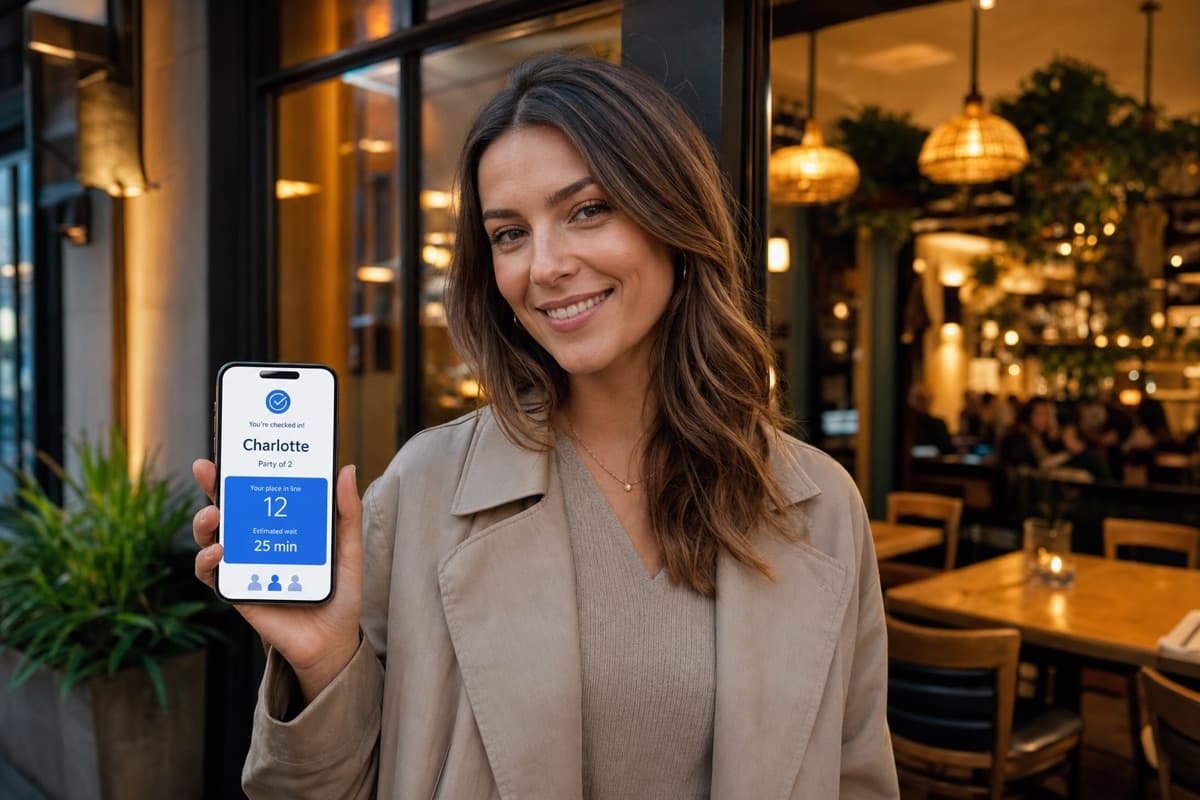
They Join Your Digital Waitlist
Guests enter their name, party size, and phone number. The whole check-in takes secondson the guest's own phone, with no line at the host stand, which matters when you have 10 parties arriving at once on a Saturday night.
Once checked in, guests can see their live position in the queue and an estimated wait time on their phone. They're free to roam — grab a coffee nearby, browse a few shops, or wait in their car.
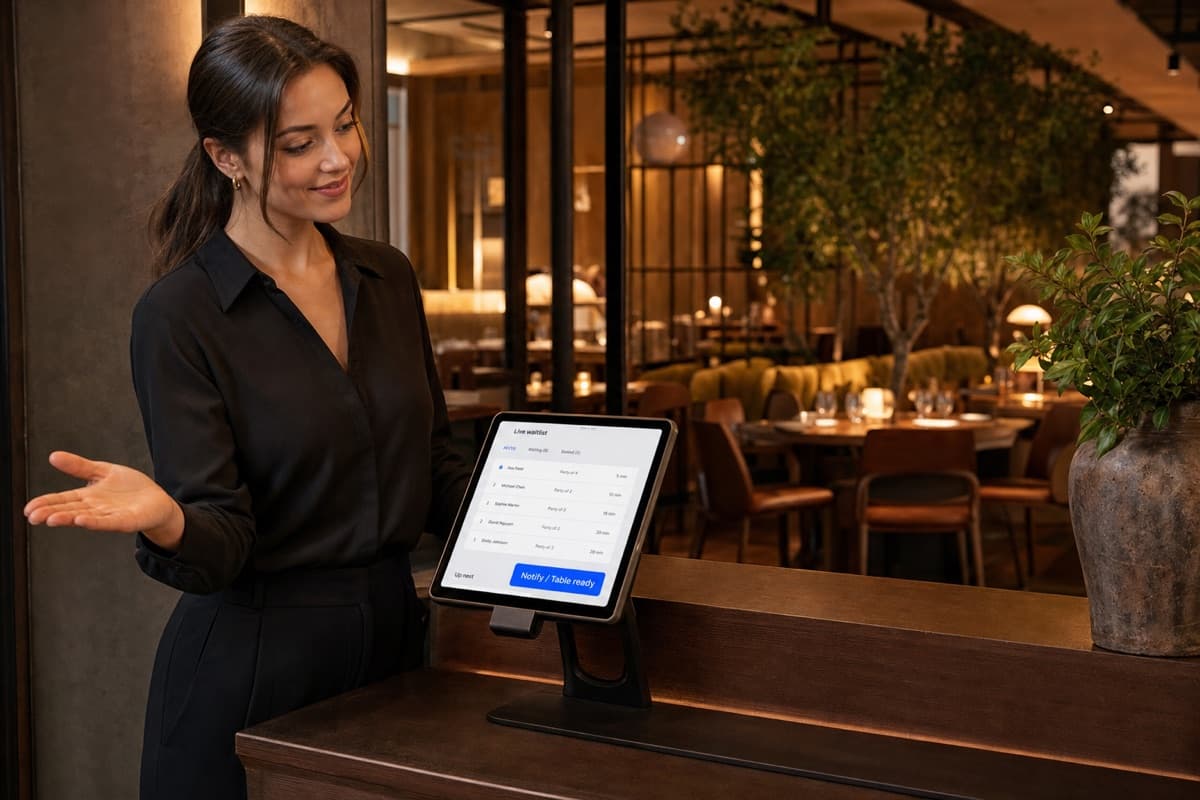
You Notify with One Tap
When their table is ready, your host taps “Notify” on the ScanQueue dashboard. The customer receives a WhatsApp message within seconds, with SMS as an automatic fallback. They arrive at the door ready to be seated — no shouting names, no chasing people down, no held tables going cold.
Your front-of-house team manages the entire queue from a single dashboard on any device — phone, tablet, or laptop.
Restaurant Waitlist Features That Drive Results
Every feature exists to solve a specific problem you face on the floor.
QR Code Check-In
Guests join your waitlist in 15 seconds by scanning a QR code. No app store, no account creation, no friction. Every second of friction costs you walk-aways.

WhatsApp & SMS Notifications
One tap sends a "your table is ready" alert via WhatsApp first, with SMS fallback. No more holding empty tables while you search for guests.
Live Wait Time Estimates
Guests see an estimated wait on their phone that updates as the line moves. When customers know how long they'll wait, they're far more likely to stay.

Real-Time Analytics Dashboard
Track peak hours, average wait times, walk-away rates, and table turnover in real time. Data-driven decisions replace gut feelings.

Walk-In + Reservation Management
Handle walk-ins alongside pre-booked reservations in a single queue. No more juggling two separate systems or accidentally double-booking tables.

Custom Branding
On Enterprise, add your restaurant's logo, brand colours, and personalised messaging. The experience looks and feels like your own — not a generic third-party tool.

Multi-Location Support
Running more than one venue? Manage all locations from a single account. Compare performance across sites and standardise your queue process.
No Hardware Required
Your staff use any phone, tablet, or laptop. Your guests use their own phones. Nothing to install, charge, or replace. Compare that to $2,000+ buzzer systems.
How Restaurants Use ScanQueue
Every restaurant has different peak-time challenges. Here's how ScanQueue adapts to different scenarios.
The Weekend Brunch Rush
Saturday morning, 9:30am. Thirty parties arrive in 45 minutes and your 40-seat cafe is already full. With ScanQueue, a sign at the door says “Scan to join the waitlist.” Guests check in from outside in 15 seconds, see they're 7th in line with a 20-minute wait, and walk to the coffee shop next door. Your host focuses on turning tables rather than managing a mob.
Friday Night Fine Dining
A couple arrives without a booking at your upscale restaurant. Instead of standing awkwardly in a crowded entrance, they scan the QR code, join the waitlist, and head to your bar. Twenty minutes later, an SMS brings them back to their table. They've already ordered cocktails — increasing your per-customer revenue before they've even sat down.
Small Cafe with Limited Seating
You have 12 tables and no room for a waiting area. Customers used to peek in, see every table occupied, and leave. Now they scan the QR code on your window, join the queue from the footpath, and wait in their car or a nearby park. You're serving the same number of tables but capturing walk-ins you previously lost entirely.
Multi-Venue Food Hall
Each vendor in your food court gets their own QR code and queue. Customers can join multiple queues simultaneously — order a burger from one vendor and sushi from another, getting notified by each separately when their food is ready. Staff at each stall manage their own dashboard independently.
Case Study: CZER, Mayfair
CZER, London's first chopped Caesar wrap shop, runs its Mayfair walk-in line on ScanQueue. Between 25 May and 4 October 2026, 25,052 parties (45,713 people) joined the queue from their phones and 15,801 parties were served, an average of 267 parties a day.
Walk-in parties at CZER Mayfair over 94 trading days, 25 May to 4 October 2026, all by QR code with no app.
Joins on 25 July 2026, handled from one staff screen while guests waited away from the counter.
Guests in the 15,801 parties served, each called back by message when it was their turn.
What Restaurant Owners Gain
What a restaurant gets when it swaps the paper waitlist or buzzers for a digital queue.
Guests scan a QR code at the door and join the waitlist in the phone browser. No app store, no account, no buzzer.
Guests get a text or WhatsApp message when their table is ready, so they can wait at the bar or go for a walk.
The Starter plan is free forever for up to 100 queue joins a month, so you can run a real service on it before choosing a paid plan.
No buzzers to buy, charge, lose, or replace. The entire system runs on devices you already own.
Sign up, add your tables or services, and print your QR code. No hardware to install and no POS integration needed to start.
ScanQueue vs Other Restaurant Waitlist Apps
Here's how ScanQueue stacks up against the alternatives restaurant owners commonly evaluate.
| Feature | ScanQueue | Waitwhile | TablesReady | NextMe | OpenTable |
|---|---|---|---|---|---|
| Free plan | Free forever | Yes (50 visits/mo) | Yes (100 parties/mo) | Yes (100 SMS/mo) | No |
| Starting price | Free / $49/mo | Free / $39/mo ($31 annual) | $39/mo ($34 annual) | $59.99/mo ($49.99 annual) | $149/mo + fees |
| QR code check-in | |||||
| No app download (guests) | |||||
| WhatsApp + SMS | |||||
| SMS included (paid) | 500-2,800/mo | Varies | 1,000+/mo | ||
| Custom branding | Enterprise | Paid only | Paid only | Limited | |
| Per-cover charges | None | None | None | None | $1-$1.50 |
| Setup time | 5 min | 10-15 min | 10 min | 10 min | 30+ min |
| Australian support |
Why restaurants choose ScanQueue over the rest: ScanQueue is the only restaurant waitlist app that combines a genuine free plan, live wait estimates, QR code self-check-in, and zero per-cover charges.
See detailed comparisons: ScanQueue vs Qminder | ScanQueue vs Waitwhile
Pricing That Works for Every Restaurant
Transparent pricing with no surprises — no per-cover charges, no hidden SMS fees, no long-term contracts.
5 SMS credits/mo trial
Small cafes testing digital queuing. QR code, live dashboard, WhatsApp + SMS, up to 100 queue joins/month.
500 SMS credits/mo included
Busy restaurants needing WhatsApp + SMS notifications, analytics, and online bookings.
1,400 SMS credits/mo included
High-volume venues with up to 4,000 queue joins/month and priority support.
From $499/mo
Multi-location groups with 2,800+ SMS credits/mo, dedicated support, and advanced integrations.
All plans include WhatsApp + SMS notifications. See Full Pricing →
Drive Revenue and Reduce Walk-Aways
Every guest who walks away from a long line is lost revenue. ScanQueue keeps them engaged and spending while they wait.
Restaurants using virtual queues see measurably lower walk-away rates because guests no longer judge the wait by the length of a physical line. Instead, they get a live countdown on their phone and the freedom to wait at the bar, browse nearby shops, or sit in their car. That transparency converts would-be walk-aways into seated guests. Try our virtual queue app to see how it works in practice.
The revenue impact goes beyond saved covers. Guests who wait at the bar spend an average of $21 more per visit on drinks and appetizers — turning dead wait time into incremental revenue. Paired with SMS notifications that bring guests back the moment their table is ready, you reduce empty-table gaps between seatings and increase your nightly turn rate.
Analytics close the loop: track walk-away rates by day and hour, measure average wait-to-seat conversion, and identify the wait time threshold where guests start leaving. Use that data to adjust staffing, table allocation, and reservation pacing — turning your queue into a revenue optimization tool rather than a cost center.
Why Guests Walk Out
The most common assumption is that walkouts happen because the wait is too long. But research and real-world data tell a different story: guests leave because they do not know how long the wait will be, or whether they have been forgotten. A 30-minute wait with clear position updates feels shorter than a 15-minute wait with no information at all.
Uncertainty is the root cause. When a guest joins a waitlist and receives no confirmation, no position update, and no heads-up before their table is ready, their anxiety grows with every minute. They start watching the door, counting who came after them, and wondering if they should ask the host — again — how much longer. This cycle of uncertainty is what pushes people to leave, not the clock itself.
Poor communication also compounds the problem. If the host is overwhelmed and gives a vague "about 20 minutes" that turns into 35, the guest feels deceived rather than delayed. Inaccurate estimates damage trust faster than honest long waits. The fix is not to speed up service — it is to give guests real-time visibility into where they stand and what to expect next.
Queue Communication That Works
Effective guest communication during the wait follows a simple three-message framework. Each message answers the question the guest is asking at that specific moment. No more, no less.
Joined Confirmation
Sent immediately when the guest joins the waitlist. This message confirms they are in the queue, shows their position (e.g., "You are #7"), and gives an estimated wait time. It answers the question every guest has the moment they sign up: "Did it work?" Include a link to their live position tracker so they can check back without approaching the host stand.
Up-Soon Heads-Up
Sent when the guest is one to two positions away from being seated. This is the most critical message for reducing walkouts because it catches guests who may have wandered to a nearby shop, sat in their car, or lost track of time. The message should be actionable: "You are almost up — please head to the entrance." Timing matters — send it early enough for them to return, typically when they are two positions out rather than one.
Your-Table-Is-Ready Alert
The final call. Their table is available and they need to check in with the host. Be clear about the window: "Please check in within 3 minutes or we will seat the next party." This sets a firm expectation, reduces dead time between seatings, and gives your host a policy to point to if a guest arrives late. No more awkward judgment calls — the system handles it.
Host Stand Workflow Improvements
The host stand is the bottleneck in most restaurants. During peak hours, the host is simultaneously greeting arrivals, answering "how much longer?" questions, tracking who is next, coordinating with bussers, and trying to seat guests efficiently. When you layer a digital queue on top of a broken workflow, you get a digital version of the same chaos. The technology only works when the process behind it is solid.
Dedicate a queue owner during rushes. This does not have to be the host. A manager, food runner, or second host can own the queue — their job is to watch the dashboard, call the next party, and flag no-shows. The primary host focuses on greeting new arrivals and managing the physical entrance. Splitting these responsibilities prevents the queue from stalling when the host is busy seating a large party.
Establish a clear call-next rhythm.The moment a table is cleared and reset, the next party should already be walking to it. This means your queue manager needs to call the next guest slightly before the table is ready — not after. A two-minute lead time between "table is being cleared" and "guest arrives at the table" eliminates dead seating gaps and can add one to two extra table turns per night during peak service.
Capacity + Queue Control
Walkouts spike when the queue grows faster than your seating capacity can absorb it. The solution is not to refuse guests — it is to manage their expectations honestly and control the intake rate. If your average table turn is 45 minutes and you have 12 tables, you know you can seat roughly 16 parties per hour. When your queue exceeds that rate, your estimated wait times should reflect reality, not optimism.
A digital queue gives you the data to make these calculations automatically. ScanQueue tracks average service time per party size and adjusts estimated waits based on current queue depth and table availability. Guests who see an honest "35 min estimated wait" before joining are far less likely to walk out at the 30-minute mark than guests who were told "15 minutes" and are now at 40.
During extreme demand, consider pausing the queue temporarily rather than letting it grow indefinitely. A queue with 25+ entries and 60-minute waits generates more frustration than value. Pausing intake, posting an honest "waitlist is full — check back in 30 minutes" message, and reopening when capacity catches up is a better experience for everyone. Guests respect honesty; they resent false hope.
Practical Metrics to Track
Measure these five numbers weekly to understand your walkout rate and track improvement over time. Each metric tells a different part of the story.
Walkout Rate
The percentage of guests who join the waitlist but leave before being seated. Calculate it as: (guests who left / total guests who joined) x 100. A healthy target is under 12%. Track this daily during peak hours to identify which shifts or time slots have the worst retention. If Friday dinner walkouts are 20% but Tuesday lunch is 5%, focus your improvements on Friday.
Average Wait Time
Time from queue join to table seating. This is your baseline metric. Track it by party size — a couple waiting 15 minutes is a very different problem than a party of six waiting 15 minutes. If average wait climbs above your target without a corresponding increase in covers, your table turn rate may need attention.
Host Interruptions per Hour
How often the host is asked "how much longer?" by waiting guests. Before implementing a digital queue, track this manually for a week as your baseline. After implementation, compare against that baseline. If interruptions remain high, your notifications are not landing at the right time or guests do not trust the system yet.
Call-to-Seat Latency
The time between calling a guest's name and them actually sitting down at the table. High latency creates dead time between seatings and can cost you one or two table turns per night. If latency is consistently above three minutes, send your "up soon" notification one position earlier to give guests more travel time.
Conversion-to-Seated Rate
The percentage of guests who join the waitlist and actually get seated. This is the inverse of walkout rate and directly ties to revenue. Every percentage point improvement means more covers, more revenue, and better utilization of your existing capacity. Aim for 88% or higher. Track it weekly and correlate changes with any process or communication adjustments you make.
Restaurant Queue Management FAQ
Get Started in 5 Minutes — Free
Join the restaurants and cafes upgrading the way they greet guests. ScanQueue's restaurant waitlist software is free to start, takes five minutes to set up, and requires no hardware or app downloads.
Free plan available · No credit card required · Cancel anytime · Local support
Resources & Guides
Learn how to optimise your restaurant's queue management
How to Reduce Wait Times Without Adding Staff
Proven strategies to cut wait times without adding staff.
Best Queue Management Systems
Compare the top queue management systems for restaurants in 2026.
QR Code vs Traditional Waitlist
Why QR code check-in is replacing paper waitlists in modern restaurants.
Complete Virtual Queue Guide
Everything you need to know about virtual queue management for small business.
ScanQueue vs Qminder
Detailed comparison of features, pricing, and support.
Reduce Wait Times
Step-by-step guide to reducing customer wait times.
Manage Walk-ins
How to capture and convert walk-in customers effectively.
See It in Action

5-Minute Setup
Sign up, name your business, print your QR code. You're live in under 5 minutes — no hardware, no IT team.
No App Download
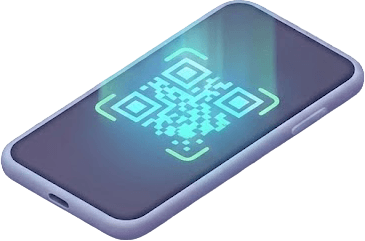
Customers scan your QR code with their phone camera. No app download, no account needed — works in any browser.

Instant SMS Alerts
Staff tap Notify. Customer gets an SMS within seconds with their queue status. No shouting names across the room.