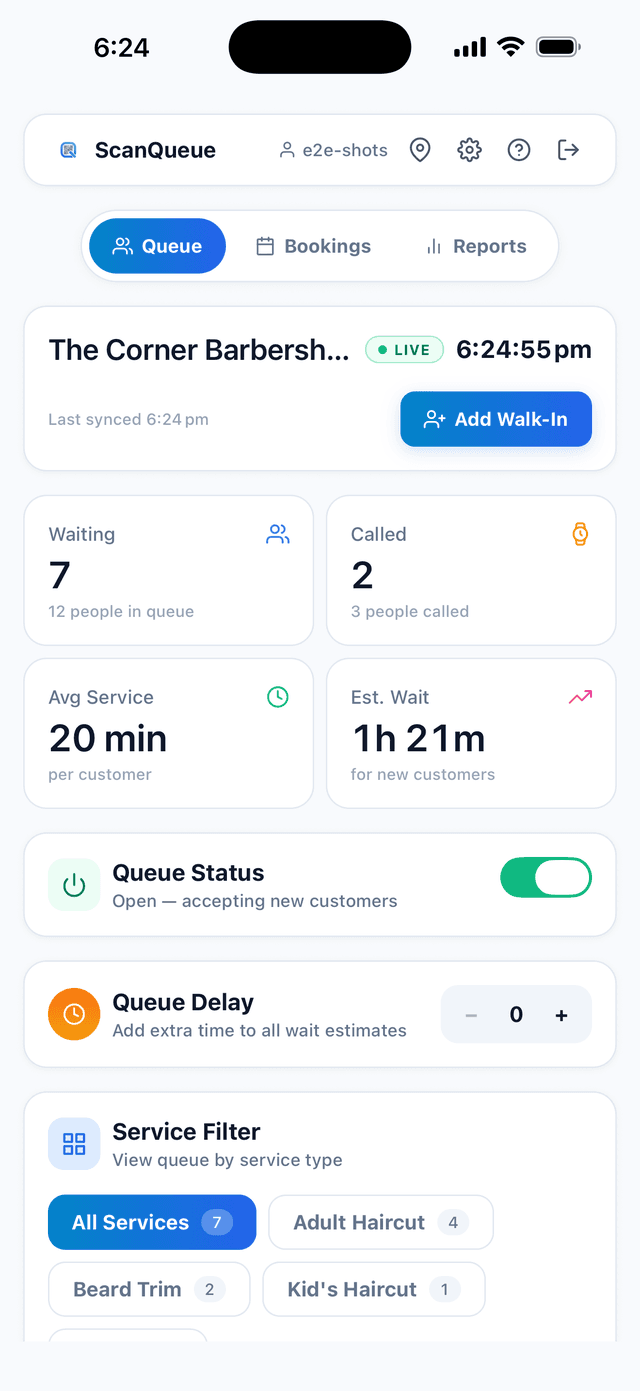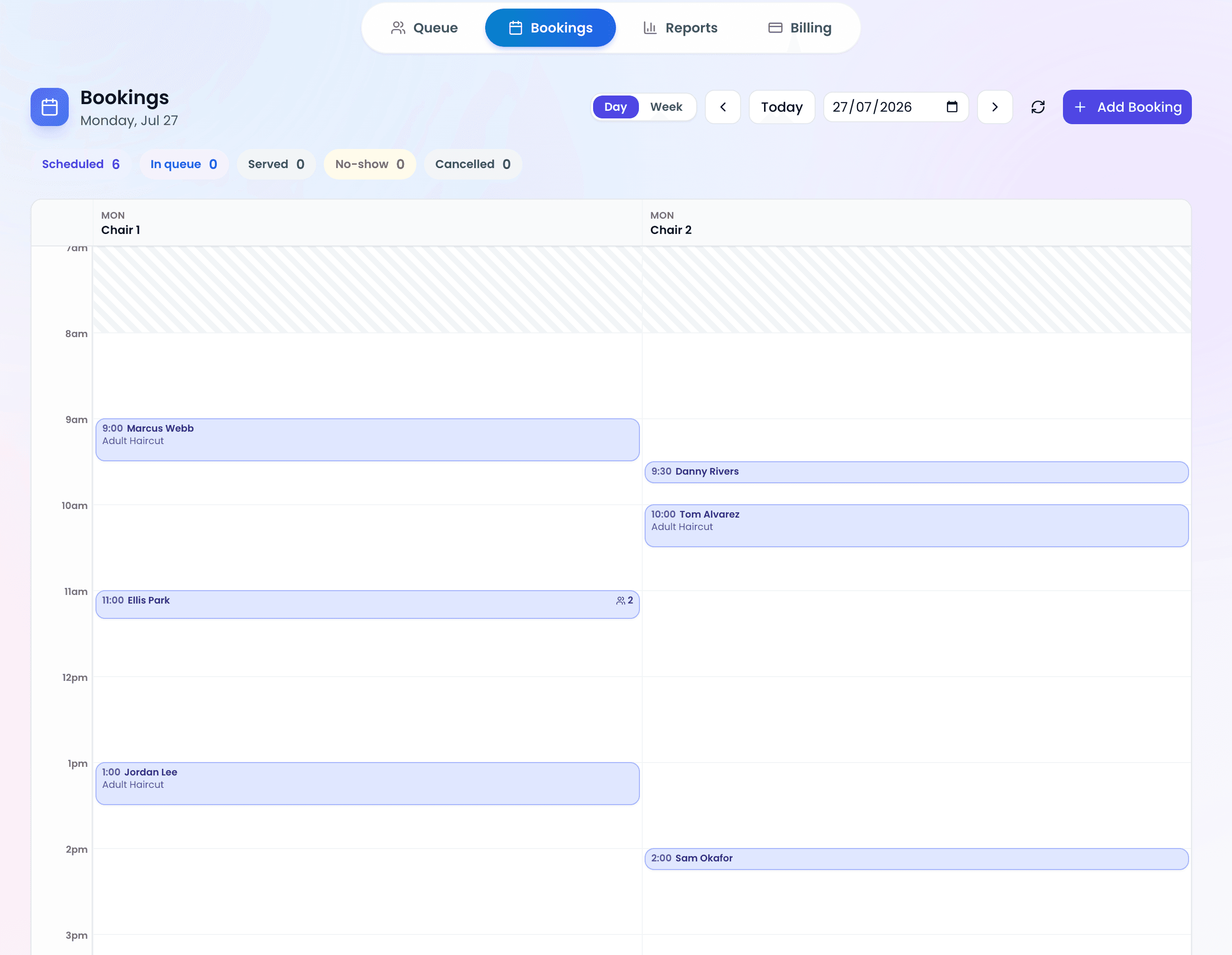
Long lines cost US businesses customers. In a 2018 Adyen survey run by 451 Research, 86% of US consumers said they had left a store because of long lines in the previous 12 months. For the more than 33 million small businesses in the US, the way you manage waiting directly impacts your bottom line. Queue management software eliminates physical lines, automates customer notifications, and gives your team real-time visibility into customer flow.
This guide covers everything a US small business owner needs to know to get started with queue management software: why it matters, what features to prioritize, US-specific considerations around SMS and compliance, and step-by-step implementation advice.
Why US Small Businesses Need Queue Management
The case for queue management software is built on three realities facing US small businesses in 2026: rising labor costs, elevated customer expectations, and increasing competition from businesses that already offer seamless experiences.
Labor Cost Pressure
With the federal minimum wage under ongoing legislative pressure and minimum wages ranging from the federal $7.25 (which applies in Georgia, among other states) to more than $16.50 in Washington state, every hour of staff time matters. According to the Bureau of Labor Statistics, employer costs for leisure and hospitality workers averaged $19.90 per hour worked in December 2024, including benefits (BLS Employer Costs for Employee Compensation).
Queue management software directly reduces the labor hours spent on manual waitlist management. A host or receptionist who spends 30% of their shift managing a paper list, calling names, and fielding "how much longer" questions can redirect that time to service delivery. For a business open 12 hours a day, that is 3.6 hours of recovered productive time daily.
Customer Expectations Have Changed
American consumers have been conditioned by Amazon, Uber, and DoorDash to expect real-time status updates, transparent wait times, and mobile-first interactions.
For small businesses competing against larger chains that already offer online ordering, reservation systems, and mobile apps, queue management software levels the playing field without requiring enterprise budgets.
The Competitive Landscape Is Shifting
Competitors that already offer digital queues set the standard customers compare you against. Businesses that delay adoption risk falling behind as customers choose competitors who respect their time.
US-Specific Features to Look For
Not all queue management platforms are created equal for the US market. Here are the features that matter most for American small businesses.
Toll-Free SMS Notifications
SMS is the backbone of queue management. When a customer's turn approaches, you need to reach them instantly. In the US, the most professional and reliable way to send SMS notifications is through a toll-free number.
Why toll-free matters for US businesses:
- Higher deliverability than short codes or local numbers for A2P (Application-to-Person) messaging
- Customers recognize toll-free numbers as legitimate business communication
- Compliant with US carrier requirements for commercial messaging
- Two-way capability allows customers to respond with DELAY or CANCEL
ScanQueue includes toll-free SMS on all US plans, with messages sent through verified US carriers for maximum deliverability.
USD Pricing with No Currency Surprises
Many queue management platforms are built for international markets and price in AUD, GBP, or EUR. This creates unpredictable monthly costs as exchange rates fluctuate. US businesses should look for platforms that price natively in USD with clear, published pricing.
ADA Compliance Considerations
The Americans with Disabilities Act (ADA) requires businesses to provide accessible services. For queue management, this means your customer-facing interface should be accessible to users with disabilities. Look for platforms that offer:
- Screen reader-compatible check-in pages
- High-contrast text and sufficient font sizes
- SMS-based notifications (accessible to users who cannot monitor visual displays)
- Alternative check-in methods for customers without smartphones
TCPA Compliance for SMS
The Telephone Consumer Protection Act (TCPA) governs commercial text messaging in the United States. Queue management SMS notifications generally fall under the "transactional message" category (informing customers about their service status), which has fewer restrictions than marketing messages. However, businesses should ensure:
- Customers provide their phone number voluntarily when joining the queue
- Messages are limited to queue-related updates (not marketing)
- An opt-out mechanism exists (e.g., reply STOP)
- Records of consent are maintained
Pro Tip — Keep Queue SMS Transactional: As long as your queue notifications are purely informational ("You are #3 in line. Estimated wait: 8 minutes."), they qualify as transactional messages under TCPA. Never include promotional content or marketing offers in queue notifications, as this reclassifies them as marketing messages with stricter consent requirements.
Getting Started: Step-by-Step Implementation
Implementing queue management software is straightforward. Most US businesses can go from zero to fully operational in a single day.
Step 1: Define Your Queue Needs
Before selecting a platform, answer these questions:
- How many customers do you serve per day?
- Do you need multiple queues (e.g., different services, different locations)?
- What information do you need from customers when they join?
- Do you want SMS notifications, display board, or both?
- What is your monthly budget?
Step 2: Choose Your Platform
For US small businesses, the key decision factors are pricing, SMS capabilities, and ease of use. Here is a simplified comparison:
| Feature | ScanQueue | Waitwhile | Qminder |
|---|---|---|---|
| Free tier | Yes (up to 100 queue joins a month) | Yes (limited) | No |
| US toll-free SMS | Included | Extra cost | Included (US, UK, CA) |
| USD pricing | Yes | Yes | Yes |
| QR code check-in | Yes | Yes | Yes |
| Setup time | 5 minutes | 15-30 minutes | 1-2 hours |
| Starting price | $0/month | $0/month | $869/month |
Step 3: Set Up and Launch
With ScanQueue, the setup process for a US small business takes less than 5 minutes:
- Create your account at scanqueue.com/signup
- Name your business and select your services (e.g., "Haircut", "Color", "Consultation")
- Generate your QR code and print it or display it on a tablet near your entrance
- Customers scan and join. You manage the queue from your dashboard on any device
Industry-Specific Recommendations for US Businesses
Queue management needs vary significantly by industry. Here are tailored recommendations for the most common US small business types:
Restaurants and cafes (New York, Los Angeles, Chicago, Houston):
- Priority: Walk-in waitlist management with party size capture
- Key feature: SMS "your table is ready" notifications with two-way reply
- Consideration: High weekend volume spikes require reliable SMS delivery
Barber shops and salons (nationwide):
- Priority: Per-service queue management (haircut vs. color vs. beard trim)
- Key feature: Counter assignment to match customers with specific stylists or barbers
- Consideration: Many walk-in-only shops can eliminate phone-based scheduling entirely
Medical and dental clinics (regulated environments):
- Priority: HIPAA-conscious check-in that does not display patient names publicly
- Key feature: Private SMS notifications rather than public name-calling
- Consideration: Integration with existing practice management software
Government offices and DMVs (public sector):
- Priority: High-volume management with multiple service windows
- Key feature: Display boards and counter routing
- Consideration: ADA accessibility is legally mandated, not optional
Frequently Asked Questions
How much does queue management software cost for a US small business?
Basic queue management starts at $0/month with free tiers available from several providers. Paid plans with SMS notifications and advanced features typically range from $49-$249/month depending on volume and features.
Do I need special hardware?
No. Modern cloud-based queue management systems like ScanQueue run entirely in the browser. You manage your queue from any smartphone, tablet, or computer. Customers join by scanning a QR code with their phone camera.
Is queue management SMS compliant with US regulations?
Yes, when properly implemented. Queue status notifications are transactional messages under TCPA, which means they require less strict consent than marketing messages. Customers voluntarily provide their number when joining the queue, and an opt-out mechanism (reply STOP) is included.
Can I use queue management if my business is in a rural area with limited internet?
Cloud-based queue systems require internet access for real-time updates. However, SMS notifications work on any mobile network. As long as your business location has basic Wi-Fi or cellular data, queue management software will function normally.
How do I handle customers who do not have smartphones?
Staff can manually add customers to the queue from the dashboard and call them by name or pager number. Most platforms support a hybrid approach where digital and manual queue entries coexist in the same list.
Ready to Eliminate Lines at Your US Business?
ScanQueue offers US toll-free SMS, USD pricing, and a free tier to get started. Set up your first queue in 5 minutes and see why 150+ active businesses trust ScanQueue to manage their customer flow.
Start Free with ScanQueue →Stop losing walk-ins to wait times
Set up ScanQueue in 5 minutes. Customers scan a QR code, get SMS alerts when it's their turn, and wait anywhere.
- Free plan — no credit card
- No app download for customers
- QR code, SMS, and WhatsApp notifications
ScanQueue Team
Queue Management Experts
Helping businesses reduce wait times and improve customer experience with smart queue management solutions.