
Government & Council Queue Management System
Updated
Replace paper-ticket dispensers with a digital queue. Citizens join from a QR code or your website, pick their service, and wait wherever is comfortable. No app download. No expensive hardware. No queues spilling onto the street.
Designed for councils, licensing offices, citizen service centres & visa offices · Privacy-first design · Free plan available · Procurement-friendly
Long Public-Sector Queues Are a Citizen-Experience Problem
The lobby of a busy service centre is often the first impression citizens have of their government.
Walk into a Service NSW centre at 10am on a Monday, a Centrelink branch on payday, or a council customer service desk at the start of rate-notice season. You will find the same scene: rows of plastic chairs full, citizens leaning against the wall, more queueing outside the door. Service NSW reports peak waits of 30 to 60 minutes at its busiest centres, and equivalent agencies overseas report similar numbers. In DMV-style offices in the United States, queues regularly spill onto the footpath, with citizens taking the day off work to renew a licence.
For citizens, this is more than an inconvenience. People arrive on time, having taken time off work, arranged childcare, or travelled in from a regional area, only to sit in a noisy lobby with no idea how long they will wait. They cannot leave to get a coffee or move the car without losing their place, because their only proof of position is a paper ticket and a number called over a speaker. If they miss the call, they go back to the start.
The reputational damage is significant. Long wait times in government services are one of the most cited drivers of low citizen-satisfaction scores, and they shape public perception of a council, agency, or department far more than the actual outcome of the visit. A citizen who waits 45 minutes for a five-minute interaction will rate the entire agency badly, even if the staff member was friendly and resolved their issue. In an era of online reviews and social-media complaints, that reputation compounds.
The infrastructure most centres rely on is also unreliable. Paper-ticket dispensers were designed in the 1980s and have changed little. Ribbons run out at 11am on a Saturday. The thermal printer jams. The dispenser breaks and a staff member spends an hour writing numbers on yellow Post-it notes. The display board above the counters flickers, freezes, or shows the wrong number. Every centre manager has a story like this. The hardware is expensive to maintain, slow to replace, and increasingly hard to source.
The complexity of multi-service centres compounds the problem. A modern citizen service centre might handle licensing, vehicle registration, parking-fine payments, development-application advice, working-with-children checks, and birth-and-death certificates, all from the same lobby. One citizen needs five minutes at a payment counter. Another needs forty minutes with an advisor. A third arrived ten minutes after their appointment time and now needs to be reinserted into the queue. With paper tickets and a single number sequence, they all queue together and the bottlenecks are invisible to the centre manager until citizens start complaining.
At the same time, citizen expectations have shifted. The Service NSW app already lets people start some processes from home and see live wait times for selected centres. Council apps in the UK and Canada have been doing similar things for years. Pre-arrival check-in, real-time wait visibility, and SMS notifications are now table stakes in private-sector services like restaurants and clinics. When a citizen can join a takeaway queue from home but has to take a paper ticket at the council office, the gap is obvious.
Accessibility is the other half of the picture. Citizens without smartphones, citizens with limited English, citizens with disabilities, and elderly citizens cannot be left behind by a digital-only system. Any modern queue platform for the public sector has to support multi-language SMS, lobby display boards, counter-staff registration on a citizen's behalf, and screen-reader-friendly check-in pages. The Australian Disability Discrimination Act and equivalent international standards require it, and the public expects it.
The good news is that none of these problems require a multi-year capital project. A modern queue platform replaces the paper dispenser, gives citizens a phone-based view of their position, integrates with the lobby display, and runs alongside the agency's existing CRM or case management system. It can be deployed at a single centre as a pilot in days, not months, and rolled out across a network once the operational pattern is proven.
The solution is not more chairs and a louder loudspeaker. It is a digital queue that respects the citizen's time.
- Service-Level Agreement (SLA)
- A target wait time or service standard the agency commits to. Queue management systems track SLA compliance in real time.
- Citizen Journey
- The end-to-end experience of a citizen using a public service — from arrival to outcome. Queue management is the front-of-house layer.
- Throughput
- The number of citizens a service centre can handle per hour. Digital queuing increases throughput by reducing handover friction between counters.
How It Works for Councils and Service Centres
ScanQueue replaces the paper-ticket dispenser and the physical waiting line with a digital queue. Citizens check in remotely, wait wherever is comfortable, and arrive at the counter when staff are ready. See how ScanQueue compares in our best queue management systems guide.
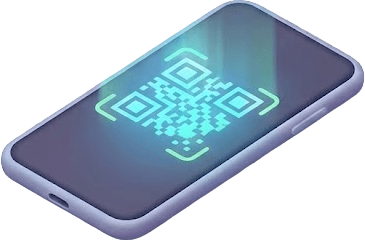
Citizen Scans the QR Code or Joins From the Website
Print a QR code and place it at the centre entrance, on lobby signage, or on counter-front cards. Citizens scan it with their phone camera and a check-in page opens instantly in their browser. No app download is needed.
Citizens who plan ahead can join from your council or agency website before they leave home. They see the current wait time and can time their arrival. For appointment-based services, the join link can be embedded in confirmation emails.

They Pick the Service They Need
The citizen enters their name and phone number, then selects the service they need: licensing, vehicle registration, payments, permits, advice, or any service the centre offers. Custom fields can capture reference numbers, case IDs, or pre-arrival information so counter staff are ready before the citizen reaches them.
Each service routes to its own queue automatically. A citizen paying a parking fine joins the payments queue. A citizen renewing a driver licence joins the licensing queue. The dashboard shows every queue side by side, so the centre manager always knows where the bottlenecks are.

They Wait Anywhere
Once checked in, the citizen sees their live position and an estimated wait time on their phone. They are free to wait at the cafe across the street, in their car, in a nearby park, or at home if they live close by. They do not have to stay glued to a chair watching for a number on a flickering display.
This transforms the lobby. Instead of forty citizens crammed onto plastic chairs at 10am, your waiting area is calm and uncrowded. Citizens with mobility constraints, parents with young children, and citizens dealing with stressful matters all get a better experience. The lobby display still shows the now-serving number for citizens who prefer to wait in person.

SMS Notification When the Counter Is Ready
When a counter becomes available, a staff member taps “Notify” on the dashboard. The citizen receives an instant SMS telling them which counter to go to, in the language they chose at check-in. The lobby display also shows the now-serving number for in-lobby citizens.
The handover is seamless. No shouting names across a noisy lobby. No citizens missing their turn because they stepped outside for a moment. No paper tickets dropped on the floor. Just a clean, dignified call to the counter.
Multi-Service Queues for Citizen Services
Every feature is designed for the realities of running a public service centre: multiple service types, accessibility requirements, audit obligations, and citizens of every digital-literacy level.

Multi-Service Routing
Run separate queues for licensing, payments, permits, advice, and any service your centre offers. Each queue has its own counter pool and its own SLA target. The dashboard shows every queue side by side so the centre manager can spot bottlenecks instantly.
Pre-Arrival Check-In
Citizens join the queue from your council or agency website before they leave home. They see the current wait, time their arrival, and skip the lobby entirely. Service NSW-style pre-arrival flow, available to any agency in minutes.
Lobby TV Display
A built-in now-serving display works on any TV or monitor with a browser. No proprietary signage hardware. Show the current number, the next two or three positions, and counter assignments for in-lobby citizens.
Multi-Language SMS & Screens
Citizen check-in pages and SMS notifications support multiple languages. Citizens select their preferred language at the start of check-in. Critical for centres serving culturally and linguistically diverse populations.
Accessibility-Friendly Check-In
WCAG 2.1 AA practices on every citizen-facing page: high contrast, semantic HTML, keyboard navigation, screen-reader friendly. Counter staff can register citizens without smartphones in seconds. Designed for the Australian Disability Discrimination Act and equivalent standards.
Audit Logging & Reporting
Every queue entry, status change, counter assignment, and notification is logged with a timestamp. Export reports for service-level reviews, ministerial briefings, freedom-of-information requests, or internal audits. Track average wait, service time, and abandonment by counter.
Real-Time Centre Dashboard
See every citizen in every queue, their wait time, the service they need, and which counter they are assigned to. Centre managers can rebalance staff between counters in real time as demand shifts during the day.
Privacy-First, Configurable Hosting
Data residency configurable to meet sovereignty requirements — Australian Supabase and Vercel regions for AU agencies, US or EU regions for international deployments. Only the minimum data needed to manage the queue is collected. Encrypted in transit and at rest. Configurable retention so data is purged at the interval your record-keeping policy requires.
Runs Alongside Existing Systems
No replacement of your CRM, case management, or appointment booking platform. ScanQueue handles the front-of-house layer; your back-office systems keep doing what they do. API and webhooks available for deployments that need deeper integration.
Licensing, Permits & DMV-Style Queues, Councils and More
Every centre operates differently. Here is how ScanQueue adapts to different public-sector contexts.
Council Customer Service Centre
Your council office handles rates, parking fines, development applications, dog registrations, and general advice. On rate-notice week, the lobby fills to capacity by 9:30am and citizens queue out the door. With ScanQueue, citizens scan a QR code at the entrance, pick their service, and wait at the cafe across the road. The lobby goes from forty citizens at peak to twelve. Centre managers see queue length per service in real time and can move a staff member from advice to payments when the bottleneck shifts.
Licensing & Registry Office
Your registry office handles driver-licence renewals, vehicle registration, working-with-children checks, and identity-document services. Walk-in queues are unpredictable. With ScanQueue, citizens join from home, see the current wait, and arrive when their position is close. The on-site QR code handles walk-ins. Counter staff see what each citizen is here for before they reach the desk, so they can pre-load forms and speed up service.
Centrelink, Medicare, or Equivalent Branch
Federal services agencies handle high-volume citizen interactions across multiple service streams: claims, reviews, identity verification, urgent assistance. Long lobby waits are a recurring source of public complaints. ScanQueue digitises the queue and adds pre-arrival check-in, so citizens with appointments and walk-ins both have visibility into their wait. Sensitive matters can be flagged at check-in for priority routing without exposing them on a public display.
Visa & Immigration Office
Visa offices serve citizens from many language backgrounds, often dealing with high-stakes appointments. ScanQueue's multi-language check-in flow lets citizens pick their language up front, and SMS notifications come through in that language. Counter staff see the citizen's case reference and language preference before the interaction starts. The platform supports both walk-in queues (general advice) and pre-booked appointment flows (lodgement, biometrics).
Service NSW / Service Victoria-Style Centre
One-stop centres consolidate dozens of services under one roof: transport, business licences, working-with-children checks, seniors-card applications, and more. The complexity of routing citizens to the right counter is the core operational challenge. ScanQueue's multi-service routing solves this by letting citizens self-select their service at check-in, and the dashboard makes counter-by-counter load visible to managers in real time.
Court Registry or Tribunal Counter
Court registries and small-tribunal counters handle filings, payments, and procedural enquiries. Privacy is critical: citizen names should not be called out publicly, and case references should not appear on a lobby display. ScanQueue's privacy mode displays anonymous numbers only, while staff dashboards show the full citizen and case details. Audit logs capture every interaction for compliance reviews.
What Service Centres Gain
What a service centre gets when it moves from paper tickets to a digital queue.
Citizens waiting outside the building, in their cars, or at home means a calmer, less crowded lobby and a better first impression of the agency.
Citizens scan a QR code and see their place and estimated wait in the phone browser. No app store, no account, no login.
Citizens get a text or WhatsApp message when it is their turn, so they are free to leave the lobby while they wait.
No paper-ticket dispensers, no proprietary signage. The lobby display runs on any TV with a browser. Citizens use their own phones.
Stand up a working queue at one centre in five minutes. Run a real-world pilot before any roll-out commitment. No multi-month integration project.
Every interaction logged with a timestamp. Service-level reports, ministerial briefings, and FOI responses become straightforward exports.
How ScanQueue Compares
Most government queue platforms are enterprise systems with per-counter pricing, hardware-heavy installs, and multi-month deployments. ScanQueue offers a phone-first, hardware-light alternative that works for a single council pilot or a multi-site network. See how our queue management system works, or try our virtual queue app to see the citizen experience first-hand.
| Feature | ScanQueue | Qminder | Wavetec | Q-nomy | Qmatic | JLL Q-Flow |
|---|---|---|---|---|---|---|
| Free plan | Free forever | No | No | No | No | No |
| Per-counter pricing | No (flat tier) | Yes | Yes | Yes | Yes | Yes |
| Multi-service routing | ||||||
| Configurable data residency | Varies | Varies | Varies | Varies | Varies | |
| Multi-language SMS | Limited | |||||
| Pre-arrival check-in (QR + web) | Add-on | Add-on | ||||
| No hardware required | ||||||
| Setup time | 5 minutes | Days | Weeks | Weeks | Weeks | Weeks |
| Audit logging | Configurable | Enterprise | Enterprise | Enterprise | Enterprise | Enterprise |
| Accessibility-friendly | ||||||
| Lobby TV display | Built-in | Built-in | Hardware | Hardware | Hardware | Hardware |
| Best for | Councils and agencies, single-site pilots to multi-site networks | Mid-size agencies | Enterprise | Enterprise | Enterprise | Enterprise |
Note: Qmatic, Wavetec, Q-nomy, and JLL Q-Flow are powerful enterprise platforms used in large central-government deployments. They typically require significant capital investment, hardware, and integration work. If your agency needs a fast pilot, a single-centre upgrade, or a hardware-light digital queue that runs alongside existing systems, ScanQueue is designed for that use case. For larger network roll-outs and procurement-driven engagements, see our enterprise option below.
Pricing for Government
Transparent pricing with no per-counter fees and no hardware costs. Procurement-friendly enterprise option for multi-site agencies.
5 SMS credits/mo trial
Single-centre pilots and small council offices. QR check-in, live dashboard, lobby display, up to 10 citizens/day.
500 SMS credits/mo included
Single centres needing SMS notifications, multi-service routing, multi-language, and analytics. Most-popular tier for council offices.
1,400 SMS credits/mo included
High-volume centres serving up to 2,000 citizens/day, audit-ready reporting, priority support, and lobby TV display.
Procurement-friendly
Multi-site agencies with custom contracts, ABN/PO billing, dedicated support, SSO, data-sovereignty options, and integration with existing CRM/case-management systems. Contact us for procurement.
All plans include SMS notifications. No per-counter fees. Cancel anytime on Starter, Growth, and Pro. See Full Pricing →
Government Queue Management FAQ
Modernise Your Service Centre Queue
Replace paper tickets with a digital queue in five minutes. Run a real-world pilot before any roll-out commitment. ScanQueue is free to start, requires no hardware, and runs alongside your existing CRM and case management systems.
Free plan available · No credit card required · Procurement-friendly enterprise option · Local support
Resources for Service Centre Managers
Learn how to modernise the citizen experience at your service centre
Best Queue Management Systems 2026
Compare ScanQueue against Qmatic, Wavetec, Q-nomy and other public-sector platforms.
Queue Management System
A primer on what a modern queue management system does and the components involved.
How to Reduce Wait Times
Principles that apply across industries, including public service centres.
How It Works
See exactly how ScanQueue manages queues end to end.
Virtual Queue
Step-by-step guide to implementing virtual queueing at your centre.
Reduce Wait Times
Operational tactics for cutting average citizen wait times in half.
QR Code Queue System
How citizens join a queue from a printed QR code, with no app download.
Talk to Procurement
Procurement-friendly contracts, ABN/PO billing, SSO, and data sovereignty options.
See It in Action

5-Minute Setup
Sign up, name your business, print your QR code. You're live in under 5 minutes — no hardware, no IT team.
No App Download
Customers scan your QR code with their phone camera. No app download, no account needed — works in any browser.

Instant SMS Alerts
Staff tap Notify. Customer gets an SMS within seconds with their queue status. No shouting names across the room.