Choosing a queue management system shouldn't require a PhD in software procurement. But with dozens of options ranging from free QR-code tools to enterprise kiosks quoted per site, it's genuinely hard to know what's worth your money.
We compared 16 of the most popular queue management systems available in 2026, evaluating them on the things that actually matter: pricing, ease of setup, customer experience, and the features you'll use daily — not just the ones that look good on a features page.
Last re-verified September 2026. We re-checked every vendor's pricing, free-tier availability, and operating status against their current public listings (including QLess, which reorganized under Chapter 11 in 2024 and still operates).
Here's what we found.
Quick Comparison Table
| System | Best For | Starting Price | Setup Time | App Required? | Free Plan? |
|---|---|---|---|---|---|
| ScanQueue | Restaurants, salons, clinics, hotels, universities, public sector | $0/mo | 5 minutes | No (QR code) | Yes |
| Qminder | Mid-size offices, service centers | $869/mo | 1–2 weeks | No (iPad kiosk) | No |
| Waitwhile | Restaurants, appointments | $0/mo (limited) | 30 minutes | No (web or kiosk) | Yes (limited) |
| QLess | Enterprise, government | Custom pricing | 4–8 weeks | Optional | No |
| NextMe | Restaurants, barbershops | $0/mo (limited) | 15 minutes | No (SMS, link or QR) | Yes (limited) |
| Qmatic | Banks, healthcare, government | Custom pricing | Varies by scope | No | No |
| Waitlist Me | Small restaurants, salons | $0/mo (limited) | 10 minutes | Optional | Yes (limited) |
| WaitWell | Public sector, government | $29/mo per location | 2–4 weeks | No | No |
| Skiplino | Digital + physical queues | $299/mo per location | 1–2 days | Optional | No |
| Qudini (now Verint Appointment and Queuing) | Retail CX management | Custom pricing | 4–6 weeks | No | No |
| Wavetec | Virtual queue + digital signage | Custom pricing | 6–10 weeks | No | No |
| Tensator | Physical queue infrastructure | Custom pricing | 4–8 weeks | No (kiosk) | No |
| NEMO-Q | Multi-industry adaptability | Custom pricing | 2–6 weeks | No | No |
| Frontlion (formerly Qtrac) | Cloud virtual queue + appointments | From $19/location/mo + deployment fee | Varies (paid deployment) | No | No |
| Yelp Waitlist | Restaurant discovery + waitlist | $129/mo (billed annually) | 30 minutes | No | No |
| WaitQ | Low-volume walk-in shops | $27/mo | 5 minutes | No (QR code) | No (7-day trial) |
How We Evaluated
We assessed each system from its published pricing and documentation across five criteria, weighted by what matters most to the businesses we work with:
- Ease of Setup (25%) — Time from signup to a live, working queue. Can a non-technical owner get it running in a day?
- Customer Friction (25%) — What does the customer have to do to join? App download, account creation, or just scan and go?
- Pricing Transparency (20%) — Are prices published, or do you need a sales call? Is there a free tier to test?
- Feature Depth (15%) — Notifications, analytics, multi-location, integrations, and unique differentiators.
- Support & Reliability (15%) — Uptime track record, responsiveness, documentation quality.
If you want to understand the fundamentals first, our guide on what a queue management system is covers the basics.
Best Self-Serve Cloud Platforms
1. ScanQueue
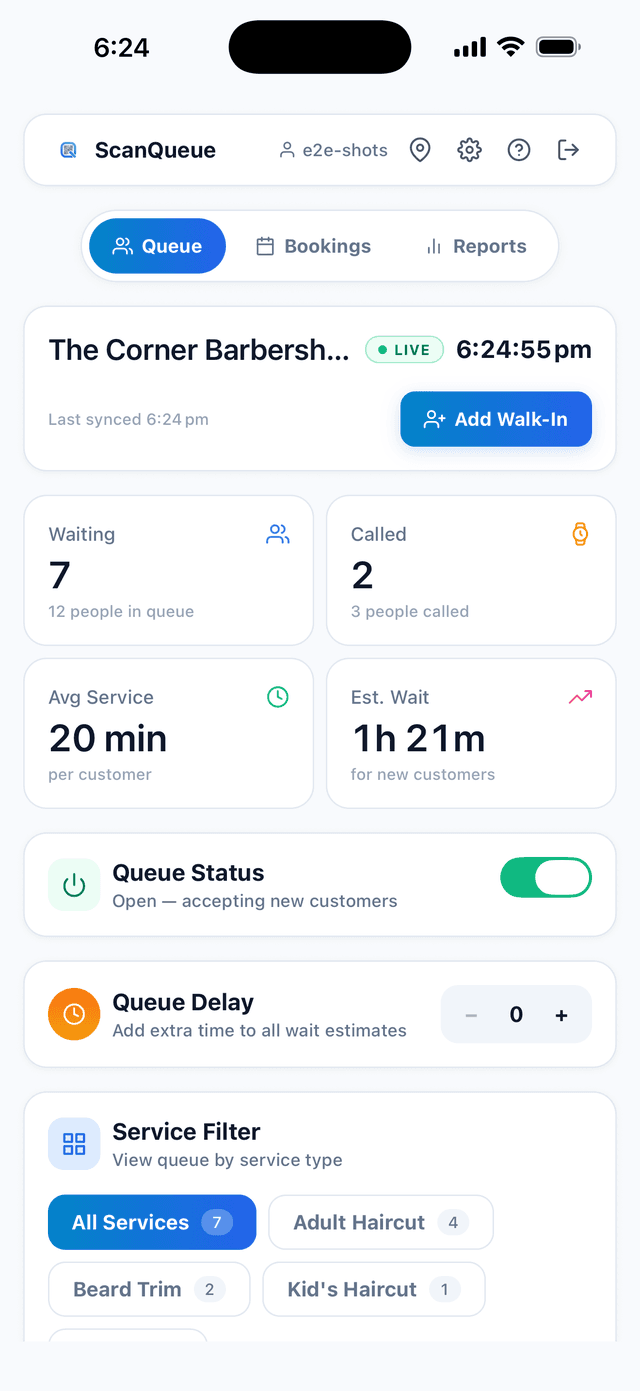
What it does: QR code-based virtual queue system. Customers scan a QR code with their phone camera, join a virtual queue through a mobile web page, and get WhatsApp or SMS notifications when it's their turn.
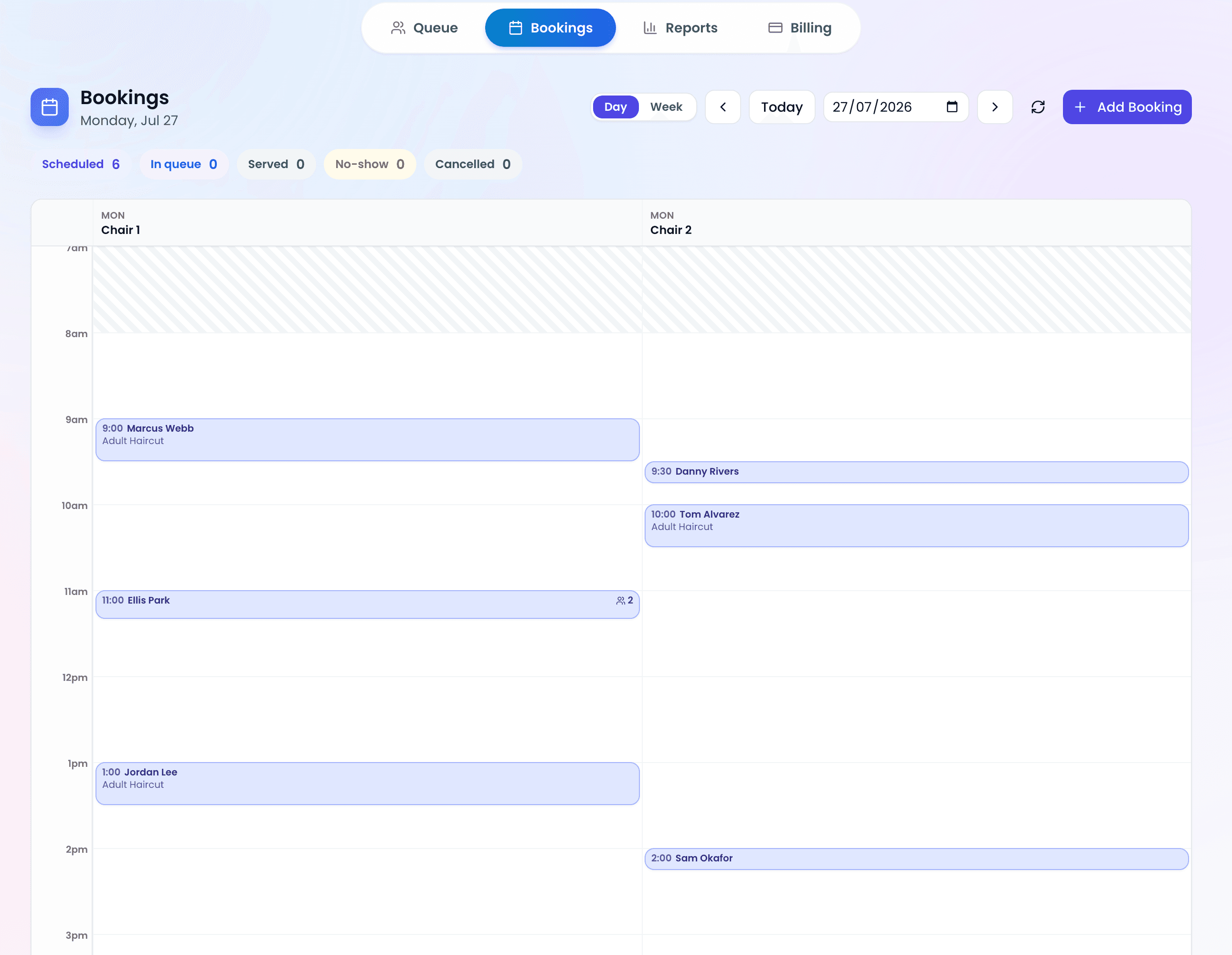
What makes it different: Most queue systems stop at "scan and wait." ScanQueue adds WhatsApp notifications (with SMS fallback) and a dashboard clean enough that staff pick it up mid-shift. No app downloads, no kiosk hardware, no training sessions.
Pricing:
- Starter (Free): Up to 100 queue joins/month, 5 SMS/month, QR check-in, real-time dashboard
- Essential ($49/mo): 25 SMS + 800 WhatsApp/month, custom check-in form, advanced analytics
- Growth ($99/mo): 500 SMS + 1,000 WhatsApp/month, online booking, priority support
- Pro ($249/mo): 1,400 SMS + 2,000 WhatsApp/month, multi-location, advanced analytics
Best for: Restaurants, barbershops, salons, clinics, retail stores, and events. On the Enterprise tier it also runs university student services and is built for government service centers. Particularly strong for businesses with walk-in traffic where customers won't download an app for a one-time visit.
Pros:
- Genuinely free starter plan (not a 7-day trial)
- 5-minute setup — print a QR code and go
- WhatsApp + SMS notifications (automatic fallback)
- Dashboard so simple staff learn it in one shift
- No hardware, no app downloads for customers
Cons:
- Newer platform with a smaller user base than enterprise competitors
- No printed-ticket dispenser (fully digital)
Our take: ScanQueue is the only queue system in this list that combines QR code check-in, WhatsApp notifications with SMS fallback, and a live wait-time dashboard, all starting from a free plan. If you're a restaurant, salon, clinic, or event that serves walk-ins, nothing else gets you this feature set at this price point. It scales the other way too: the same platform runs university student services on the Enterprise tier and is built for public-sector service centers, without a multi-month implementation project.
2. Waitwhile
What it does: Queue and appointment management with both virtual waitlist and scheduled booking functionality.
What makes it different: Combines walk-in queue management with appointment scheduling in one platform. Offers web and kiosk check-in.
Pricing:
- Free: Up to 50 visits/month (limited features)
- Starter: From $31/month
- Business: From $55/month
- Enterprise: Custom pricing
Best for: Businesses that handle both walk-ins and appointments — salons, clinics, some restaurants.
Pros:
- Combined waitlist + appointment scheduling
- Free plan available (with limits)
- Modern interface
- Good notification options
Cons:
- Free plan is quite restrictive (50 visits/month)
- Can be complex to configure for simple use cases
- Pricing jumps quickly at scale
- Customer check-in can require multiple steps
Our take: Waitwhile is a capable platform that tries to do a lot of things well. If you need both appointment scheduling and walk-in queue management in one tool, it's worth considering. But for businesses that are primarily walk-in (restaurants, barbershops), the added complexity of the appointment features can feel like overhead.
3. NextMe
What it does: Virtual waitlist focused on restaurants and barbershops. Guests join by SMS, link or QR code with no app download, and get a text when it's their turn.
What makes it different: Simple, restaurant-focused interface, with everything handled over SMS.
Pricing:
- Free: 100 SMS/month, 1 user, 1 location
- Starter: $49.99/month billed annually ($59.99 monthly)
- Business: $79.99/month billed annually ($99.99 monthly)
Best for: Restaurants and barbershops that want a simple SMS waitlist.
Pros:
- No app download for guests
- Simple, focused interface
- Decent free plan for testing
- Restaurant-specific features
Cons:
- Less versatile outside restaurant/barbershop use case
- Smaller market presence
- Analytics and reports require the Business plan ($79.99/mo annual)
4. Waitlist Me
What it does: Simple waitlist and reservation management for restaurants and small service businesses.
What makes it different: Focused on simplicity. No-frills waitlist management with optional customer-facing features.
Pricing:
- Free: Basic waitlist (limited)
- Premium: From $27.99/month billed annually ($34.99 monthly)
- Pro: $47.99/month billed annually, adds reports and analytics
Best for: Small restaurants and service businesses that want the simplest possible waitlist tool.
Pros:
- Very affordable paid plans
- Easy to learn and use
- Adequate for basic waitlist needs
- Both free and low-cost options
Cons:
- Limited features compared to competitors
- Basic analytics
- Less polished customer-facing experience
- Fewer notification options
Our take: Waitlist Me is the budget option. If you literally just need a digital version of the clipboard — add names, check them off, maybe send a text — it gets the job done cheaply. But you'll outgrow it fast if you want analytics, multi-location support, or a polished customer experience.
5. Skiplino
What it does: Cloud-based queue management with both digital and physical queue options. Customers can join via mobile, web, or on-site kiosk.
What makes it different: Bridges the gap between pure-digital and hardware-based systems. Offers appointment booking, branch management, and customer feedback in one platform. Popular in the Middle East and growing internationally.
Pricing:
- Queue management: From $299/month per location, billed annually (appointment-only plans from $99/month)
- Custom: Contracts for multi-region deployments; 7-day free trial
Best for: Service businesses that want both digital and physical queue options — banks, salons, events.
Pros:
- Flexible — supports mobile, web, and kiosk check-in
- Built-in appointment booking
- Customer feedback collection
- Branch performance comparison
Cons:
- No free plan
- Per-branch pricing adds up for multi-location
- Less established in Western markets
- Interface can feel dated compared to newer tools
Our take: Skiplino is a solid mid-range option if you need appointment booking bundled with queue management, or if you want the option to add physical kiosks later. The per-branch pricing model works well for single-location businesses but gets expensive fast for chains.
6. Yelp Waitlist
What it does: Waitlist management integrated into the Yelp platform. Diners can join a restaurant's waitlist directly from its Yelp page or from the Yelp app.
What makes it different: A waitlist that guests can join from Yelp, Google Search and Apple Maps. Customers searching for restaurants can join your waitlist before they even leave their house.
Pricing: Included in Yelp Guest Manager, from $129/mo billed annually ($159 month to month). No free plan. Premium Yelp features (ads, enhanced profiles) are separate.
Best for: Restaurants with a strong Yelp presence, particularly in the US where Yelp usage is highest.
Pros:
- Guests get a text when their table is almost ready; no Yelp app needed
- Discovery advantage — customers find and join before arriving
- Seamless integration with Yelp reviews and photos
- No app download needed for web-based joining
Cons:
- Restaurant-only — no support for other business types
- Tied to the Yelp ecosystem (less useful outside the US)
- Limited customization and branding
- Basic queue features compared to dedicated systems
Our take: If you're a US restaurant already getting traffic from Yelp, the Waitlist is worth a look: it turns browsers into actual customers waiting for a table, though it is sold only as part of Yelp Guest Manager (from $129/mo billed annually). It is built for restaurant waitlists and reservations, not for multi-service queues. Think of it as a lead generation tool with a waitlist attached.
7. WaitQ
What it does: Cloud queue and reservation tool for walk-in businesses. Customers scan a QR code or check in at a kiosk, and staff call the next person from any device.
What makes it different: A newer entrant that bundles SMS and WhatsApp credits into every paid tier rather than charging per message, and includes reservations at every price point. Visits are unlimited, so the bill does not climb as you get busier.
Pricing: (billed annually)
- Starter: $27/month, 1 location, 5 staff accounts, 100 SMS/WhatsApp credits
- Grow: $49/month, 2 locations, 20 staff accounts, 400 credits
- Business: $119/month, 5 locations, unlimited staff, 1,000 credits
- Extra locations are $20/month each on Grow and Business
Best for: Single-site walk-in shops with modest notification volume, such as salons, barbershops, cafes, and small retail.
Pros:
- WhatsApp notifications on every paid tier, not held back for higher plans
- Unlimited visits and reservations, so there are no per-visit caps
- QR and kiosk check-in with no app download for customers
- Fast, self-service setup at around 5 minutes
- Multi-location from the second tier up
Cons:
- No free plan, only a 7-day trial
- Notification credits are small and shared between SMS and WhatsApp, starting at 100 per month
- The cost of extra notifications beyond your credits is not published
- Analytics history is capped at 30 to 90 days
- No native staff app, so the floor is managed from a browser
Our take: WaitQ is a clean, honest product at a low entry price, and bundling WhatsApp into every tier is the right call. The catch is the size of the bundle. At 100 credits, the $27 Starter plan covers roughly three days of a busy barbershop, and because the credit pool is shared between SMS and WhatsApp it drains faster than it looks. Since the top-up rate is not published, the real monthly cost at genuine walk-in volume is hard to predict before you commit. Worth a look if your volume is low and stays that way.
For a deeper dive into small business options, see our guide to the best queue management software for small business. And if budget is your main constraint, we compared the best free queue management software separately. To see how our own platform stacks up feature by feature, visit the ScanQueue queue management software page.
Best for Service Centers & Retail
8. Qminder
What it does: Check-in system for service locations. Customers check in by iPad kiosk, QR code or web link, and staff manage the queue from a desktop dashboard.
What makes it different: Strong focus on visitor management and service analytics. Popular with government offices, telecom stores, and mid-size service centers.
Pricing: Starts at $869/month (Business). No free plan. Optional hardware (such as an iPad kiosk) is a one-time extra cost.
Best for: Mid-size service centers, telecom retail, government offices — businesses with dedicated reception areas and a larger budget.
Pros:
- Polished iPad check-in experience
- Detailed service analytics and reporting
- Strong visitor management features
- Good for multi-service-point locations
Cons:
- Expensive starting point ($869+/mo)
- Kiosk hardware, if you want it, is an extra one-time cost
- No free plan (14-day free trial)
- Less suited for quick-service environments like restaurants
Our take: Qminder is a solid product for the right use case — structured service environments where customers walk in, check in by kiosk, QR code or web link, and wait for a specific service type. But the pricing puts it out of reach for most small businesses.
9. Qudini (now Verint Appointment and Queuing)
What it does: Enterprise retail customer experience platform combining queue management, appointment booking, and task management. Verint acquired Qudini in 2023.
What makes it different: Goes beyond queuing into full retail CX orchestration — walk-in management, click-and-collect, virtual consultations, and store associate task management in one platform.
Pricing: Custom enterprise pricing through Verint.
Best for: Large retail brands managing customer flow across multiple stores — think telecom, luxury retail, banking.
Pros:
- Full retail CX suite beyond just queuing
- Backed by Verint's enterprise infrastructure
- Virtual consultation and click-and-collect support
- Strong analytics for retail operations
Cons:
- Enterprise pricing — not accessible to SMBs
- Complex implementation requiring integration work
- Overkill if you only need queue management
- Verint acquisition may shift product roadmap priorities
Our take: Qudini makes sense if you're a retail brand with 20+ stores needing to coordinate walk-ins, appointments, and click-and-collect in one system. For pure queue management, it's like buying a Swiss Army knife when you need a bottle opener.
10. WaitWell
What it does: Virtual queue and appointment system designed for government, healthcare, and public-sector organizations. Customers join remotely via web link or QR code.
What makes it different: Purpose-built for the public sector with accessibility compliance, multi-language support, and privacy features that government agencies require. Strong in Canada and expanding internationally.
Pricing: Published plans from $29/mo per location (Starter) and $55/mo per location (Basic); Enterprise is quoted.
Best for: Government service centers, municipal offices, healthcare clinics, and public libraries.
Pros:
- Built for public sector compliance and accessibility
- Multi-language support out of the box
- No customer app download required
- Strong in government and healthcare verticals
Cons:
- Priced per location, so costs rise with each site
- Built mainly for government, healthcare and higher education
- Smaller vendor compared to Qmatic or QLess
Our take: WaitWell is the best-kept secret in government queue management. If you're a municipal service center tired of QLess pricing or Qmatic hardware complexity, WaitWell delivers a modern virtual queue experience built specifically for public-sector needs.
11. NEMO-Q
What it does: Queue management platform with both virtual and physical queuing options. Serves healthcare, government, retail, and education sectors.
What makes it different: Modular approach — you pick the components you need (virtual queue, kiosk, digital signage, appointment booking) and build a custom solution. Flexible across multiple industries rather than specializing in one.
Pricing: Custom pricing based on modules selected and deployment size.
Best for: Organizations that need a mix of virtual and physical queue components tailored to their specific workflow.
Pros:
- Modular — pay only for what you need
- Works across healthcare, government, and education
- Supports both virtual and physical queuing
- Customizable workflows per department
Cons:
- No published pricing or free trial
- Modular approach means setup complexity
- Smaller brand recognition than Qmatic or QLess
- Implementation requires consultation
Our take: NEMO-Q is worth considering if your needs don't fit neatly into one category. The modular approach means you're not paying for features you'll never use. But the flip side is that everything requires a sales conversation and custom configuration — there's no "sign up and try it" path.
Best for Enterprise & Hardware
12. QLess
What it does: Enterprise-grade virtual queuing platform for large organizations. Customers join queues via mobile app, website, or on-site kiosks.
What makes it different: Built for scale — government agencies, universities, healthcare systems, and large retail chains. Heavy on customization and integration capabilities. Note: QLess reorganized under Chapter 11 in 2024 and continues to operate.
Pricing: Custom pricing; no public price list.
Best for: Enterprise organizations with IT teams, complex queue routing needs, and large budgets.
Pros:
- Handles extremely high volumes
- Deep customization and integration options
- Strong reporting and business intelligence
- Proven in government and healthcare
Cons:
- No published pricing (sales process required)
- Long implementation timelines (4–8 weeks+)
Our take: QLess has deep enterprise features. It reorganized under Chapter 11 in 2024 and continues to operate. Buyers comparing options should also evaluate ScanQueue (cloud-first, hardware-light), WaitWell or Qmatic before committing.
13. Qmatic
What it does: Full-scale enterprise queue management, sold as cloud SaaS with optional certified hardware (kiosks, ticket dispensers, digital signage).
What makes it different: Qmatic can supply the physical infrastructure (kiosks, screens, printers) alongside the software, and its mobile ticket lets customers join the virtual queue via SMS, QR code, or URL link.
Pricing: Custom quote; hardware, if used, is priced separately.
Best for: Banks, large healthcare facilities, government offices — organizations that need physical queue infrastructure.
Pros:
- Comprehensive hardware + software solution
- Proven in banking and government
- Sophisticated queue routing and management
- Strong in regions where digital literacy varies
Cons:
- Quote only; hardware, if used, is priced separately
- Rollout time depends on scope; Qmatic scopes each project with the customer
- Hardware maintenance requirements
- Not viable for small businesses
Our take: Qmatic is the legacy leader in queue management hardware. If you're fitting out a new bank branch or government service center and need ticket dispensers, digital displays, and the whole physical infrastructure, Qmatic delivers. For everyone else, it's overbuilt and overpriced.
14. Wavetec
What it does: Queue management combined with digital signage and customer flow solutions. Provides ticket dispensers, digital displays, and virtual queuing software.
What makes it different: Strong integration between queue management and digital signage — your waiting area displays, counter screens, and queue tickets all work as one system. Particularly popular in the Middle East, Africa, and Southeast Asia.
Pricing: Custom pricing; no public price list.
Best for: Banks, telecom companies, and government agencies that need integrated digital signage with queue management.
Pros:
- Tight integration between queue management and digital signage
- Strong presence in emerging markets
- Virtual queuing option alongside hardware
- Comprehensive customer journey analytics
Cons:
- Strongest when paired with its own kiosks and signage
- Enterprise pricing only — no SMB options
- Long deployment timelines
- Less established in North America and Europe
Our take: Wavetec is the go-to if you need digital signage and queue management to work as one system. The combined solution means your waiting room displays, counter screens, and ticket system share the same brain. But it's enterprise-only and strongest when paired with its own kiosks and signage.
15. Tensator
What it does: Physical queue management infrastructure — retractable belt barriers, electronic call-forward systems, and virtual queue solutions.
What makes it different: The world leader in physical queue barriers and crowd management hardware. If you've ever stood between retractable belt posts at an airport or bank, there's a good chance they were Tensator products.
Pricing: Custom pricing. Physical barriers start at a few hundred dollars each; full electronic systems with call-forward run into the thousands per location.
Best for: Airports, banks, retail stores, and venues that need physical crowd management alongside digital queue solutions.
Pros:
- Global leader in physical queue infrastructure
- Electronic call-forward systems (barriers guide customers to open counters)
- Now offers virtual queue add-ons
- Durable, commercial-grade hardware
Cons:
- Primarily a hardware company — software is secondary
- No cloud-first virtual queue option
- Expensive for small businesses
- Virtual queue features are newer and less mature
Our take: Tensator is the right call if you need physical queue barriers and crowd flow management — airports, theme parks, high-traffic retail. Their electronic call-forward system is genuinely clever. But if you're looking for a virtual/digital queue solution, look elsewhere.
16. Frontlion (formerly Qtrac)
What it does: Cloud virtual queue and appointment platform with SMS, WhatsApp, RCS and email messaging. Frontlion was formerly Qtrac, originally founded by Lavi Industries.
What makes it different: Cloud-native and API-first. Customers check in by QR code, kiosk, text, web, or appointment, with no app to download.
Pricing: Published per-location module pricing (for example Appointments from $19 per location per month) plus a one-time deployment fee of $11,000 to $14,000; custom pricing at 100+ locations.
Best for: Multi-location retail chains and venues that want a cloud virtual queue with appointments and rich messaging.
Pros:
- Check-in by QR code, kiosk, text, web, or appointment, with no app to download
- Virtual queue reduces perceived wait times
- SMS notifications for queue updates
- Real-time analytics dashboard
Cons:
- One-time deployment fee of $11,000 to $14,000
- No self-serve free trial
- Limited brand recognition as a software product
Our take: Frontlion (formerly Qtrac) is a cloud virtual queue and appointment platform priced per location, and the one-time deployment fee makes it a better fit for multi-site operators than for a single shop.
Feature Comparison Matrix
Here's how the top systems compare across the features that matter most:
| Feature | ScanQueue | Waitwhile | NextMe | Waitlist Me | Skiplino | Qminder | QLess | Qmatic | Yelp | WaitWell |
|---|---|---|---|---|---|---|---|---|---|---|
| QR code check-in | ✓ | ✓ | ◔ | ◔ | ✓ | ✓ | ◔ | ✓ | ✗ | ✓ |
| SMS notifications | ✓ | ✓ | ✓ | ✓ | ✓ | ✓ | ✓ | ✓ | ✓ | ✓ |
| WhatsApp notifications | ✓ | ✗ | ✗ | ✗ | ✗ | ✓ | ✗ | ◔ | ✗ | ✗ |
| No app required | ✓ | ✓ | ✓ | ✓ | ✓ | ✓ | ◔ | ✓ | ✓ | ✓ |
| Free plan | ✓ | ◔ | ◔ | ◔ | ✗ | ✗ | ✗ | ✗ | ✗ | ✗ |
| Multi-location | ✓ | ✓ | ◔ | ◔ | ✓ | ✓ | ✓ | ✓ | ◔ | ✓ |
| Analytics | ✓ | ✓ | ◔ | ◔ | ✓ | ✓ | ✓ | ✓ | ✓ | ✓ |
| Appointment booking | ✗ | ✓ | ◔ | ✗ | ✓ | ✓ | ✓ | ✓ | ✗ | ✓ |
| Real-time dashboard | ✓ | ✓ | ✓ | ✓ | ✓ | ✓ | ✓ | ✓ | ◔ | ✓ |
| Hardware kiosks | ✗ | ✗ | ✗ | ✗ | ✓ | ◔ | ✓ | ✓ | ◔ | ✗ |
✓ = Full support ◔ = Partial/limited ✗ = Not available
For a detailed cost breakdown, see our queue management pricing comparison.
Pricing Comparison
| System | Free Tier | Starter/Basic | Growth/Pro | Enterprise |
|---|---|---|---|---|
| ScanQueue | $0/mo | $49/mo | $99-$249/mo | Custom |
| Waitwhile | 50 visits/mo | From $31/mo | From $55/mo (Business) | Custom |
| NextMe | 100 SMS/mo | $49.99/mo (annual) | $79.99/mo (annual) | — |
| Waitlist Me | Limited | $27.99/mo (annual) | $47.99/mo (annual) | — |
| Skiplino | None | $299/mo per location | $399/mo per location | Custom |
| Yelp Waitlist | None | $129/mo (annual) | $279/mo (annual) | Custom |
| Qminder | None | $869/mo | $1,149/mo | Custom |
| QLess | None | Custom pricing only (sales required) | ||
| Qmatic | None | Custom quote; hardware, if used, is priced separately | ||
| WaitWell | None | From $29/mo per location (Starter), Basic $55/mo; Enterprise quoted | ||
Industry Recommendations
Restaurants
ScanQueue (QR code + WhatsApp), Waitwhile (if you also take reservations), Yelp Waitlist (if you have strong Yelp traffic)
Barbershops & Salons
ScanQueue (simple walk-in queuing), Waitwhile (appointments + walk-ins), Skiplino (branch comparison)
Healthcare & Clinics
ScanQueue (QR check-in for clinics and outpatient departments), WaitWell (accessibility + compliance), Qmatic (hardware infrastructure), NEMO-Q (modular approach)
Government & Public Sector
ScanQueue (hardware-light, single-site pilot to multi-site network), WaitWell (purpose-built for gov), Qmatic (physical infrastructure), QLess (government and university focus)
Universities & Colleges
ScanQueue (one-stop student services, pilot to multi-campus rollout), QLess (established US college deployments), WaitWell (US/Canada one-stops)
Retail
ScanQueue (QR check-in for independent and multi-store retail), Verint Appointment and Queuing, formerly Qudini (full retail CX suite), Tensator (physical crowd flow), Frontlion, formerly Qtrac (cloud virtual queue and appointments)
Events & Venues
ScanQueue (QR code check-in + WhatsApp and SMS alerts), Skiplino (digital + physical)
How to Choose: Decision Framework
Your budget is under $100/month and you serve walk-in customers?
ScanQueue (free plan, QR code + WhatsApp + SMS) or Waitlist Me (free, bare-bones). ScanQueue if you want modern features; Waitlist Me if you want the absolute simplest tool.
You need both appointments and walk-in management?
Waitwhile or Skiplino. Both handle appointments and walk-ins, though Waitwhile has a more mature scheduling system.
You're a mid-size service center with reception staff?
Qminder. The iPad check-in experience is polished, and the service analytics are strong.
You're an enterprise organization (government, university, hospital chain)?
ScanQueue Enterprise (cloud-first and hardware-light: pilot one service point, then roll out across sites or campuses; already live in university student services), WaitWell (government-focused virtual queue), or Qmatic (if you need physical infrastructure such as ticket dispensers and signage). Start with ScanQueue or WaitWell if you want virtual-first; Qmatic if the hardware is the point.
You're a large retail brand managing customer flow across multiple stores?
Verint Appointment and Queuing, formerly Qudini (full CX suite), Tensator (physical crowd management), or Frontlion, formerly Qtrac (cloud virtual queue and appointment platform).
You're a US restaurant with strong Yelp traffic?
Yelp Waitlist (part of Yelp Guest Manager, from $129/mo billed annually) turns Yelp browsers into customers. Pair it with ScanQueue for on-site QR code check-in and notifications.
The Bottom Line
The queue management market has matured significantly. You no longer need to spend thousands on hardware or lock into enterprise contracts to give your customers a modern waiting experience.
For a quick product summary of ScanQueue — including features, pricing, and how it compares — see our ScanQueue facts page.
For most organizations, whatever their size, the decision comes down to: how much friction are you willing to put between your customer and your queue?
An app download is friction. A kiosk sign-in is friction. A QR code scan is the lowest-friction digital option available today — and that's why the market is moving in that direction.
Whatever you choose, the worst option is no system at all. Every business that serves walk-in customers loses revenue to the "line looks too long, let's go somewhere else" problem. A queue management system — any of them — makes that line invisible.
Related guides: Go deeper on QR code check-in systems, handling walk-ins and appointments in one queue, virtual queue systems for small retail, queue management for high-volume events, and tech tools that cut wait times.
Try ScanQueue Free
No credit card, no contracts, 5-minute setup. See why businesses are switching to QR code queuing.
Create Your Free Account →Stop losing walk-ins to wait times
Set up ScanQueue in 5 minutes. Customers scan a QR code, get SMS alerts when it's their turn, and wait anywhere.
- Free plan — no credit card
- No app download for customers
- QR code, SMS, and WhatsApp notifications
ScanQueue Team
Queue Management Experts
Helping businesses reduce wait times and improve customer experience with smart queue management solutions.