The best queue management software for small business in 2026 is ScanQueue — it offers a genuinely useful free tier, QR code check-in without app downloads, SMS notifications, and a dashboard that takes minutes to learn. But it's not the only option worth considering, and the right choice depends on your industry, volume, and budget.
We evaluated 7 platforms across pricing, ease of setup, features, and suitability for small businesses (under 5 locations). According to Grand View Research, the global queue management system market is projected to reach about $1.2 billion by 2030, growing at 6.4% CAGR. A Forrester study found that 73% of consumers say valuing their time is the most important thing a business can do. And an Adyen study estimated that long lines cost US retailers $37.7 billion in potential sales over 12 months.
Small businesses can't afford enterprise pricing — but they can't afford to lose customers to long waits either. Here's how the top platforms stack up.
What Small Businesses Need in Queue Software
Before diving into the list, here's what matters most for small businesses:
- Low or no cost to start — A free tier or affordable entry plan that doesn't require annual contracts
- Fast setup — Under 10 minutes, no hardware, no IT department needed
- No app requirement for customers — Asking customers to download an app kills adoption
- SMS notifications — The single most impactful feature for reducing no-shows
- Simple dashboard — Staff should be comfortable within one shift, not one week
How We Evaluated
We scored each of these queue management software for small businesses on five criteria, weighted by what matters most to the businesses using them. Details for every product come from its published pricing pages, feature documentation and app store listings.
- Ease of setup (25%) Time from signup to a live queue. Can a non-technical owner do it in a day?
- Customer friction (25%) Scan and go, or an app download and an account?
- Pricing transparency (20%) Are prices published, and is there a free tier to test?
- Feature depth (15%) Notifications, analytics, multiple services and locations.
- Room to grow (15%) Can it handle more locations and staff without a platform change?
ScanQueue is our product. We rank it first because it is aimed at small, walk-in businesses; the enterprise systems further down suit large estates better.
1. ScanQueue — Best Overall for Small Business
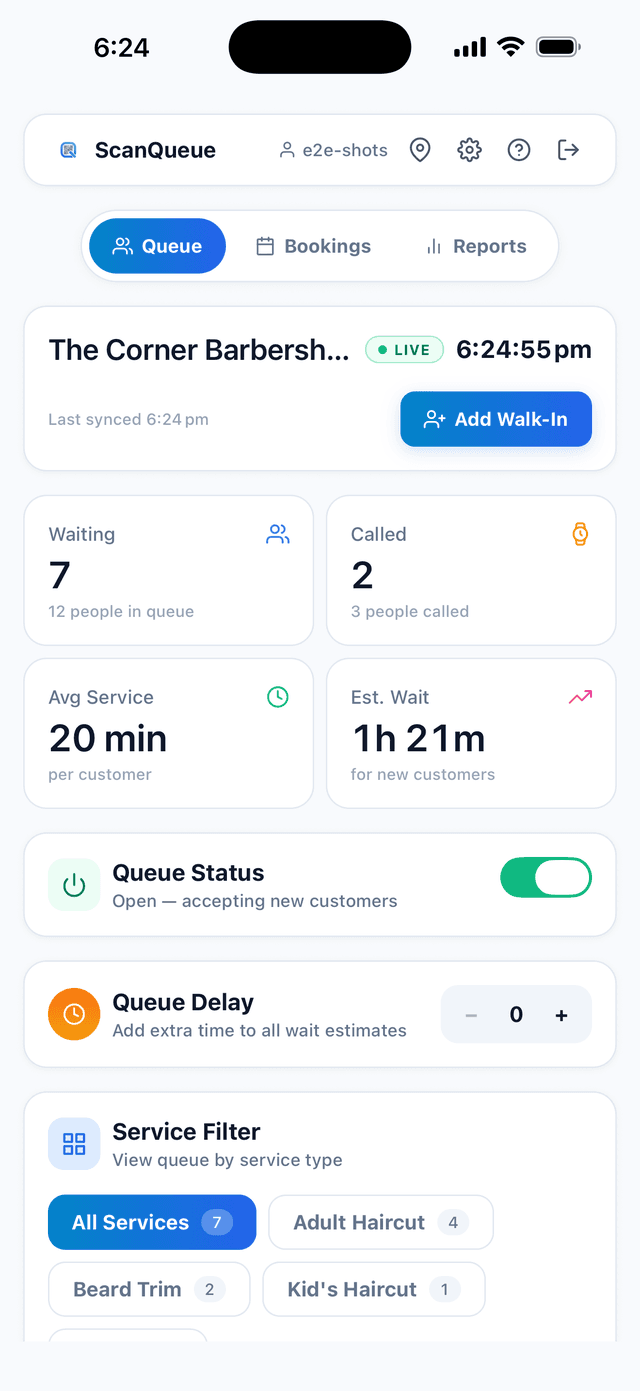
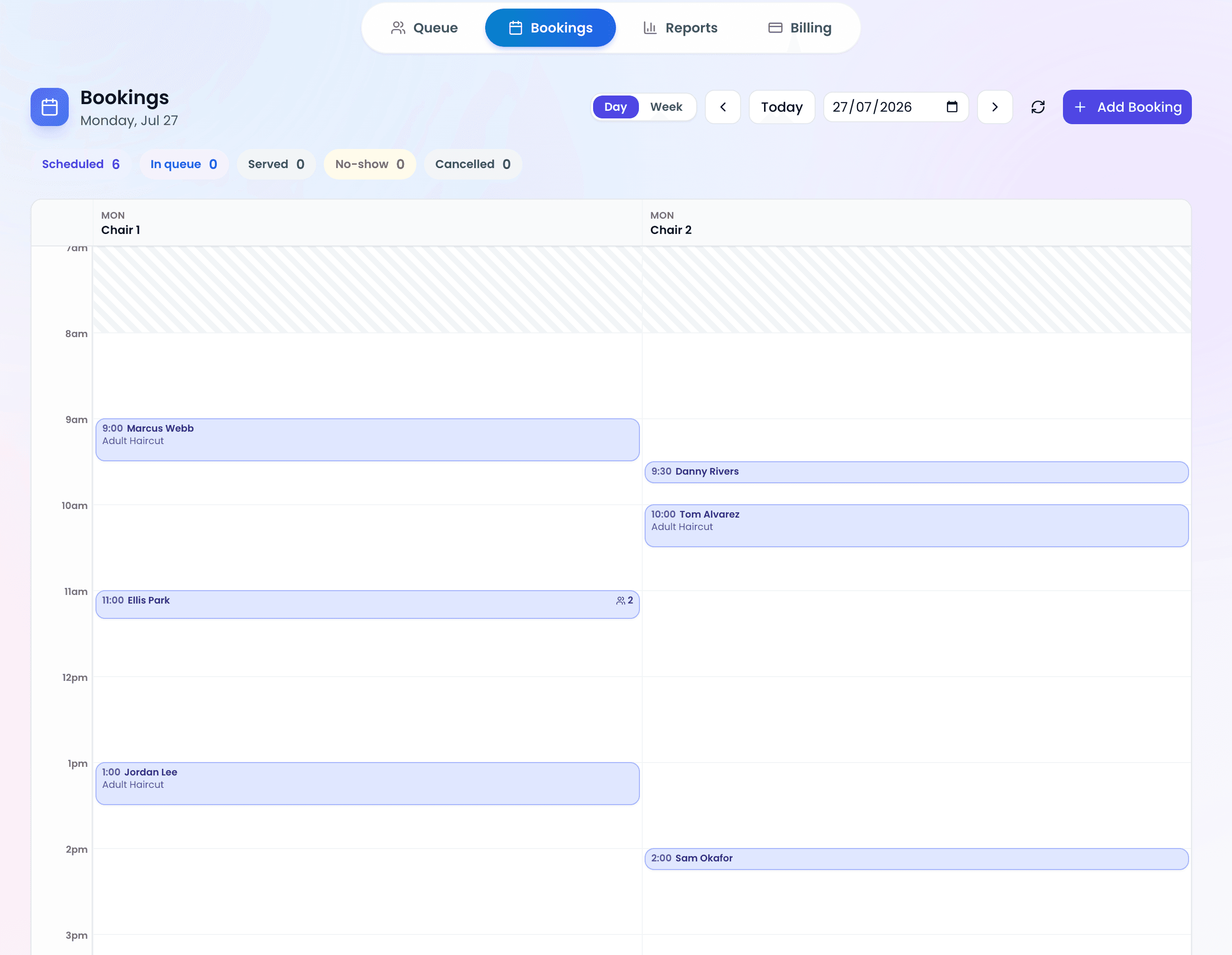
ScanQueue is purpose-built for small businesses that need a queue system running in minutes, not months. Customers scan a QR code, join the queue on their phone (no app), and get an SMS when it's their turn. Staff manage everything from a clean web dashboard on any device.
Why it tops the list: ScanQueue has a genuinely functional free tier (not a 14-day trial), includes SMS and WhatsApp notifications on paid plans, and supports multiple service queues — something most competitors lock behind enterprise pricing.
- Pricing: Free Starter plan. Growth at $99/mo. Pro at $249/mo.
- Best for: Restaurants, barbershops, clinics, retail — any walk-in business
- Standout feature: QR code check-in with no app download required
- Limitations: No hardware kiosk option (cloud-only)
2. Waitwhile — Best for Appointment-Heavy Businesses
Waitwhile combines queue management with appointment scheduling, making it strong for businesses that run both walk-ins and bookings. The interface is polished, and it offers robust analytics.
- Pricing: Free for 1 location (limited features). Paid from $31/mo; price scales with locations and monthly visits (as of September 2026).
- Best for: Service businesses that need appointment + walk-in management
- Standout feature: Built-in appointment booking alongside queue management
- Limitations: Price scales with locations and monthly visits. Advanced features require Business tier.
3. Qminder — Best for Larger Service Environments
Qminder is well-suited for service environments with multiple desks or counters — think government offices, banks, or large retail service departments. It includes visitor management features and TV display integration.
- Pricing: From $869/mo (Business). No free tier.
- Best for: Mid-size businesses with dedicated service desks and multiple staff
- Standout feature: TV display mode and visitor flow analytics
- Limitations: Starting price is too high for most small businesses.
4. NextMe — Best Simple Free Option
NextMe offers a straightforward virtual waitlist with a generous free plan. It focuses on doing the basics well — customers join via link or QR code and get text updates.
- Pricing: Free tier available. Paid from $49.99/mo.
- Best for: Very small businesses that need basic waitlist functionality
- Standout feature: Clean, minimal interface that's easy for anyone to use
- Limitations: No self check-in or analytics on the free plan.
5. QueueBee — Best for Multi-Channel Queuing
QueueBee supports physical kiosks, mobile check-in, and online booking in one platform. It's designed for businesses that want both digital and physical queue touchpoints.
- Pricing: Custom quotes only.
- Best for: Businesses wanting kiosk + digital queue integration
- Standout feature: Hardware kiosk options for in-store check-in
- Limitations: No public pricing. Requires hardware investment. Complex setup.
6. Qmatic — Best for Enterprise (Overkill for Small Business)
Qmatic is the 800-lb gorilla of queue management — used by airports, hospitals, and government agencies worldwide. It's powerful but designed for large deployments with dedicated IT support.
- Pricing: Quote only; Qmatic does not publish pricing.
- Best for: Large organizations with complex queue routing needs
- Standout feature: Advanced workflow automation and enterprise integrations
- Limitations: Built for large deployments, so heavy for a small business. Rollout time depends on scope; Qmatic scopes each project with the customer.
7. WaitWell — Best for Canadian/Government Markets
WaitWell focuses on government services and public-sector queue management, with strong compliance features and bilingual support. It is built mainly for government, healthcare and higher education.
- Pricing: From $29/mo per location (Starter).
- Best for: Government offices, public services, healthcare facilities
- Standout feature: Multi-language support and compliance features
- Limitations: Focused mainly on public-sector workflows.
Comparison Table
| Platform | Free Tier | Paid From | SMS Included | No App Required | Best For |
|---|---|---|---|---|---|
| ScanQueue | ✓ | $49/mo | ✓ | ✓ | Small business (all industries) |
| Waitwhile | ✓ | $31/mo | $2 credit, then paid | ✓ | Appointment + walk-in |
| Qminder | ✗ | $869/mo | ✓ | ✓ | Service desks, mid-size |
| NextMe | ✓ | $49.99/mo | ✓ | ✓ | Basic waitlist |
| QueueBee | ✗ | Custom quote | ✓ | ✓ | Kiosk + digital |
| Qmatic | ✗ | Quote only | ✓ | ✓ | Enterprise |
| WaitWell | ✗ | $29/mo | ✓ | ✓ | Government, public services |
Pro Tip — The App Tax: Any system that requires customers to download an app will see far lower adoption than one using QR codes or web links. For small businesses where every customer matters, frictionless check-in is non-negotiable.
How to Choose the Right Platform
Use this decision framework:
- Budget under $100/mo? Start with ScanQueue (free) or NextMe (free). Both offer functional free tiers.
- Need appointments + queue? Waitwhile integrates both. ScanQueue focuses on walk-in queuing.
- Multiple counters/desks? Qminder excels here, but the price is steep. ScanQueue's multi-service queues offer a more affordable alternative.
- Need a physical kiosk? QueueBee or Qmatic. Be prepared for hardware costs.
- Government/public sector? WaitWell or Qmatic for compliance features.
Frequently Asked Questions
What is the best free queue management software?
ScanQueue's Starter plan is free forever with up to 100 queue joins a month, a QR code, and a live dashboard. NextMe also offers a free tier with basic waitlist features.
Do I need hardware for queue management?
No. Cloud-based systems like ScanQueue work on any device with a browser. All you need is a printed QR code and a phone or tablet to manage the queue.
How long does it take to set up?
Cloud-based systems take under 5 minutes. Hardware-based systems (kiosks) require days to weeks of installation and configuration.
Which software is best for restaurants?
ScanQueue and Waitwhile are the top choices for restaurants. ScanQueue is stronger on walk-in management with QR code check-in; Waitwhile is better if you also need reservation/appointment management.
Try the #1 Queue Software for Small Business
Free plan. No credit card. Set up in 5 minutes. See why small businesses choose ScanQueue.
Start Free with ScanQueue →Stop losing walk-ins to wait times
Set up ScanQueue in 5 minutes. Customers scan a QR code, get SMS alerts when it's their turn, and wait anywhere.
- Free plan — no credit card
- No app download for customers
- QR code, SMS, and WhatsApp notifications
ScanQueue Team
Queue Management Experts
Helping businesses reduce wait times and improve customer experience with smart queue management solutions.