The best free waitlist app for restaurants in 2026 is ScanQueue — it offers a permanent free tier with QR code check-in, party size capture, SMS notifications on paid plans, and a dashboard your host can learn in one shift. But it is not the only option, and the right choice depends on your restaurant's volume, workflow, and whether you need reservation integration.
We tested 6 free waitlist apps from the perspective of restaurant owners managing walk-ins during Friday night rushes. According to the National Restaurant Association, 72% of diners say they will not wait longer than 30 minutes for a table — and 30% leave after just 15. A Forrester study found that wait time transparency increases customer retention by 18%. The right waitlist app keeps guests informed, reduces walkouts, and helps your host manage the door without a clipboard.
Here is how the top free options compare for restaurant queue management in 2026.
Quick Comparison: Free Restaurant Waitlist Apps
| App | Free Tier | Notification Type | Party Size | Walk-in Focus |
|---|---|---|---|---|
| ScanQueue | Forever free | SMS (paid) / Web push | ✓ | ★★★ |
| Waitwhile | 1 location | SMS + Email | ✓ | ★★ |
| Yelp Waitlist | Limited | Push (Yelp app) | ✓ | ★★ |
| Waitlist Me | 100 parties/mo | SMS (limited) | ✓ | ★★ |
| NextMe | Yes | SMS + Web | ✓ | ★★ |
| OpenTable | Waitlist add-on | SMS + App | ✓ | ★ |
What Restaurants Actually Need in a Waitlist App
Before we get into each app, here is what matters most for restaurants managing walk-in traffic:
- Party size capture — Your host needs to know if it is a couple or a party of eight before assigning a table
- SMS or push notifications — Guests waiting in their car or at the bar need a ping when the table is ready
- No app download for guests — Every extra step between the door and the queue loses you diners
- Fast host stand workflow — Adding a walk-in should take under 10 seconds, not interrupt a greeting
- Real-time wait estimate — Accurate wait times reduce walkouts more than any other feature
1. ScanQueue — Best Free Waitlist for Walk-in Heavy Restaurants
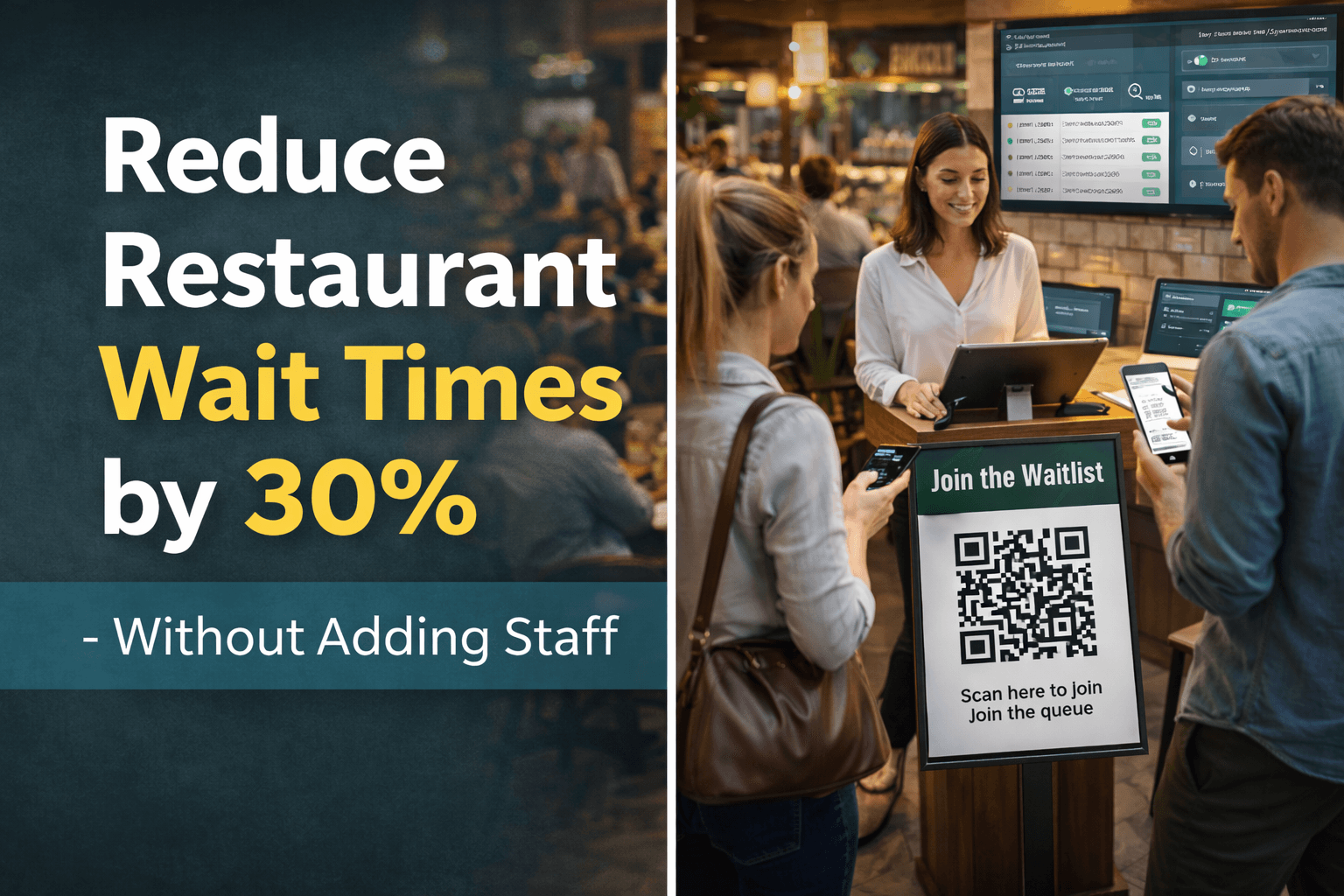
ScanQueue is built for walk-in restaurants that need a digital waitlist running in minutes. Guests scan a QR code at the host stand, enter their name and party size on their phone, and join the queue — no app download, no account creation. The host sees every walk-in appear on a live dashboard with party size, wait time, and position.
For restaurants, ScanQueue's strength is speed. The host does not need to type anything — guests self-check-in via QR code while the host greets the next party. During a Friday night rush with 40+ parties on the waitlist, that self-service flow is the difference between controlled chaos and actual chaos. The dashboard shows party sizes at a glance, so matching a 2-top that just opened to the next couple on the list takes one tap.
The free Starter plan includes up to 10 customers a day, real-time position tracking, and a customisable join form. SMS notifications are available on the Growth plan ($99/mo), which also adds analytics for tracking table-turn times and peak hours. For a deeper look at restaurant-specific features, see our restaurant queue management page.
- Pricing: Free forever (Starter). Growth at $99/mo.
- Best for: Walk-in focused restaurants, fast casual, brunch spots
- Standout feature: QR code self-check-in with party size — zero host effort
- Limitations: SMS requires paid plan. No built-in reservation system.
2. Waitwhile — Best for Restaurants Mixing Walk-ins and Reservations
Waitwhile combines waitlist management with appointment scheduling, which makes it a strong fit for restaurants that take reservations but also handle significant walk-in traffic. The free tier covers one location with basic waitlist features, and the interface is polished and modern.
For restaurant use, Waitwhile's booking page lets guests either reserve a table or join the walk-in waitlist from the same link. That unified flow reduces confusion for both guests and hosts. The dashboard shows reservations and walk-ins on a single timeline, so the host knows exactly when the next table will open. SMS notifications are included on the free tier for basic usage.
The downside for restaurants is that Waitwhile's free tier has feature limitations, and the per-location pricing ($31+/mo) adds up fast if you expand. It is also more complex than a pure waitlist — if your restaurant is walk-in only, you are paying for scheduling features you will not use.
- Pricing: Free for 1 location (limited). Paid from $31/mo per location (as of August 2026).
- Best for: Full-service restaurants with both reservations and walk-ins
- Standout feature: Combined reservation + waitlist in one view
- Limitations: Per-location pricing. Overkill for walk-in-only restaurants.
3. Yelp Waitlist — Best if You Already Live on Yelp
Yelp Waitlist (part of Yelp for Restaurants, formerly Yelp Guest Manager) integrates directly with your Yelp business page. Guests browsing your Yelp listing can join the waitlist before they even leave the house. For restaurants where Yelp drives significant traffic, this integration is powerful.
The waitlist feature captures party size automatically and shows estimated wait times on your Yelp page. Notifications go through the Yelp app, which is a pro if your diners already have it installed and a con if they do not. The host-side interface runs on an iPad app that is designed specifically for the host stand workflow.
The catch: Yelp Waitlist is not truly free. There is a basic tier, but the full waitlist features require Yelp Guest Manager, which starts around $99/mo and often comes bundled with Yelp advertising. If you are already paying for Yelp ads, the marginal cost makes sense. If you are not a Yelp-heavy restaurant, this is an expensive way to get a waitlist.
- Pricing: Basic free tier. Full features from ~$99/mo (Yelp Guest Manager).
- Best for: Restaurants with strong Yelp presence and existing Yelp ads
- Standout feature: Guests join the waitlist directly from your Yelp listing
- Limitations: Requires Yelp app for guest notifications. Full features are not free.
4. Waitlist Me — Best Budget Option with SMS
Waitlist Me has been around since 2012, making it one of the longest-running digital waitlist apps for restaurants. The free tier includes up to 100 parties per month with basic SMS notifications — enough for a small restaurant that seats 30-40 covers during peak hours.
The restaurant workflow is straightforward: the host adds a party with name, size, and phone number, then taps to notify when the table is ready. There is a public waitlist page where guests can check their position. The iPad app is designed for host stand use, with large buttons and a layout that works during the chaos of a dinner rush.
The 100-party limit on the free tier is the main constraint. A busy restaurant blows through that in a weekend. The Pro plan ($24.99/mo) removes the limit and adds features like wait time analytics and table management — still one of the cheapest paid options available.
- Pricing: Free (100 parties/mo). Pro at $24.99/mo.
- Best for: Small restaurants with moderate walk-in volume
- Standout feature: SMS on the free tier (limited) and low-cost Pro plan
- Limitations: 100 party/mo cap on free. UI feels dated compared to newer apps.
5. NextMe — Best Minimal Setup for Small Restaurants
NextMe takes a minimalist approach to digital waitlists. Guests join via QR code or a shareable link, see their real-time position, and get a text when it is their turn. There is very little setup involved — you can have it running for your restaurant in under five minutes.
For small restaurants that just need the basics, NextMe delivers. Party size capture, SMS notifications, and a clean guest-facing queue page. The host dashboard is simple enough that you do not need to train anyone — if they can use a phone, they can use NextMe. The free tier is functional for low-volume restaurants.
Where NextMe falls short for restaurants is analytics and scalability. There is no table-turn tracking, no peak hour reports, and limited customisation. If you outgrow the basics, the jump to the paid Starter tier ($49.99/mo) is reasonable, but the analytics still lag behind ScanQueue and Waitwhile.
- Pricing: Free tier available. Paid from $49.99/mo.
- Best for: Small, low-volume restaurants that want zero complexity
- Standout feature: 5-minute setup, no learning curve
- Limitations: Limited analytics. No table management or turn-time tracking.
6. OpenTable — Best if Reservations Are Your Primary Channel
OpenTable is the dominant restaurant reservation platform, and its waitlist feature is an add-on to the core reservation system. If your restaurant already runs on OpenTable for bookings, adding the waitlist module keeps everything in one place — reservations, walk-ins, and table inventory on a single screen.
The waitlist integrates with OpenTable's table management, so when a reserved party does not show, the system can automatically seat the next walk-in party that fits the open table size. Party size, estimated wait, and guest notes all flow into the same system your host already knows. SMS notifications go out automatically when a table is assigned.
The problem is cost. OpenTable charges per-cover fees ($1-$3 per seated diner from online reservations) on top of a monthly subscription that starts around $149/mo for the full platform. The waitlist feature alone is not available as a standalone free product. For a walk-in focused restaurant that does not need reservations, OpenTable is far too expensive and complex for just a waitlist.
- Pricing: From ~$149/mo + per-cover fees. No free waitlist-only option.
- Best for: Reservation-heavy restaurants already on OpenTable
- Standout feature: Unified reservation + waitlist + table management
- Limitations: Expensive. Per-cover fees. Overkill for walk-in-only restaurants.
Which One Should You Pick?
The right free waitlist app depends on how your restaurant operates. Here is a simple decision tree:
- Mostly walk-ins, minimal reservations → ScanQueue. QR code self-check-in keeps the host free, the free tier has no party limits, and the dashboard is built for walk-in flow.
- Mix of walk-ins and reservations → Waitwhile. The combined booking + waitlist view is genuinely useful for restaurants running both channels.
- Yelp drives most of your traffic → Yelp Waitlist. Letting diners join from your Yelp page removes friction, but only if Yelp is already your main discovery channel.
- Tiny restaurant, low volume → Waitlist Me or NextMe. Both have functional free tiers for restaurants seating under 50 parties per week.
- Already on OpenTable for reservations → OpenTable. Adding the waitlist module makes sense if you are already paying for the platform. Starting fresh on OpenTable just for a waitlist does not.
For most independent restaurants, the pattern is clear: start with a free tier, prove the value during one busy weekend, then decide if paid features like SMS and analytics are worth the upgrade. You should not be signing contracts or buying hardware before you know a digital waitlist works for your specific layout and crowd.
For a broader comparison across all industries, see our best queue management systems for 2026 roundup. And for restaurant-specific strategies beyond waitlist apps, check our guide on reducing walkouts in restaurants. You can also compare ScanQueue's pricing plans to see which tier fits your restaurant.
Frequently Asked Questions
What is the best free waitlist app for restaurants?
ScanQueue is the best free option for walk-in heavy restaurants thanks to its permanent free tier, QR code self-check-in, and party size capture. Waitwhile is better if you need combined reservation and waitlist management in one tool.
Do guests need to download an app to join the waitlist?
Not with web-based platforms like ScanQueue and NextMe. Guests scan a QR code and join directly in their mobile browser. No app download, no account creation — just scan, enter a name and party size, and they are on the list.
How many parties can I manage on a free waitlist app?
It depends on the app. ScanQueue's free tier has no party limit. Waitlist Me caps the free tier at 100 parties per month. Waitwhile's free tier covers one location with limited features. For a restaurant doing 50+ walk-in parties per night, check the limits carefully.
Can a free waitlist app actually reduce walkouts?
Yes. The biggest cause of walkouts is uncertainty — guests leave when they do not know how long the wait will be. Any app that shows real-time position and estimated wait time reduces perceived wait and keeps guests engaged. Restaurants report 20-35% fewer walkouts after adding a digital waitlist.
Should I pick a waitlist app or a full reservation system?
If your restaurant is primarily walk-in (no reservations or very few), a dedicated waitlist app like ScanQueue is simpler, cheaper, and faster to set up. If you take significant reservations, a combined platform like Waitwhile or OpenTable makes more sense to avoid running two separate systems.
Your Restaurant Waitlist, Running in 5 Minutes
Free QR code check-in, party size capture, and real-time queue tracking. No app downloads for guests.
Try ScanQueue Free →Stop losing walk-ins to wait times
Set up ScanQueue in 5 minutes. Customers scan a QR code, get SMS alerts when it's their turn, and wait anywhere.
- Free plan — no credit card
- No app download for customers
- QR code, SMS, WhatsApp, and voice notifications
ScanQueue Team
Queue Management Experts
Helping businesses reduce wait times and improve customer experience with smart queue management solutions.