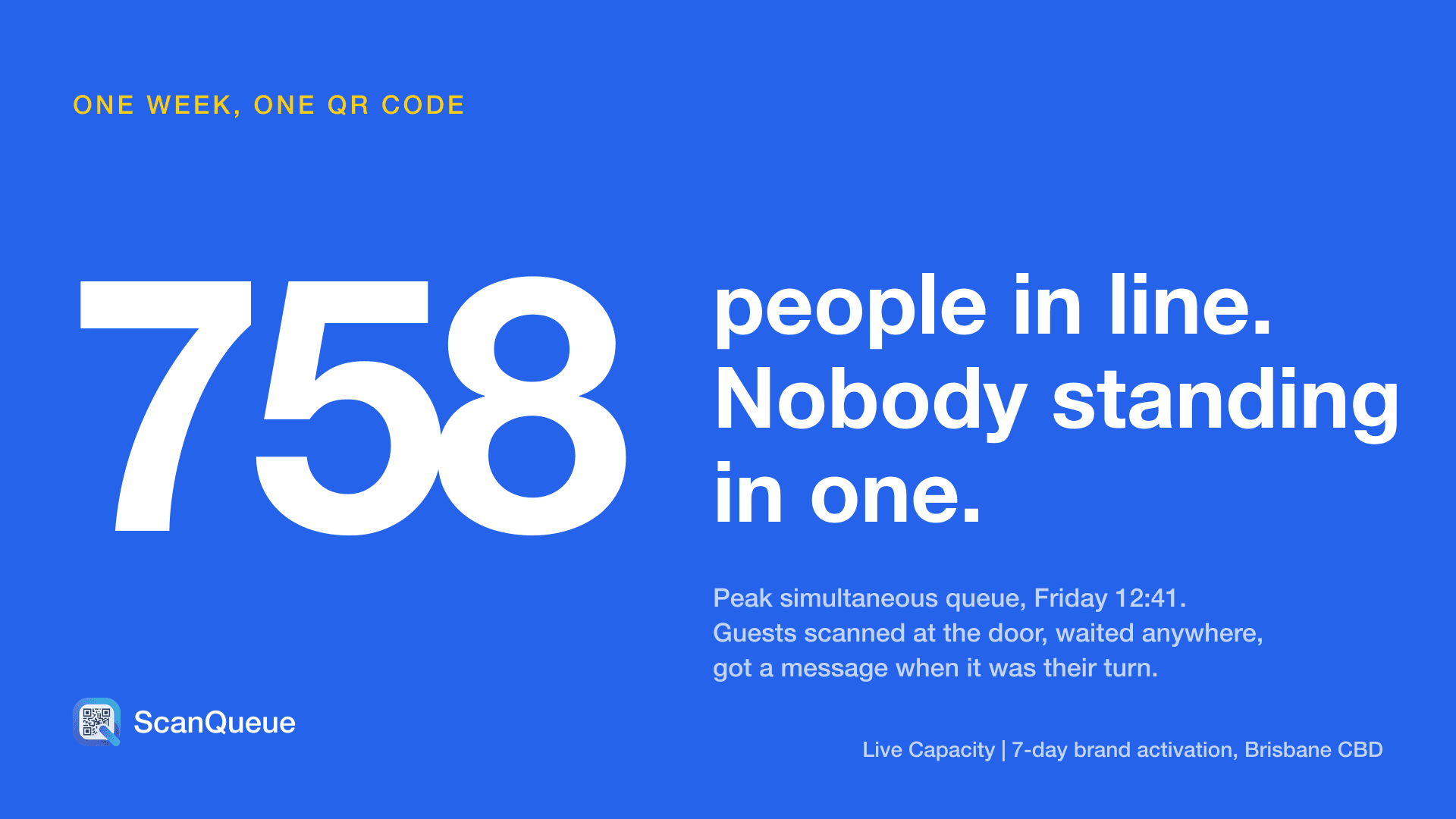
Long lines ruin experiences. A 2,000-person pop-up activation with a 90-minute queue is not a brand moment — it is a brand risk. A marathon bib pickup that forces runners to stand for an hour the day before their race is not logistics — it is a failure of planning. A hospital outpatient clinic where patients wait two hours past their appointment time is not healthcare — it is a system that has stopped respecting people's time.
Virtual queue management fixes all three. The concept is simple: replace the physical line with a digital one. Attendees scan a QR code, join a queue on their phone, and receive a notification when it is their turn. They wait wherever they want — browsing vendor booths, sitting in their car, or grabbing coffee — instead of standing in a line that moves at the speed of bureaucracy.
According to an Eventbrite 2025 survey, 67% of attendees say long queues are their number-one frustration at live events — ranking above weather, parking, and food quality. The Event Safety Alliance reports that crowd-related incidents have increased 23% over the past five years, with poor queue management cited as a contributing factor in the majority of cases.
This guide covers how three very different high-volume verticals — pop-up events, marathon bib pickup, and hospital outpatient clinics — are using virtual queues to eliminate lines, improve safety, and deliver better experiences.
Pop-Up Events and Brand Activations
Pop-up events are built on scarcity and excitement. A limited-run product drop, a brand activation at a music festival, a sample giveaway at a street-level storefront — the whole point is to create a moment. But when that moment comes with a 90-minute queue snaking around the block, the excitement turns into resentment fast.
The problem is structural. Brand activations are designed to be high-traffic, limited-capacity experiences. You want 2,000 people to show up. You do not want 2,000 people standing in a line. Physical queues at pop-ups create three cascading problems:
- Crowd safety. A long physical queue on a public sidewalk or event floor creates bottlenecks, blocks emergency exits, and puts crowd density at dangerous levels. The UK Health and Safety Executive identifies density above 4 people per square metre as a crush risk.
- Brand perception. Social media cuts both ways. A photo of your activation going viral is great. A photo of a miserable queue going viral is a disaster. Attendees who wait 90 minutes are not posting about your product — they are posting about the wait.
- Walk-aways. Industry data suggests 30-40% of potential attendees will leave when they see a long physical line. These are people who showed up, were interested, and were lost because of logistics.
How Virtual Queuing Solves It
A virtual queue replaces the physical line with a digital one. Here is how it works at a pop-up activation:
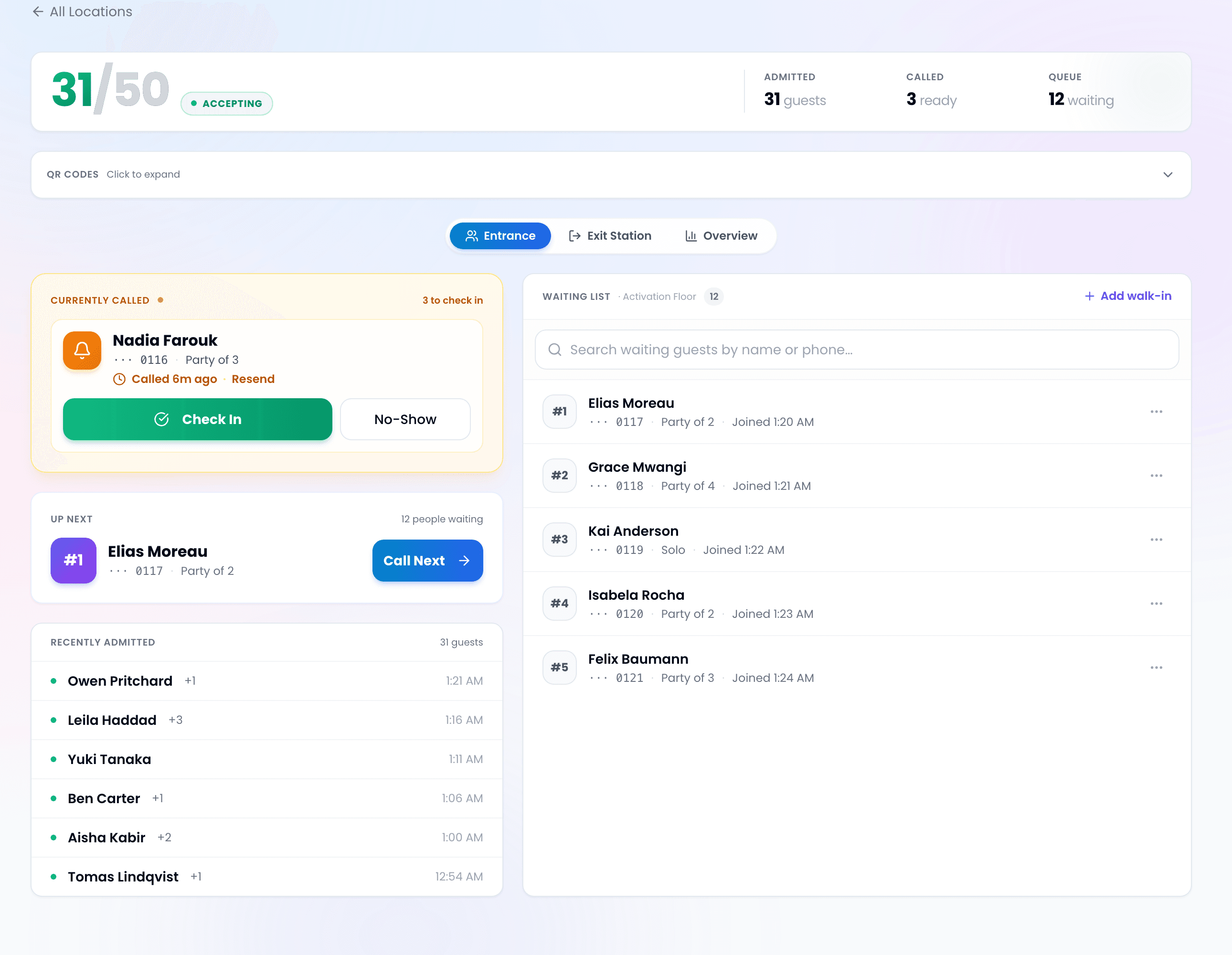
- QR codes are placed at the activation entrance, on nearby signage, and shared on social media. Attendees scan from their phone.
- They join the queue digitally — entering their name and phone number. No app download, no account creation.
- They see their position and estimated wait time on their phone in real-time.
- When their turn approaches, they receive an SMS: "You're next! Head to the entrance within 5 minutes."
- While waiting, they are free to explore the festival grounds, visit other vendors, or grab food.
The result: the activation runs at capacity without a visible line. Attendees spend their wait time engaged with the event instead of standing in the sun. The brand gets social media posts about the experience, not the queue.
Pro Tip — QR Code Placement: Print QR codes on A3-size weatherproof stands and place them 3-5 metres before the activation entrance — not at the door. This catches attendees as they approach and prevents a physical cluster from forming at the entry point. Add a second QR code to any social media posts or digital screens promoting the activation so people can join the queue before they even arrive.
Multi-Day Activations
For events running over multiple days — like a two-day NYC pop-up or a weekend brand experience — virtual queues provide something physical lines cannot: data continuity. Day one analytics show peak hours, average dwell time, and drop-off points. Day two operations are adjusted accordingly — more staff at 2 PM, fewer at 10 AM, SMS notifications tuned to actual service speed.
Marathon Bib Pickup and Race Expos
Marathon bib pickup is a logistics challenge disguised as a simple task. Hand someone a bib, a timing chip, and a bag of sponsor freebies. Easy, right? Now do it 15,000 times in two days, with runners arriving in unpredictable waves, each needing identity verification and waiver confirmation.
The traditional approach — alphabetical lanes based on last name — creates predictable problems. The "M" lane is always longer than the "X" lane. Runners bunch up during the same time windows. The expo floor gets congested with people who finished pickup but are browsing vendor booths, mixing with people who are still queuing.
Virtual Queue for Bib Pickup
An event queue management system transforms bib pickup from a crowd management problem into a smooth, timed flow:
- Pre-registration queuing. Email registered runners a QR code or link before race weekend. They join the virtual queue from home or their hotel and receive a time window: "Your pickup slot is 11:30 AM - 12:00 PM on Saturday."
- On-site virtual queue. For runners who show up without pre-registering, QR codes at the expo entrance let them join the queue digitally. They browse the expo while waiting instead of standing in an alphabetical line.
- Multi-queue separation. Separate queues for bib pickup, timing chip collection, and gear check-in prevent bottlenecks at each station. Each queue operates independently with its own QR code and SMS notifications.
- Real-time capacity management. Race directors monitor queue lengths across all stations from a single dashboard, redeploying volunteers from quiet stations to busy ones in real-time.
Pro Tip — Expo Revenue: Runners who browse the expo while waiting in a virtual queue spend 40-60% more at vendor booths than those who rush through after a long physical line. Virtual queuing is not just a logistics improvement — it is a revenue driver for your expo vendors and sponsors.
Pricing for Race Events
Race directors often assume queue management software requires an annual contract. It does not have to. For a single race weekend, a monthly plan works perfectly — sign up, run your event, cancel after. ScanQueue's Growth plan at $99/month covers most mid-size races with 500 SMS notifications included. For larger events needing higher volume or custom configuration, the Custom tier offers tailored packages for one-off events.
Hospital Outpatient Clinics
Hospital outpatient departments are where healthcare queue management is most visibly broken. Patients arrive for scheduled appointments and still wait 45 minutes to 2 hours. The waiting room is packed. Anxiety levels are high. Staff are fielding constant "how much longer?" questions instead of focusing on patient care.
A 2024 study published in the Journal of Healthcare Management found that 97% of patients are frustrated by long wait times at outpatient facilities, with the average outpatient visit involving 24 minutes of clinical care and 49 minutes of waiting. The same research showed that poor wait time experiences are the single strongest predictor of negative hospital satisfaction scores — more influential than clinical outcomes for outpatient visits.
The waiting room problem in hospitals is fundamentally different from events. It is not about handling a surge — it is about managing a steady flow where every delay cascades. One complex case runs long, and every subsequent patient waits progressively longer with zero visibility into why.
Virtual Queuing in Clinical Settings
Virtual queuing in a hospital outpatient context works differently from events. The multi-queue pattern — running parallel queues for different service types — is essential because outpatient departments handle multiple clinics simultaneously: cardiology, radiology, blood draws, pharmacy pickup, and specialist consultations all share the same physical space.
- Digital check-in on arrival. Patients scan a QR code at the department entrance to confirm arrival. The system updates their status from "expected" to "checked in" and shows their position in the queue.
- Real-time delay notifications. If the clinic is running 20 minutes behind, patients receive an SMS: "Dr. Patel is running approximately 20 minutes behind schedule. Your updated time is 2:40 PM." Transparency reduces frustration dramatically.
- Car park waiting. Patients can wait in their car, in the cafeteria, or anywhere with mobile signal. An SMS calls them back when the provider is ready. This reduces waiting room density — important for infection control — and improves the patient experience.
- Multi-step appointment flows. Patients visiting multiple departments (e.g., blood draw then specialist) are automatically added to the next queue when the first step is complete.
Pro Tip — Notification Tone: In clinical settings, use empathetic, specific language in SMS notifications. Instead of "You're next!", use "Dr. Patel is ready for you in Room 3. Please head to the outpatient reception." Clinical patients respond better to clear, calm instructions than to the excitement-driven language that works at events.
Impact on Patient Satisfaction
The Medical Group Management Association (MGMA) reports that clinics using digital check-in and virtual waiting reduce patient complaints about wait times by 35-50%. The key insight: perceived wait time matters more than actual wait time. A patient who waits 30 minutes with real-time updates and freedom to move is significantly more satisfied than one who waits 20 minutes in a crowded room with no information.
What All Three Verticals Have in Common
Despite their differences — a sneaker drop, a marathon, and a cardiology clinic seem to have nothing in common — the queue management challenges are structurally identical. Here is what unites them:
| Feature | Pop-Up Events | Marathon Bib Pickup | Hospital Outpatient |
|---|---|---|---|
| QR code check-in | Yes | Yes | Yes |
| SMS notifications | Yes | Yes | Yes |
| Multiple queues | Per activation zone | Per station (bib, chip, gear) | Per department/clinic |
| Real-time dashboard | Organiser oversight | Race director view | Department admin |
| No app download | Yes | Yes | Yes |
| Analytics and reporting | Peak hours, throughput | Station efficiency | Wait time trends |
| Setup time | Minutes | Minutes | Minutes |
The common thread: people do not want to stand in lines. They want to know where they are in the queue, when they will be seen, and to spend their wait time doing something other than standing. Virtual queuing delivers all three, regardless of the context.
Choosing the Right Plan for Your Event
The right plan depends on your event size and notification volume. Here is a quick guide:
| Event Size | Recommended Plan | SMS Included | Best For |
|---|---|---|---|
| Up to 50 people | Free | 5/month | Small pop-ups, testing the system |
| 50–500 people | Growth ($99/mo) | 500/month | Mid-size activations, local races |
| 500–2,000 people | Pro ($249/mo) | 1,400/month | Large activations, multi-day events |
| 2,000–5,000 people | Enterprise ($499/mo) | 2,800/month | Major events, hospital departments |
| 5,000+ people | Custom | Tailored | Marathons, festivals, enterprise healthcare |
For one-off events like a race weekend or a two-day brand activation, monthly plans work perfectly. Sign up for the month, run your event, and cancel — no annual commitment required. The Custom tier is available for organisations needing tailored packages, dedicated support, or integration with existing event management platforms.
Getting Started
Implementing virtual queue management for your next event is straightforward:
- Sign up and create your queues. Set up one queue per service point — one for entry, one for each station, one for each department. This takes minutes.
- Print QR codes. Weatherproof A3-size stands work best for events. Place them where attendees naturally congregate, not at the service point itself.
- Brief your staff. Show them the dashboard — calling the next person is a single tap. Most staff are comfortable within 5 minutes.
- Run and monitor. On event day, monitor all queues from a central dashboard. Reallocate staff as queue lengths shift throughout the day.
- Review analytics. After the event, review average wait times, peak hours, throughput per station, and notification delivery rates. Use this data to improve operations for your next event.
Whether you are managing a pop-up activation for 2,000 attendees, coordinating bib pickup for a marathon, or running an outpatient clinic that sees hundreds of patients daily — virtual queuing replaces chaos with a system that respects everyone's time.
Virtual Queues for High-Volume Events
From brand activations to marathon expos to hospital departments — ScanQueue gives you instant virtual queues with QR codes, SMS notifications, and real-time analytics. No hardware, no app downloads, no physical lines.
Last updated: March 2026
Stop losing walk-ins to wait times
Set up ScanQueue in 5 minutes. Customers scan a QR code, get SMS alerts when it's their turn, and wait anywhere.
- Free plan — no credit card
- No app download for customers
- QR code, SMS, WhatsApp, and voice notifications
ScanQueue Team
Queue Management Experts
Helping businesses reduce wait times and improve customer experience with smart queue management solutions.