The best virtual queuing platform for events in 2026 is ScanQueue — it offers a free tier with multi-queue support, QR code check-in without app downloads, and SMS notifications that let attendees explore instead of standing in line. But the right platform depends on your event size, budget, and whether you need features like appointment scheduling or hardware kiosks.
We evaluated 7 platforms across pricing, event-specific features, and ease of deployment. According to a 2025 Eventbrite survey, 67% of attendees cite long queues as their top frustration at live events. Meanwhile, Allied Market Research projects the global event industry will reach $1.5 trillion by 2028, making efficient crowd management not just a convenience but a competitive necessity. And research from the Event Safety Alliance shows that virtual queuing reduces crowd density incidents by up to 40% compared to traditional physical lines.
Whether you are running a weekend food festival, a brand activation at a shopping centre, or a multi-day conference, the right queuing platform can transform the attendee experience. Here is how the top options compare.
What Is Virtual Queuing for Events?
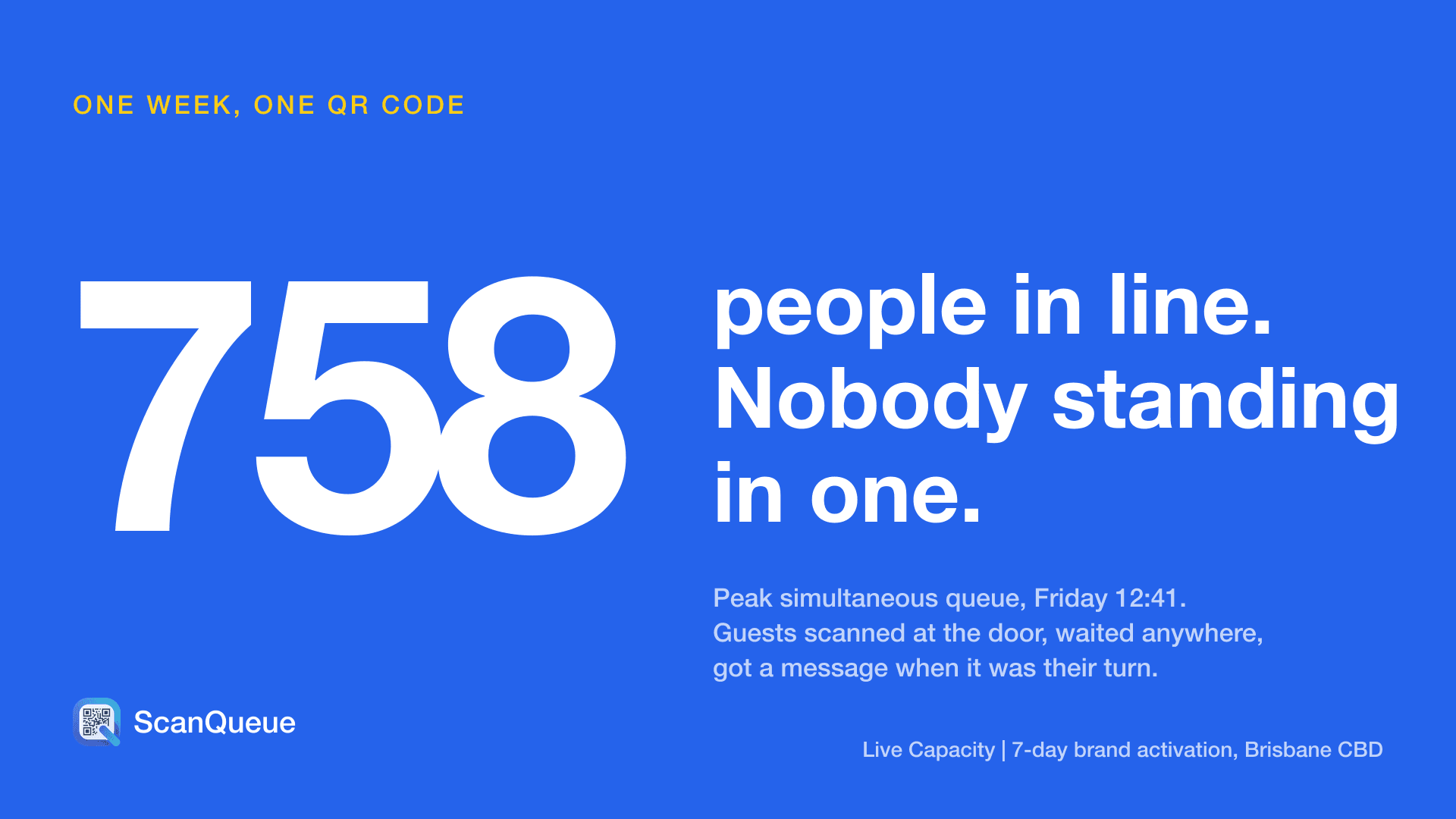
Virtual queuing replaces physical lines with digital queues that attendees join from their phone. Instead of standing in a queue for 30 minutes at a food vendor or activity station, attendees scan a QR code, join the queue remotely, and receive an SMS or WhatsApp notification when it is their turn to return.
For events specifically, virtual queuing solves several critical problems. It improves attendee flow by distributing crowds across the venue rather than concentrating them at bottleneck points. It increases vendor revenue because attendees spend time (and money) exploring instead of waiting. It enhances safety by reducing crowd density — a growing concern for event organisers post-pandemic. And it provides real-time data on wait times, queue volumes, and peak periods that organisers can use to optimise future events.
The best part: modern virtual queue platforms require zero hardware. A printed QR code and a phone with a browser are all you need to get started.
What to Look for in an Event Queuing Platform
Not every queue management tool is built for events. Here are the six criteria that matter most when choosing a platform for live events:
- Instant setup with no hardware — Events move fast. You need a platform you can set up on the day of the event without IT support, hardware installation, or complex configuration. Print a QR code, stick it on a table, and go.
- QR code check-in with no app downloads — Attendees will not download an app to join a queue at a festival. Any platform that requires an app download will see 60-80% lower adoption. Web-based QR code check-in is non-negotiable for events.
- SMS or WhatsApp notifications — Push notifications only work if attendees have your app installed. SMS and WhatsApp notifications reach everyone, regardless of what is on their phone.
- Multi-queue support — Events have multiple vendors, stages, and activity stations. You need a platform that supports multiple independent queues from a single account, ideally with each vendor managing their own queue.
- Real-time analytics — Understanding peak times, average wait duration, and queue volumes helps you optimise staffing and layout for current and future events.
- Flexible pricing — Some events are one-off. Others run monthly. Look for platforms that offer per-event pricing or monthly plans without long-term contracts, and ideally a free tier for testing.
7 Best Platforms Compared
| Platform | Free Tier | Paid From | Multi-Queue | No App Required | Best For |
|---|---|---|---|---|---|
| ScanQueue | ✓ | $99/mo | ✓ | ✓ | Events of all sizes |
| Waitwhile | ✓ | $31/mo | ✓ | ✓ | Appointment + walk-in |
| Qminder | ✗ | $429/mo | ✓ | ✓ | Large venues |
| QueueBee | ✗ | Custom | ✓ | ✓ | Kiosk + digital |
| NextMe | ✓ | $49.99/mo | ✗ | ✓ | Small events |
| QLess | ✗ | Custom | ✓ | ✓ | Enterprise events |
| Qmatic | ✗ | $500+/mo | ✓ | ✓ | Major venues / enterprise |
1. ScanQueue — Best Overall for Events
ScanQueue is purpose-built for the kind of fast, high-volume queuing that events demand. Attendees scan a QR code at any vendor booth, food truck, or activity station, join the queue on their phone without downloading an app, and get an SMS when it is their turn. Event organisers can set up multiple independent queues — one per vendor, stage, or zone — all managed from a single account.
What makes ScanQueue stand out for events is the multi-queue capability on the free tier. Most competitors either lock multi-queue behind paid plans or charge per-queue. ScanQueue lets each vendor run their own queue from any device with a browser, while giving organisers a unified dashboard view across all queues. For festivals and brand activations, this means you can deploy virtual queuing across every touchpoint without spiralling costs.
- Pricing: Free Starter plan. Growth at $99/mo. Pro at $249/mo.
- Best for: Events, festivals, brand activations, food markets, pop-ups
- Standout feature: Multi-queue per vendor on the free tier
- Limitations: No hardware kiosk option (cloud-only)
2. Waitwhile — Best for Ticketed Events with Appointments
Waitwhile combines queue management with appointment scheduling, making it a strong choice for events that mix pre-booked sessions with walk-in queues. Think wine tasting events with scheduled time slots, conference workshops with limited capacity, or product launch events where VIPs get pre-booked access. The interface is polished, the API is robust, and the analytics give organisers granular insight into attendance patterns.
The platform handles the hybrid scheduling model well — attendees can book a specific time slot in advance or join a walk-in queue on the day. Waitwhile also offers a customisable customer-facing page that can be branded to match your event, and supports multiple locations (venues) under one account.
- Pricing: Free for 1 location (limited features). Paid from $31/mo per location (as of August 2026).
- Best for: Events mixing pre-booked appointments with walk-in queues
- Standout feature: Appointment scheduling integrated with walk-in queue management
- Limitations: Per-location pricing adds up quickly for multi-venue events. Advanced features like custom fields and automations require the Business tier ($199/mo+).
3. Qminder — Best for Large Venue Events
Qminder is built for service environments with multiple desks and counters, which translates well to large-scale events like trade shows, conferences, and expos with dedicated service points. Its standout feature for events is the TV display integration — large screens showing queue status that attendees can check from across a venue hall. For conferences with multiple registration desks, help points, or demo stations, Qminder provides a structured check-in experience.
The platform also offers detailed visitor flow analytics, showing organisers exactly where bottlenecks form and how long attendees wait at each station. This data is invaluable for optimising layout and staffing at recurring events.
- Pricing: From $429/mo (Starter). No free tier.
- Best for: Conferences, trade shows, expos with dedicated service desks
- Standout feature: TV display mode and visitor flow analytics
- Limitations: Starting price is too high for small or mid-size events. Enterprise-oriented sales process with no self-serve signup.
4. QueueBee — Best for Hybrid Digital + Kiosk Events
QueueBee bridges the gap between digital and physical queue management, offering both mobile check-in and hardware kiosk options. For events where some attendees prefer a physical touchpoint — think conferences with registration kiosks, or exhibitions with self-service check-in terminals — QueueBee provides a familiar ticket-dispensing experience alongside the digital queue. The platform supports multi-channel queuing where attendees can join via kiosk, QR code, or online pre-registration.
QueueBee is popular in Southeast Asia and the Middle East for large-scale government events and trade exhibitions. The hardware integration is its differentiator, but it also means higher setup complexity and cost compared to cloud-only alternatives.
- Pricing: Custom quotes only. Typically includes hardware lease or purchase.
- Best for: Events wanting kiosk check-in alongside mobile queuing
- Standout feature: Hardware kiosk + digital queue integration
- Limitations: No public pricing. Requires hardware investment and advance setup — not ideal for pop-up or single-day events.
5. NextMe — Best Budget Option for Small Events
NextMe keeps things simple: a straightforward virtual waitlist that works well for small-scale events. Attendees join via a link or QR code, see their position in the queue, and get a text when it is their turn. The interface is clean and requires almost no training for staff — hand a tablet to a volunteer and they will figure it out in minutes. For community events, pop-up markets, and neighbourhood festivals that need basic queue management without complexity, NextMe delivers.
The free tier is functional for single-queue events, and the paid Starter plan at $49.99/mo is one of the most affordable paid options on the market. However, the lack of multi-queue support on the free plan means it is best suited for events with a single queue point rather than multi-vendor festivals.
- Pricing: Free tier available. Paid from $49.99/mo.
- Best for: Pop-ups, small community events, single-vendor setups
- Standout feature: Clean, minimal interface that volunteers can learn in minutes
- Limitations: No multi-queue support on the free plan. Limited analytics and customisation.
6. QLess — Best for Government & Public Events
QLess combines appointment scheduling with queue management and has a strong footprint in government and public-sector events — think civic festivals, public health screenings, DMV pop-ups, and community service events. The platform supports both scheduled appointments and walk-in queues, with robust reporting that meets government procurement requirements. QLess also offers bi-directional texting, allowing staff to communicate with attendees directly through the platform.
However, QLess filed for Chapter 11 bankruptcy in 2024 and continues to operate under restructured ownership. While existing customers report continued service, new customers should factor in the company's financial stability when evaluating a long-term commitment.
- Pricing: Custom quotes only. Enterprise pricing.
- Best for: Government-run events, civic festivals, public health events
- Standout feature: Bi-directional texting and government compliance reporting
- Limitations: No public pricing. Bankruptcy history raises long-term stability concerns. Enterprise sales cycle.
7. Qmatic — Best for Major Venues & Enterprise Events
Qmatic is the enterprise heavyweight of queue management, used by arenas, convention centres, airports, and major event venues worldwide. For large-scale events — think CES, auto shows, or multi-day conferences with 10,000+ attendees — Qmatic provides the infrastructure-grade reliability and scalability that smaller platforms cannot match. The platform integrates with existing venue management systems, supports complex multi-zone routing, and offers dedicated customer success teams for event deployments.
Qmatic's Orchestra platform provides end-to-end journey management: from pre-event registration through on-site check-in, queue routing, service delivery, and post-event feedback. For venues that host events regularly, the investment in Qmatic pays off through deep integration with venue infrastructure.
- Pricing: Enterprise quotes only. Typically $500+/mo per venue. Implementation fees additional.
- Best for: Arenas, convention centres, major multi-day events
- Standout feature: Enterprise-grade scalability with venue infrastructure integration
- Limitations: Extremely expensive. Long implementation cycles (weeks to months). Overkill for anything under 5,000 attendees.
How Virtual Queuing Improves Event Safety
Beyond convenience, virtual queuing is increasingly recognised as a crowd safety measure for events. The UK Health and Safety Executive (HSE) guidelines on crowd management recommend reducing static crowd density wherever possible, and virtual queuing is one of the most effective tools for achieving this.
Here is how virtual queuing directly improves event safety:
- Reduces crowd density — By eliminating physical lines, virtual queuing disperses attendees across the venue. Research from Professor G. Keith Still (crowd dynamics expert, Manchester Metropolitan University) shows that crowd density above 4 people per square metre creates crush risk. Virtual queuing keeps density well below this threshold.
- Maintains emergency access — Physical queues often block corridors, exits, and emergency access routes. Virtual queuing keeps these pathways clear at all times.
- Supports fire code compliance — Venues have maximum occupancy limits for specific zones. Virtual queuing with capacity limits per queue helps organisers stay within fire marshal requirements for each area.
- Provides real-time crowd monitoring — Dashboard analytics show queue volumes across the venue in real time, giving safety teams visibility into where crowds are forming before they become dangerous.
For event organisers, virtual queuing is not just about improving the attendee experience — it is a practical crowd management tool that reduces liability and helps meet duty-of-care obligations.
Setting Up Virtual Queues at Your Event
Getting virtual queuing running at your event is simpler than most organisers expect. Here is a four-step guide:
- Choose a platform and create your account — Sign up for a platform like ScanQueue (free to start). Configure your business name, logo, and notification preferences. This takes under 5 minutes.
- Set up queues for each vendor or activity — Create separate service queues for each vendor, food truck, activity station, or stage. Name each queue clearly (e.g., "Taco Truck," "Face Painting," "VIP Lounge"). Each vendor can manage their own queue from their phone or tablet.
- Print QR codes and place at entry points — Generate a QR code for each queue and print them on A4 or A3 signs. Place them at each vendor booth, at venue entry points, and on event maps. Include a brief instruction: "Scan to join the queue — we will text you when it is your turn."
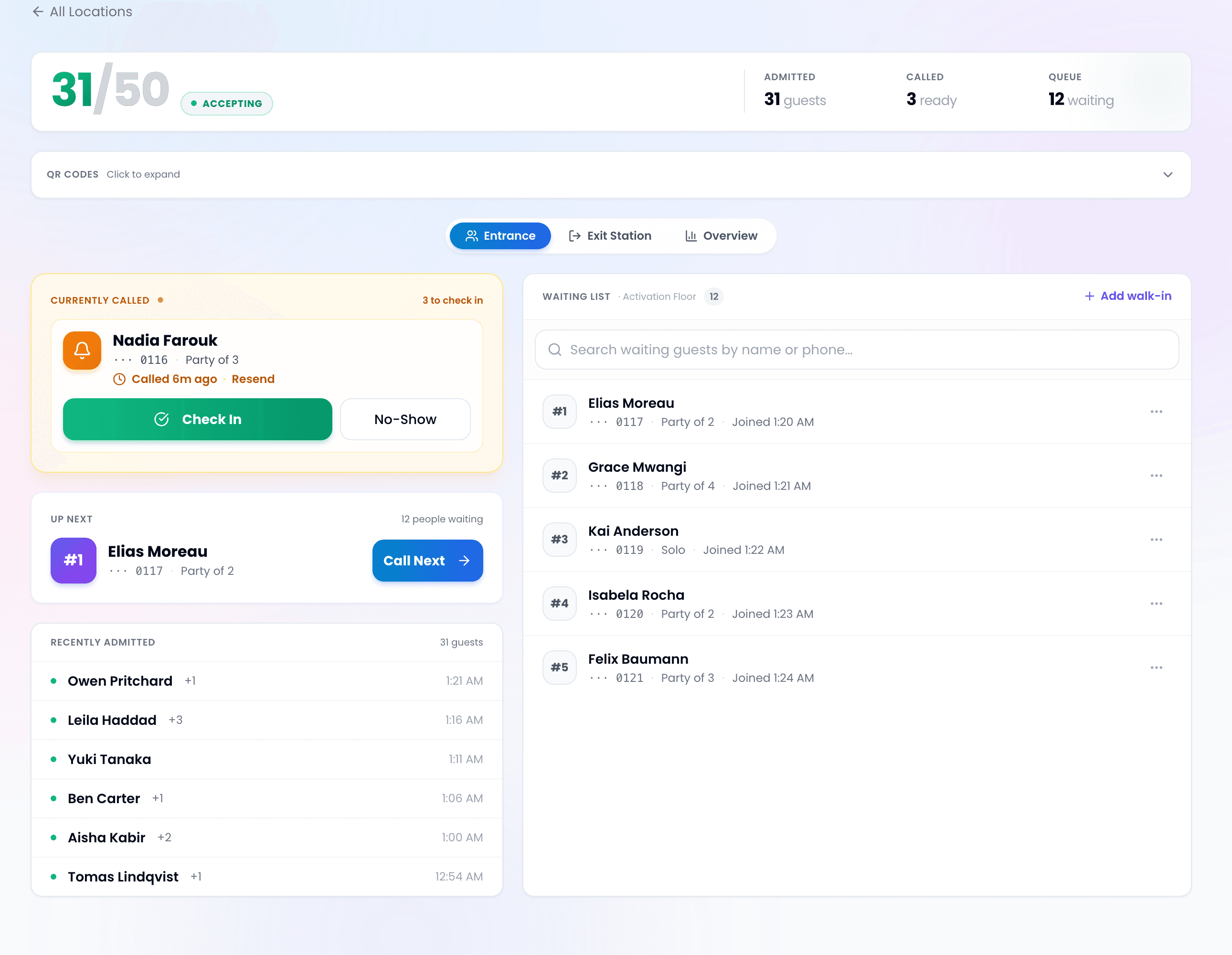
- Staff manage from the dashboard — Vendor staff open the dashboard on any device with a browser. They see the queue in real time, call the next person with one tap, and the attendee gets an SMS notification to return. No training manual needed.
For a detailed walkthrough, see our guide on how to set up a QR code queue.
Related: Running a big event? Read our guide to queue management for high-volume events.
Transform Your Event's Queue Experience
Free plan. No hardware. Set up in 5 minutes. Give your attendees the experience they deserve — no more standing in line.
Start Free with ScanQueue →Stop losing walk-ins to wait times
Set up ScanQueue in 5 minutes. Customers scan a QR code, get SMS alerts when it's their turn, and wait anywhere.
- Free plan — no credit card
- No app download for customers
- QR code, SMS, WhatsApp, and voice notifications
ScanQueue Team
Queue Management Experts
Helping businesses reduce wait times and improve customer experience with smart queue management solutions.