
University Queue Management for Enrolment & Student Services
Updated
Turn enrolment-week corridors into a queue students run from their phone. Students scan a QR code to join, pick their department, and wait wherever is comfortable, then get a WhatsApp or SMS when their desk is ready. No app download. No expensive hardware. No queue snaking down the corridor.
Built for enrolment, one-stop student services, financial aid & the registrar · WhatsApp-first · GDPR-friendly · Free plan available
Enrolment-Week Queues Are a Student-Experience Problem
The corridor outside student services is often a new student's first real impression of the university.

Walk past the student-services office in the first fortnight of term. You will find the same scene at campus after campus: a queue that starts at a desk, wraps around the atrium, and stretches down the corridor. Students stand with folders of documents, checking the time, texting friends to hold their seat in a lecture. The enrolment and registration peakconcentrates a whole institution's administrative demand into a few days, and the one-stop student-services point absorbs most of it.
For students, this is more than an inconvenience. Many are new to the city, some are international students who have just landed, and all of them have a full induction timetable to hit. They arrive at the office, take a paper ticket or simply join the back of the line, and then cannot leave to attend a welcome session or collect their ID without losing their place. If they step away and miss the call, they start again. The first week that is meant to feel welcoming instead feels like a queue.
The reputational cost is real. Long start-of-term queues are one of the most cited complaints in first-year student surveys, and they shape how students talk about the institution long after the corridor has cleared. A student who waits an hour to confirm enrolment and pay fees will remember the wait, not the outcome. In an era of student-review sites and open social media, that impression compounds across intakes.
The one-stop shop is where the pressure lands hardest. A modern student-services centre consolidates enrolment, tuition fees and financial aid, general advice, and often IT and ID services into a single point. That consolidation is good for students in principle, but with paper tickets and one line it means a student with a two-minute fee query waits behind a student who needs a forty-minute enrolment fix. The bottlenecks are invisible to the manager until the corridor is already full.
Welcome week layers a second peak on top. International students queue for ID cards, visa and right-to-study checks, and induction sessions, often on the same days as domestic enrolment. Financial aid and bursar desks spike again around fee and scholarship deadlines. The IT helpdesk fills with password resets as thousands of new accounts go live at once. Each of these is a distinct queue, but they usually share one physical space and one exhausted front desk.
Student expectations have moved on, too. Students join a takeaway queue from their phone, book a GP slot online, and message everything on WhatsApp. When they then have to stand in a corridor for a university service, the gap is obvious. This is not hypothetical: the University of Wolverhampton publicly launched a WhatsApp-based virtual queue at its one-stop student-services office, letting students wait on their phone and step away without losing their place. The direction of travel is clear.
Access is the other half of the picture. Students without a smartphone, students with limited local-language confidence, and students with disabilities cannot be left behind. A student can be added to the queue by a staff member on their behalf, SMS reaches any handset, and multi-language check-in helps international students, all while staying GDPR-friendly with sensible data retention.
None of this requires a multi-year IT project. A modern queue platform replaces the corridor line, gives students a phone-based view of their position on the channel they already use, runs multiple department queues on one dashboard, and sits alongside the existing student record system. It can be piloted at a single office in days and rolled across campus once the pattern is proven.
The answer is not a longer corridor and a louder queue. It is a WhatsApp-first queue that respects the student's time.
- One-Stop Shop
- A single student-services point that consolidates enrolment, financial aid, and billing. It is the highest-traffic queuing location on most campuses.
- Enrolment (Registration)
- The start-of-term process where students confirm modules, pay fees, and validate their record. It drives the sharpest annual queue peak in higher education.
- Registry / Registrar Services
- The department that owns student records, enrolment, and graduation. It is typically the economic buyer for a campus queue system.
How ScanQueue Works for Universities & Colleges
ScanQueue replaces the paper-ticket dispenser and the corridor line with a digital queue. Students check in from their phone, wait wherever is comfortable, and arrive at the desk when staff are ready. See how ScanQueue compares in our best queue management systems guide.
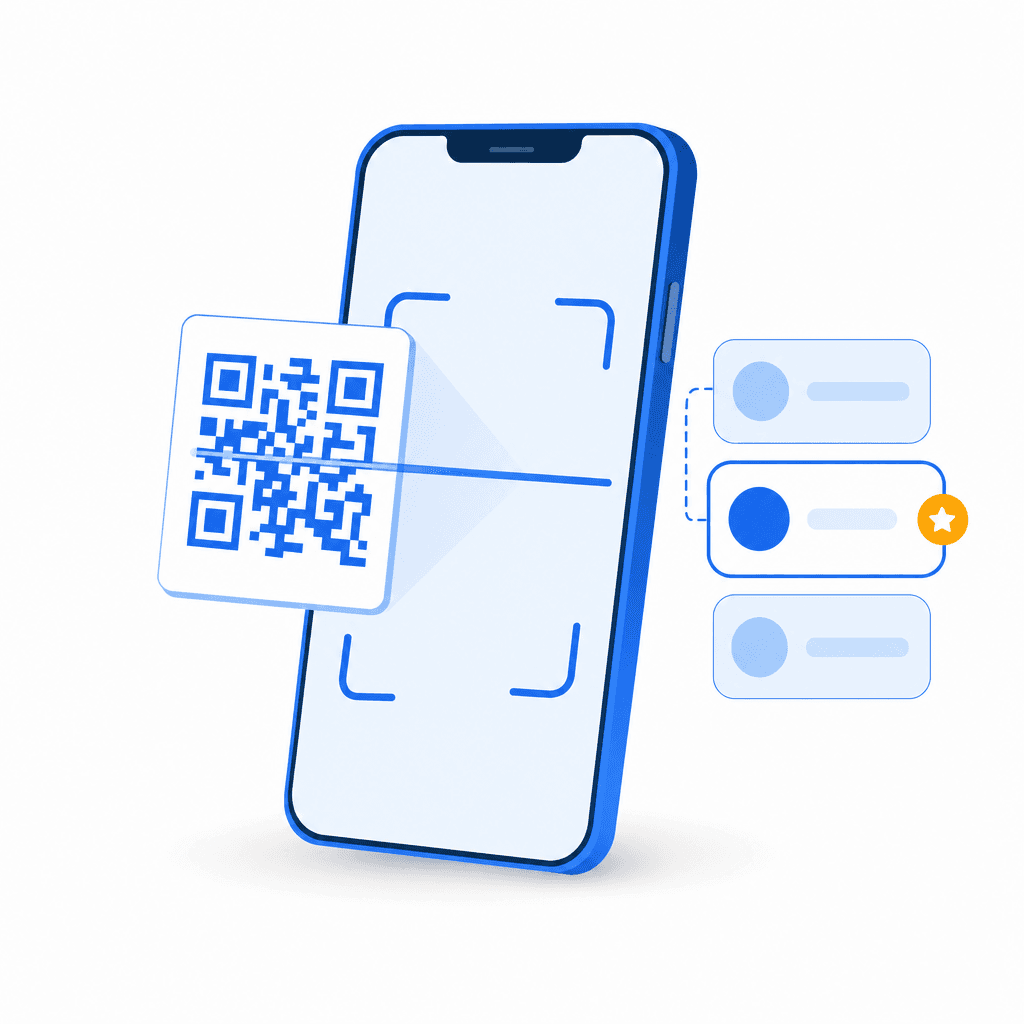
Scan a QR Code and Pick a Department
Print a QR code and place it at the office entrance, on atrium signage, or on desk-front cards. Students scan it with their phone camera and a check-in page opens instantly in their browser. No app download is needed.
They enter their name and pick what they came for: enrolment, tuition fees, financial aid, academic advice, IT helpdesk, or ID cards. Each department routes to its own queue automatically, and the dashboard shows every queue side by side so the registry manager always knows where the bottlenecks are.

They Wait Anywhere
Once checked in, the student sees their live position and an estimated wait time on their phone. They are free to wait in the library, at a campus cafe, in a welcome session, or in their accommodation if it is close by. They do not have to stand in a corridor watching a desk.
Instead of a queue snaking around the atrium at 10am, the office stays calm. Students can attend an induction talk or collect their ID while they wait, then head back when their turn is close. If they need to sort a document mid-queue, step-away support keeps their place while they do it.

A WhatsApp or SMS When the Desk Is Ready
When a desk becomes available, a staff member taps “Notify” on the dashboard. The student receives an instant WhatsApp or SMS message telling them which desk to go to, in the language they chose at check-in. A lobby display can also show the now-serving number for students waiting in person.
The handover is clean. No calling names across a busy atrium. No students missing their turn because they stepped into a lecture. No paper tickets dropped on the floor. Just a simple message and a clear desk to go to.
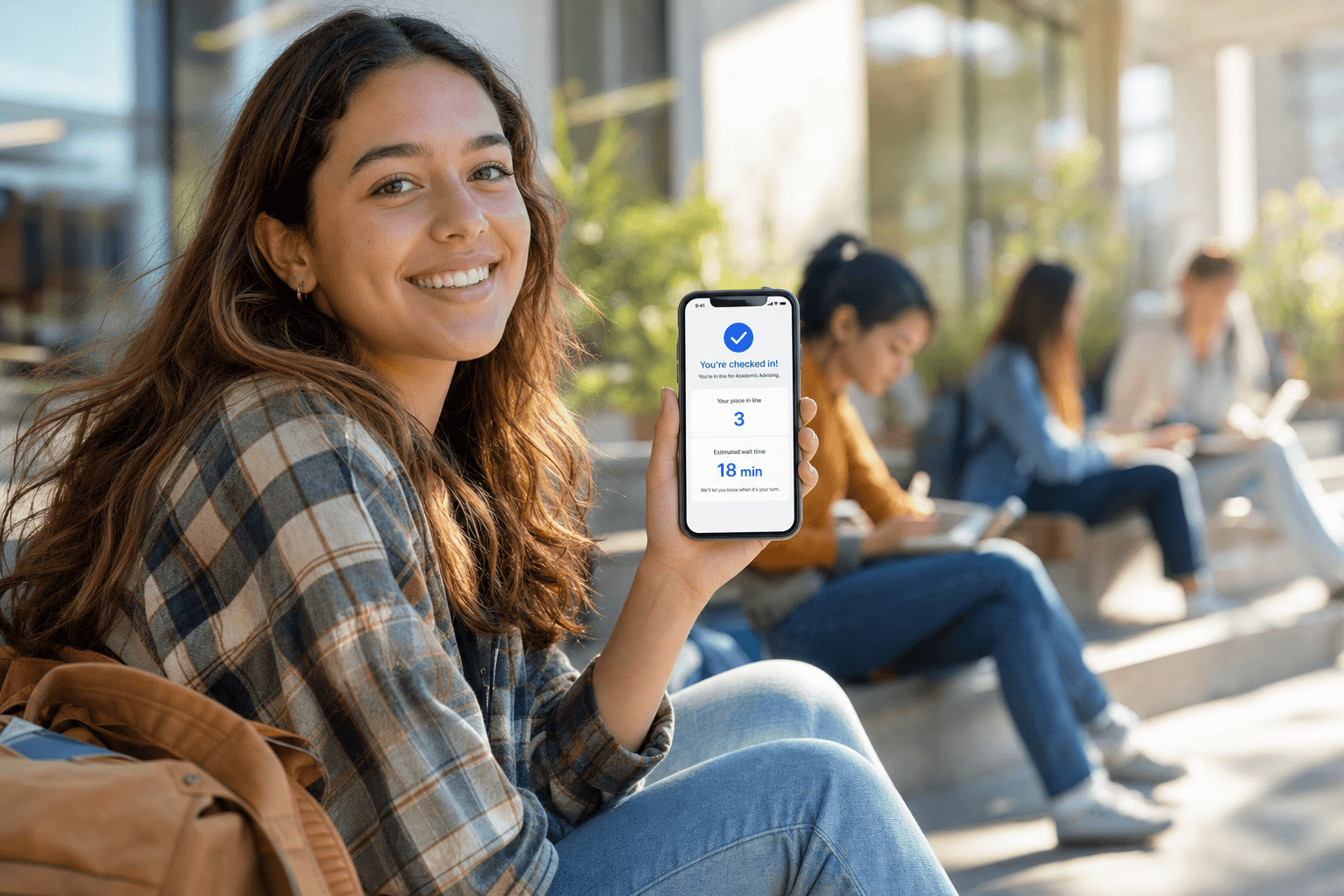
Students wait where they want, not in a corridor
Once a student scans the QR code to join, they can head to the library, a welcome session, or a campus cafe and keep their place. A WhatsApp or SMS brings them back when their desk is ready. The corridor stays clear and the first week feels welcoming.
Features Built for Campus Student Services
Every feature is designed for the realities of a busy student-services operation: multiple departments, a sharp enrolment peak, accessibility duties, and students on every device.
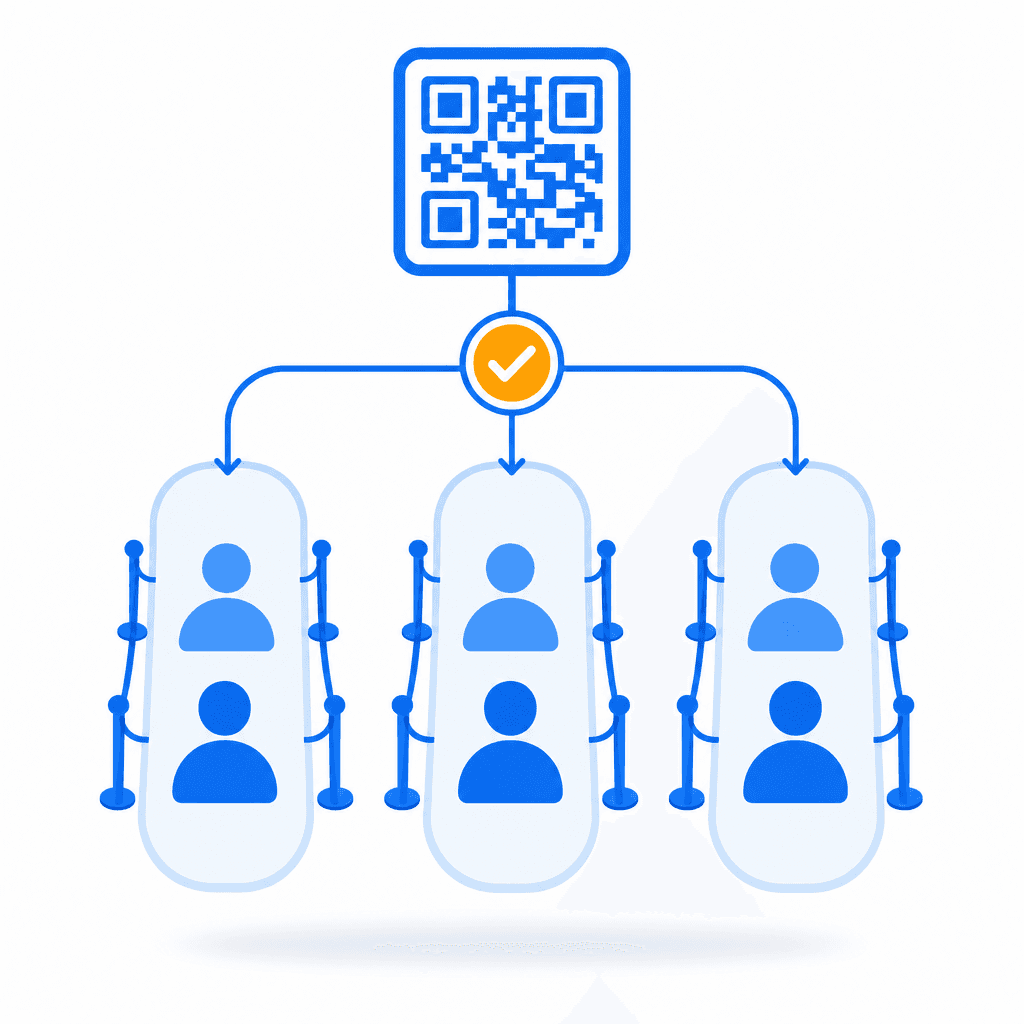
Multi-Department Routing
Run separate queues for enrolment, fees, financial aid, advice, IT, and ID under one QR code. Each queue has its own desk pool and its own wait target. The dashboard shows every queue side by side so the registry manager can spot bottlenecks instantly.
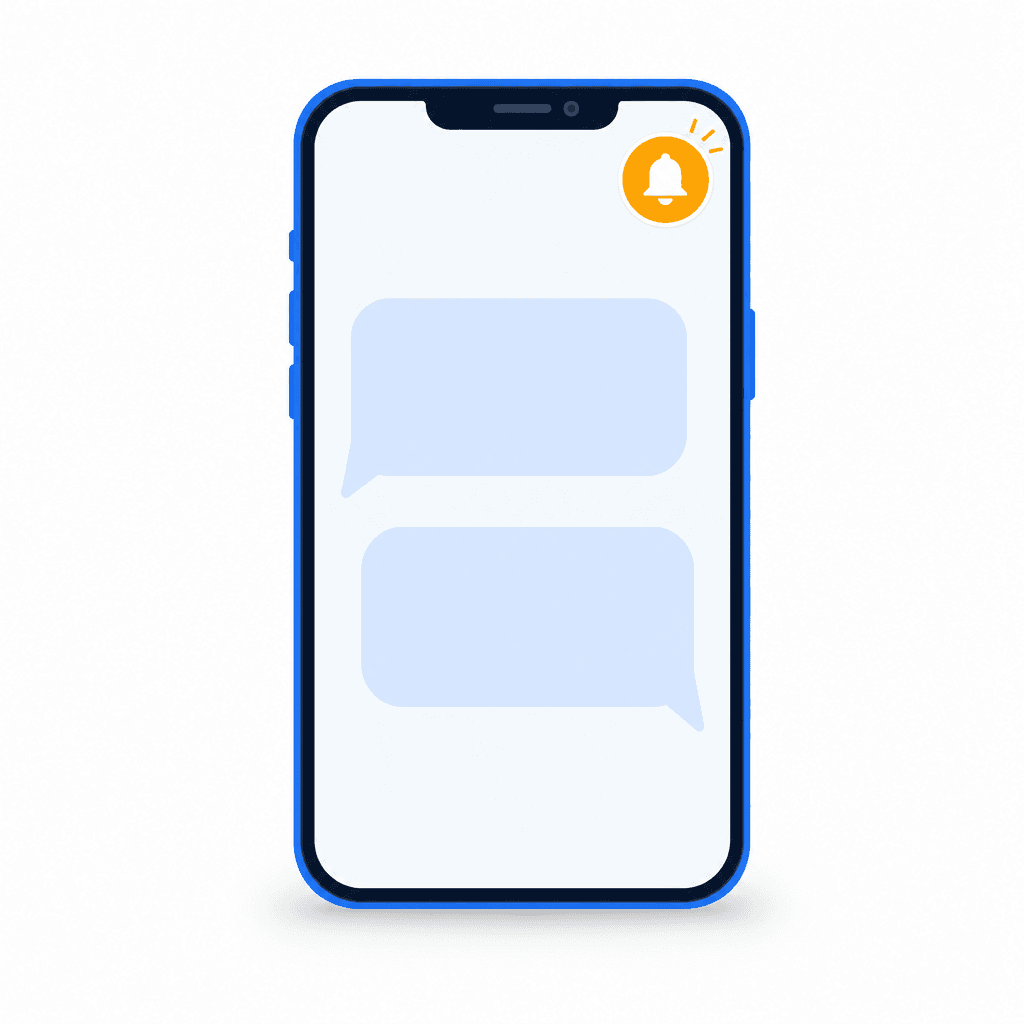
WhatsApp & SMS Notifications
Students join and get called on the channels they already use every day. WhatsApp-first, with SMS for any student. This is the same model the University of Wolverhampton launched publicly for its one-stop office, available to any campus in minutes.
Step-Away, Keep Your Place
A student can leave the corridor to attend a welcome session, collect an ID card, or fetch a missing document and keep their position in the queue. They come back when their turn is close, called by a message.

Peak-Week Dashboard
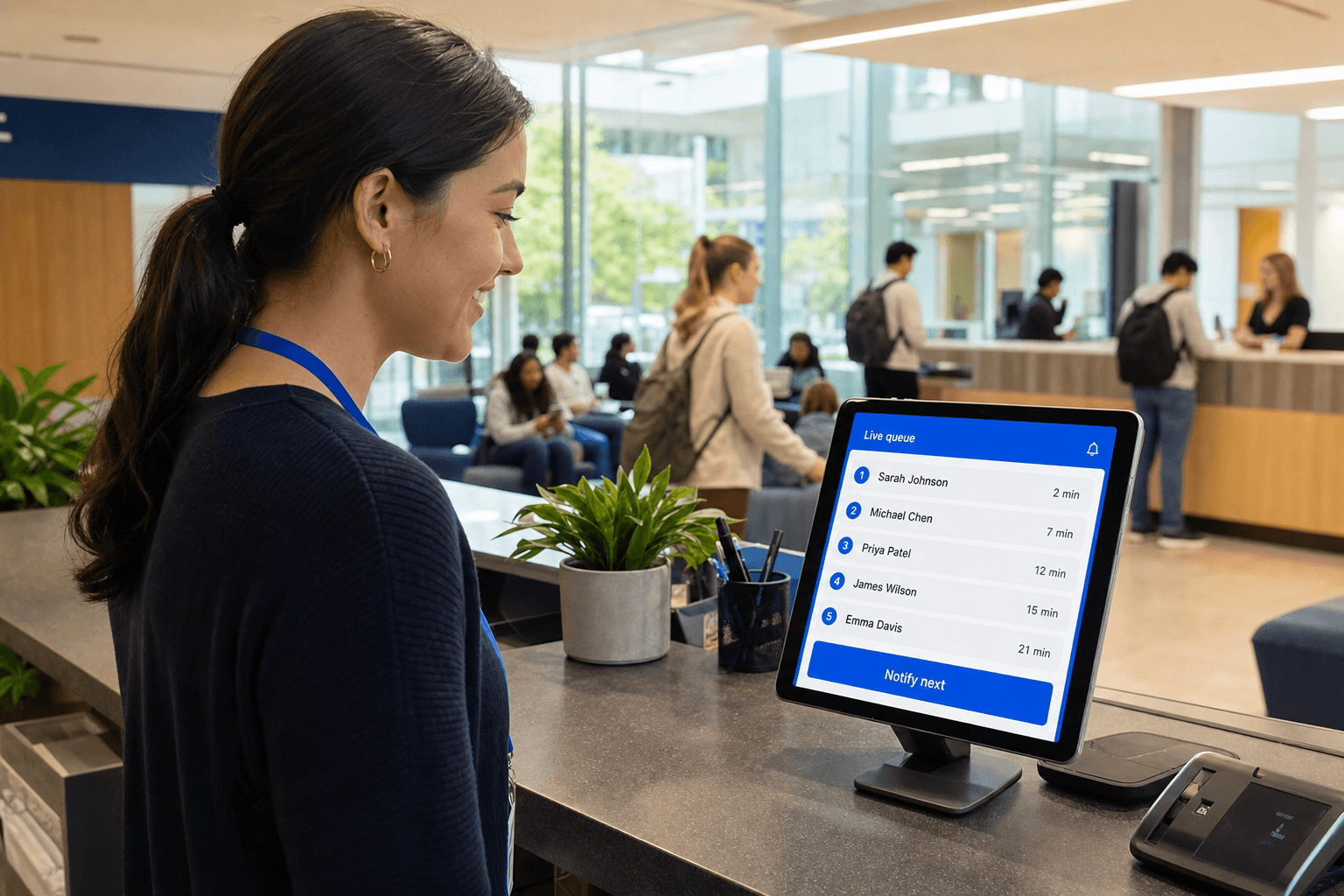
See every student in every department queue during the enrolment fortnight, their wait time, and which desk they are assigned to. Managers can rebalance staff across desks in real time as demand shifts between enrolment, fees, and advice.

Multi-Language Check-In
Student check-in pages and notifications support multiple languages. Students select their preferred language at the start of check-in. Critical for welcome week and international-student induction, where confidence in the local language varies.

Staff Add Walk-Ins
A student who turns up without joining is never turned away. Front-desk staff add them to the right queue on their behalf in a couple of taps, so students without a phone are still served. SMS notifications reach any handset, including older phones.

Lobby & Corridor Display
A built-in now-serving display works on any TV or monitor with a browser. No proprietary signage hardware. Show the current number, the next few positions, and desk assignments for students waiting in person.

GDPR-Friendly Data Handling
Only the minimum data needed to run the queue is collected: a name, a phone number, and the department chosen. It is encrypted in transit and at rest, and queue data is purged rather than kept indefinitely.

Runs Alongside Your SRS
No replacement of your student record system. ScanQueue handles the front-of-house layer; systems such as SITS (Tribal), Ellucian Banner, or Workday Student keep owning records and outcomes. API and webhooks are available for deployments that need deeper integration.
How Campuses Use ScanQueue
Every institution runs student services differently. Here is how ScanQueue adapts to the busiest queues on campus.
One-Stop Student Services
Your one-stop shop consolidates enrolment, fees, financial aid, and general advice at a single point. In the first fortnight of term the corridor fills by 9:30am. With ScanQueue, students scan a QR code, pick their department, and wait in the library or a cafe. The corridor empties, and managers see queue length per department in real time so they can move a staff member from advice to fees when the bottleneck shifts.
Enrolment & Registration Desks
Enrolment (registration in the US) is the sharpest annual peak. Thousands of students confirm modules, pay fees, and validate their record over a few days. With ScanQueue, students join from their phone, see the current wait, and arrive when their position is close. Staff see what each student needs before they reach the desk, so they can pull up the record and speed up each interaction.
Financial Aid, Bursar & Fees
Finance and financial aid desks spike around fee and scholarship deadlines, often the same days as enrolment. Long waits at a fees desk are stressful because money is on the line. ScanQueue gives students a live position and a message when the desk is ready, so they can sort documents or check a scholarship portal while they wait instead of standing in line worrying about a deadline.
International Office & Welcome Week
Welcome week brings a crush of international students needing ID cards, right-to-study checks, and induction, often within days of arriving in the country. ScanQueue's multi-language check-in lets students pick their language up front, and notifications come through in that language. Staff see each student's reference and language before the interaction starts, and students can attend an induction session while they hold their place in the ID queue.
Registrar, Records & Academic Advising
The registrar and records office and academic advising handle a steady stream of enquiries: transcripts, module changes, appeals, and course guidance. Advising appointments run long and unpredictably. ScanQueue supports both walk-in queues and pre-booked flows, so a student can drop into the advising queue between lectures and get a message when an advisor is free, rather than camping outside an office door.
IT Helpdesk, Library & Exam Support
The IT helpdesk fills with password resets and account issues as new accounts go live at the start of term. Library and exam-hall support desks spike around assessment periods. ScanQueue lets students join these queues from their phone and keep working while they wait, then get called by a message. Managers see which support desks are under pressure and can shift staff to match the load.
What Campuses Gain
Institutions that move from corridor queues to a phone-based queue see tangible improvements across student satisfaction, throughput, and operational visibility.
Students waiting in the library, a cafe, or a lecture instead of a corridor means a calmer office and a better first impression during enrolment week.
Staff see what each student needs before they arrive, pull up the record, and reduce average service time. More students served per hour with the same headcount.
Average student satisfaction after moving the queue to their phone. Visibility into the wait, the freedom to step away, and a message at the right moment all matter.
No paper-ticket dispensers, no proprietary signage. The now-serving display runs on any TV with a browser. Students use their own phones.
Stand up a working queue at one office in five minutes. Run a real-world pilot at the one-stop shop before any campus-wide commitment. No multi-month integration.
Students get called on WhatsApp and SMS, the channels they already use, so uptake is high and no one has to learn a new app.
How ScanQueue Compares
Most campus queue platforms are US or enterprise-first, with per-seat pricing, hardware-heavy installs, and none leading with WhatsApp. ScanQueue is a WhatsApp-first, hardware-light alternative that works for a single one-stop pilot or a multi-campus rollout. Try our virtual queue app to see the student experience first-hand.
| Feature | ScanQueue | QLess | WaitWell | Qmatic | Qminder |
|---|---|---|---|---|---|
| Free plan | Free forever | No | No | No | No |
| WhatsApp notifications | Limited | ||||
| SMS notifications | |||||
| QR / no-app join | Add-on | ||||
| Per-seat/per-counter pricing | No (flat tier) | Yes | Yes | Yes | Yes |
| No hardware required | |||||
| Setup time | 5 minutes | Days | Days | Weeks | Days |
| Multi-department routing | |||||
| Step-away (keep your place) | |||||
| Best for | UK/ROW campuses, one-stop services, pilots to multi-campus rollouts | US colleges | US/Canada one-stops | Enterprise, hardware | Mid-size |
Note: QLess, WaitWell, Qmatic, and Qminder are established queue platforms, and several are widely deployed at North American colleges and enterprise sites. They typically involve per-seat pricing, and some are hardware-oriented with longer deployments. None lead with WhatsApp. If your institution wants a fast pilot, a single one-stop upgrade, or a WhatsApp-first, hardware-light queue that runs alongside your existing student record system, ScanQueue is designed for exactly that, particularly for UK and rest-of-world campuses. For multi-campus rollouts and procurement-driven engagements, see our enterprise option below.
Pricing for Universities & Colleges
One flat price per institution. No per-seat fees, no hardware costs. Every paid plan includes WhatsApp and SMS notifications and multi-department routing.
5 SMS/mo trial
Single-office pilots. QR check-in, live dashboard, now-serving display, up to 10 students/day.
800 WhatsApp/mo
Small departments open daily. WhatsApp notifications, custom check-in form, advanced analytics. SMS as fallback only.
1,000 WhatsApp + 500 SMS/mo
A busy student-services office. Multi-department routing, multi-language, full SMS, and analytics.
2,000 WhatsApp + 1,400 SMS/mo
High-volume campuses through the enrolment peak. Multi-location support, advanced reporting, dedicated support.
7,000 WhatsApp + 2,800 SMS/mo
Whole-institution rollout. All Pro features plus white-label deployment, training and onboarding, and PO/invoice billing.
All paid plans include WhatsApp and SMS notifications. No per-seat fees. Multi-campus group or custom procurement? Talk to us. See full pricing →
University Queue Management FAQ
Clear the Enrolment-Week Corridor
Turn your one-stop queue into a WhatsApp queue in five minutes. Run a real-world pilot before any campus-wide commitment. ScanQueue is free to start, requires no hardware, and runs alongside your existing student record system.
Free plan available · No credit card required · GDPR-friendly · Procurement-friendly enterprise option
Resources for Student-Services Managers
Learn how to modernise the student experience at your one-stop shop
Best Queue Management Systems 2026
Compare ScanQueue against QLess, WaitWell, Qmatic, and other campus platforms.
Queue Management System
A primer on what a modern queue management system does and the components involved.
How to Reduce Wait Times
Principles that apply across industries, including campus student services.
How It Works
See exactly how ScanQueue manages queues end to end.
Virtual Queue
Step-by-step guide to implementing virtual queueing at your one-stop shop.
Reduce Wait Times
Operational tactics for cutting average student wait times in half.
QR Code Queue System
How students join a queue from a printed QR code, with no app download.
Talk to Procurement
Procurement-friendly contracts, PO/invoice billing, and dedicated support.
See It in Action
Live in 5 Minutes
Sign up, name your office, print your QR code. Your enrolment queue is live in minutes. No hardware, no IT project, no procurement wait to trial it.
No App Download
Students scan your QR code with their phone camera. No app, no account, no campus Wi-Fi needed. It works in any browser.

Instant WhatsApp & SMS
Staff tap Notify. The student gets a WhatsApp or SMS within seconds telling them which desk to go to. No calling names across a busy atrium.