
No. Clients scan a QR code with their phone camera and check in through a mobile web page. There is no app to download, no account to create, and no login required.
Why Contactless Check-In Matters
The front desk of a busy salon is one of the most interrupted positions in any small business. Between greeting walk-ins, answering phone calls, and fielding "how much longer?" questions, the person at reception rarely gets a chance to breathe. Contactless check-in removes the most repetitive part of that workflow — the intake itself — and hands it to the client.
When clients check themselves in by scanning a QR code, they enter their own name, select the service they want, and join the queue without needing staff assistance. This frees up reception to focus on clients who are checking out, scheduling follow-ups, or handling product sales. The result is less pressure at the desk and a faster flow through the salon.
Beyond efficiency, contactless check-in creates a cleaner guest experience. Clients don't need to touch a shared tablet, write on a clipboard, or wait in a line just to say they've arrived. They scan, join, and sit down — or step outside until their stylist is ready. It's a small shift that signals professionalism and respect for their time.
How It Works
1
Client Scans the QR Code
Place your unique QR code at your salon entrance, reception desk, or waiting area. Clients scan it with their phone camera — no app required. A mobile-friendly page opens where they enter their name, select a service like cut, color, blowout, or treatment, and tap to join the queue.
2
They Join the Queue and Wait
After joining, the client sees their live queue position and estimated wait time on their phone. The page updates in real time, so they always know how close they are. They can relax in the waiting area, step out for a coffee, or wait in their car — whatever suits them.
3
They Get Notified When Ready
When the client's turn is approaching, ScanQueue sends them an SMS notification. They walk in, sit down at the station, and the stylist begins immediately. No name-calling across the salon, no guessing who's next, and no missed turns.
For Salon Operations
Salons deal with a mix of walk-ins, late arrivals, and service variability that makes queue management genuinely difficult. A color appointment takes three times longer than a blowout, which means the queue is never moving at a uniform pace. ScanQueue handles this by letting you define per-service queues, so clients selecting different services are tracked in their own lane with accurate wait estimates.
During peak windows — Saturday mornings, post-work evenings, holiday weekends — the queue can grow quickly. With a digital system, you see exactly how many clients are waiting, which services are backed up, and where you need to allocate your team. This visibility lets you make staffing decisions in real time instead of reacting after the waiting area is already full.
Walk-ins are where contactless check-in really shines. Instead of interrupting a stylist mid-service to ask about availability, the walk-in client simply scans the QR code and joins the queue. Staff see the new entry appear on the dashboard instantly and can plan accordingly. It's a smoother experience for everyone — the client, the stylist, and the front desk.
Reduce Front Desk Interruptions
The most common question at any salon front desk is "How much longer?" Clients ask it when they arrive, they ask it five minutes later, and they ask it again when they see someone else get called first. Each question pulls staff out of what they're doing and adds friction to the waiting experience. With ScanQueue, that question answers itself — the client's phone shows their live position and estimated wait time at all times.
Automated status messages take it further. When a client's position changes or their turn is approaching, ScanQueue sends an SMS automatically. The client stays informed without needing to approach the desk, and staff don't need to track down clients or shout names across the salon. This automation scales effortlessly — whether you have 3 people waiting or 15, the system handles the communication.
The cumulative effect is significant. Fewer interruptions means your front desk staff can focus on higher-value work: upselling products, booking future appointments, and creating a warm first impression for new clients. Instead of being a traffic controller, your receptionist becomes a host — and that shift changes the entire energy of your salon floor.
Quick Setup Guide
1
Create Your Queue
Sign up for ScanQueue, name your salon queue, and add the services you offer — color, cut, blowout, treatment, or anything else on your menu.
2
Print Your QR Code
Generate your unique QR code from the dashboard. Print it and display it at your reception desk, entrance door, or on table tents in the waiting area.
3
Start Accepting Check-Ins
Clients scan the code, join the queue from their phone, and you manage everything from the live dashboard. You are up and running in under five minutes.
Salon Waitlist Management Made Simple
Contactless check-in is just the entry point — what clients really need is waitlist management that keeps them informed without tying them to a chair in your reception area. ScanQueue bridges the gap between a quick QR scan at the door and a fully managed digital waitlist that tracks position, estimated wait, and service type for every client in the queue.
Unlike a simple sign-in sheet or check-in app, ScanQueue actively manages the queue throughout the client's wait. Positions update in real time as stylists finish services. Clients see their exact place in line on their phone — not just a confirmation that they checked in. When their stylist is one client away, an SMS arrives automatically. This turns passive check-in into active waitlist management without adding any work for your team.
For salons running a mix of walk-ins and appointments, the dashboard shows both streams side by side. Staff can slot a walk-in between two booked clients, bump a late arrival, or reorder the queue with a drag — all from the same screen. The result is a salon that feels organized to clients and manageable to staff, even on the busiest days.
See It in Action

5-Minute Setup
Sign up, name your business, print your QR code. You're live in under 5 minutes — no hardware, no IT team.
No App Download
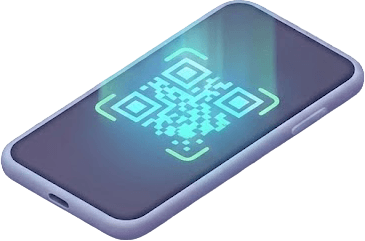
Customers scan your QR code with their phone camera. No app download, no account needed — works in any browser.

Instant SMS Alerts
Staff tap Notify. Customer gets an SMS within seconds with their queue status. No shouting names across the room.
Frequently Asked Questions
Yes. Staff can add walk-in clients directly from the ScanQueue dashboard. This is useful for clients who prefer not to use their phone or for phone-in requests.
Yes. The free plan supports one queue, which is all a single-location salon needs to get started. Upgrade when you need SMS notifications, analytics, or additional queues.
Under 5 minutes. Sign up, name your queue, add your services, and print your QR code. You can start accepting contactless check-ins immediately.
For salons, the best waitlist software handles walk-ins without disrupting appointment clients. ScanQueue lets walk-in clients scan a QR code at reception, join a virtual waitlist, and receive an SMS when a stylist is available. Stylists see the waitlist on a real-time dashboard alongside appointments, making it easy to slot walk-ins between bookings. The free plan covers up to 10 walk-ins per day, and the Growth plan adds SMS notifications and analytics. Other options include Waitwhile (appointment-focused) and Waitlist Me (basic waitlist).