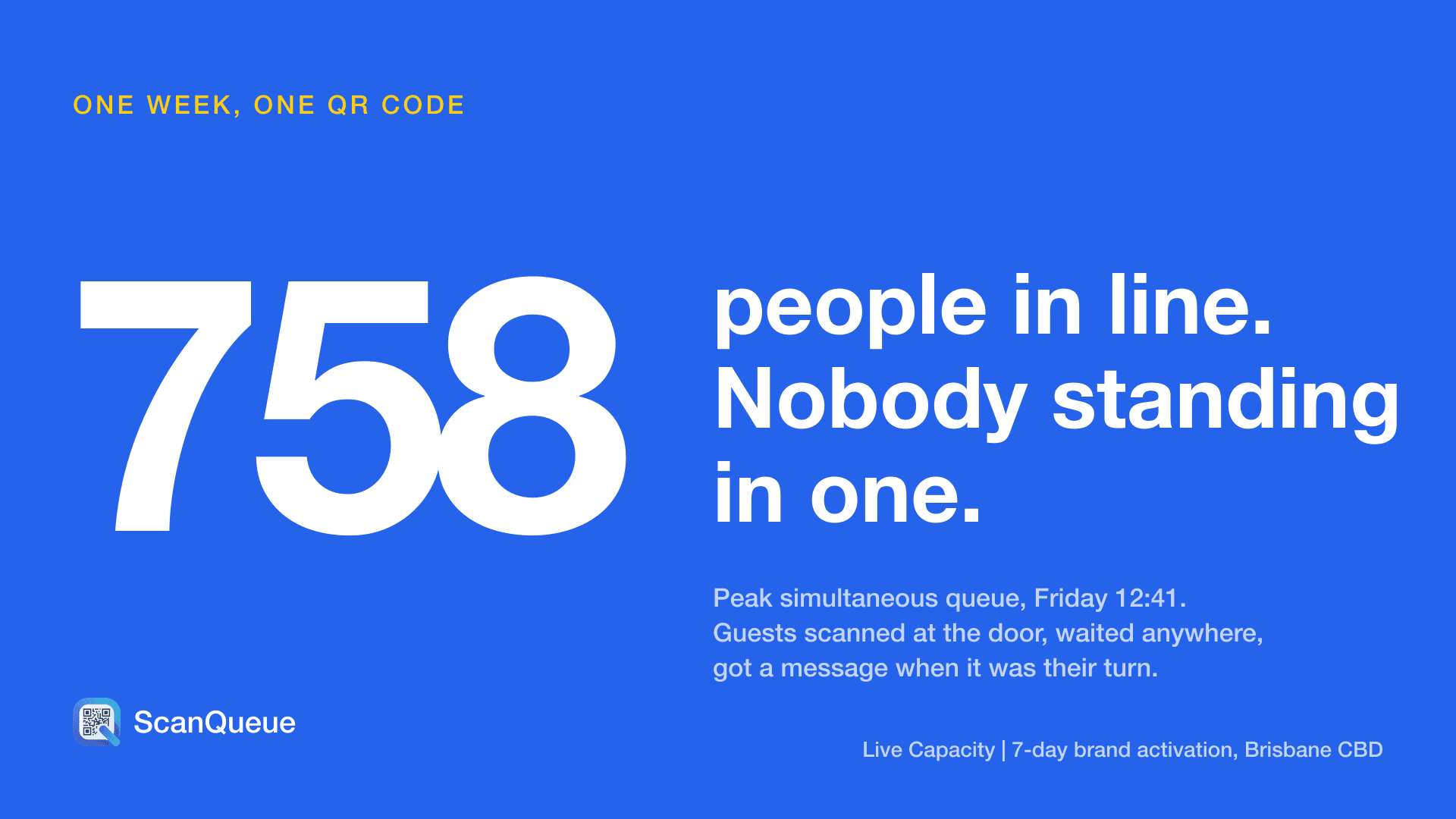
At 12:41 on a Friday in Brisbane's CBD, 758 people were waiting to get into a brand activation that admitted about 35 at a time. None of them were standing in a line. They had scanned a QR code at the door, joined a virtual line on their phone and gone for lunch, and a message found each group when it was their turn.
That week, 6,224 guests joined the line in 3,022 groups, 5,274 WhatsApp and SMS messages called them back, and 86% of exits were recorded live. The full numbers are in our Brisbane activation case study. We lead with it because it shows what an event check-in app is really for: not scanning a barcode, but getting a crowd through one door without a crowd at the door. That is what our event check-in app is built to do.
Below are the 9 best event check-in apps in 2026, free and paid, from walk-up QR check-in to badge printing for large conferences. ScanQueue is our product, and we say where another tool is the better fit.
The short answer
- Best for walk-up entry and busy doors: ScanQueue
- Best for ticketed public events: Eventbrite Organizer
- Best free option for community events: Luma
- Best low-fee ticketing with check-in: Ticket Tailor
- Best for invitations and RSVPs: RSVPify
- Best for VIP guest lists and galas: zkipster
- Best budget registration plus check-in: Eventleaf
- Best for conferences with an attendee app: Whova
- Best for enterprise badge printing: Cvent OnArrival
How we picked
We compared each app on five things that decide how a door runs on the day:
- Arrival type. Does it check in a pre-sold guest list, walk-up guests, or both?
- Guest friction. Can a guest check in with their phone camera, with no app and no account?
- The line in front of the door. When arrivals outrun the door, does the app hold the line for you or leave guests standing?
- Price model. Free, per ticket, per attendee, per event or a subscription.
- Hardware. Phones and tablets you already own, or scanners, kiosks and printers.
Pricing comes from each vendor's published pricing or, where a vendor only quotes, from the major software review sites in October 2026. Prices change, so check the vendor before you buy.
Event check-in apps compared
| App | Best for | Free option | Price model | Walk-up guests |
|---|---|---|---|---|
| ScanQueue | Walk-up entry, busy doors | Yes, 100 joins a month | Monthly plan from $49 | Yes, with a virtual line |
| Eventbrite Organizer | Ticketed public events | Free events have no fees | Fee per paid ticket | Door sales |
| Luma | Community and tech events | Yes | Platform fee on paid tickets, or Luma Plus | Registration link |
| Ticket Tailor | Low-fee ticketing | Free tickets generally free | Fee per paid ticket | Door sales |
| RSVPify | Invitations and RSVPs | Small RSVP lists, no check-in | Monthly plan | Limited |
| zkipster | VIP lists, galas | Trial only | Subscription | Add on the spot |
| Eventleaf | Budget registration | Up to 100 attendees a year | Per attendee | Onsite registration |
| Whova | Conferences | No | Quote per event | Onsite registration |
| Cvent OnArrival | Enterprise conferences | No | Quote, hardware extra | Onsite registration |
1. ScanQueue: Best for Walk-Up Entry and Busy Doors
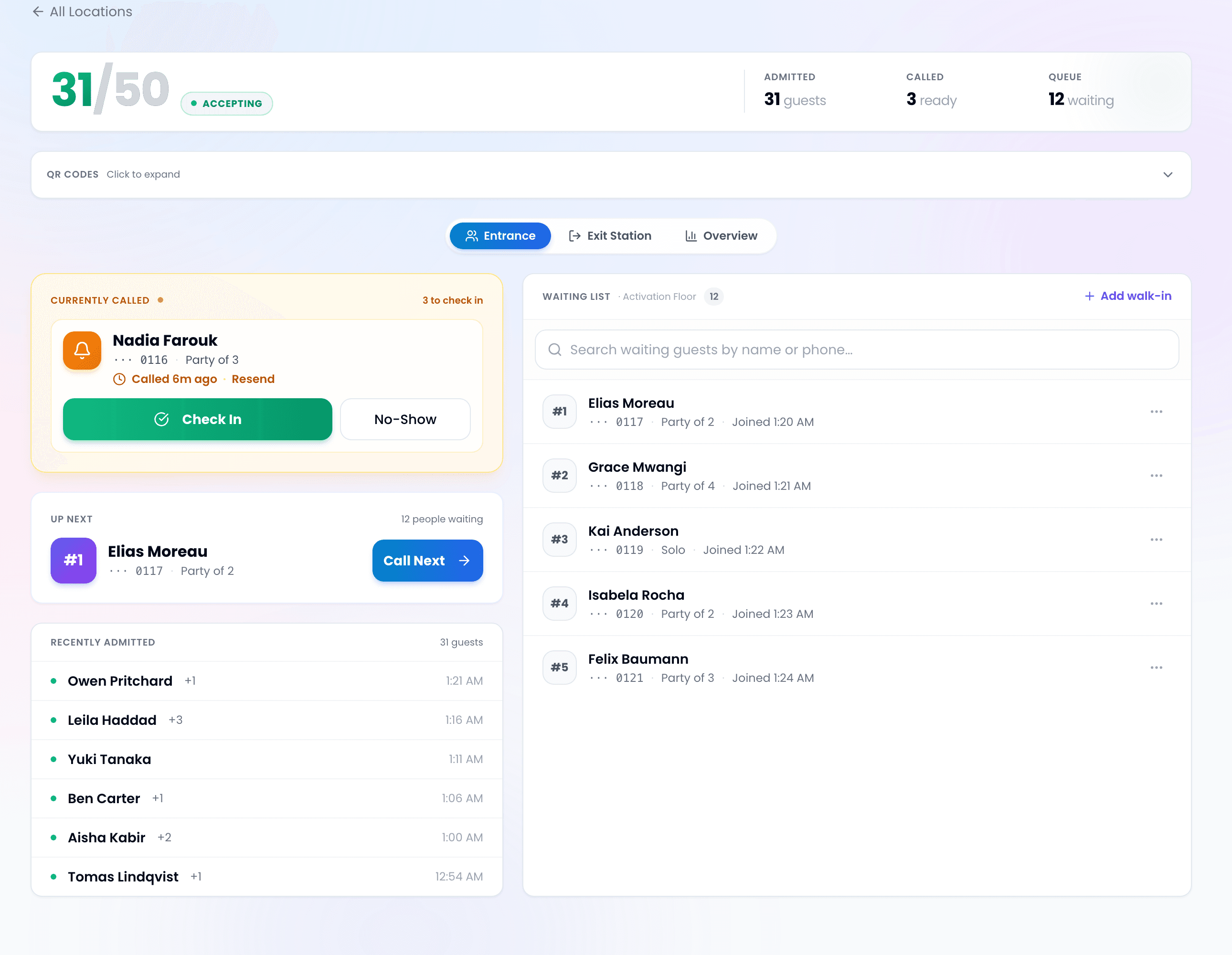
ScanQueue checks guests in from a printed QR code. Guests scan it with their phone camera, enter a name and mobile number in the browser and they are in, with no app and no account. When the door can take more people than are arriving, that is the check-in. When it cannot, the same scan puts them in a virtual line, and a WhatsApp message, text or push alert calls each group back when it is their turn.
That second case is where most check-in apps stop helping. At the Brisbane activation, 762 guests joined in the opening hour of one day while the gate admitted 37 in that hour. A ticket scanner cannot fix that arithmetic; a virtual line moves the wait off the pavement. Live Capacity adds an exit QR so the door team sees a live count of who is inside against the cap they set, and the door team decides who goes in.
- Pricing: Free Starter (up to 100 queue joins a month). Essential $49/mo (1,000 joins), Growth $99/mo (2,000), Pro $249/mo (4,000), Enterprise $499/mo (11,000). See pricing.
- Best for: brand activations, pop-ups, open days, festivals, free events and any door with more arrivals than space.
- Standout: a virtual line and live in-venue count behind the same QR check-in, with separate queues for each entrance or experience.
- Limitations: it does not sell tickets or scan ticket barcodes, so a ticketed event runs it beside its ticketing platform. No badge printing.
2. Eventbrite Organizer: Best for Ticketed Public Events
If you already sell tickets on Eventbrite, its free Organizer app is the natural check-in tool: staff scan the QR code on each ticket, search the guest list by name and sell at the door. Free events carry no Eventbrite fees; paid tickets carry a service fee per ticket plus payment processing.
- Best for: public ticketed events that want discovery on Eventbrite's marketplace.
- Limitations: per-ticket fees add up on paid events, and it checks in Eventbrite tickets only. A long line at the door is still a long line.
3. Luma: Best Free Option for Community Events
Luma is popular with meetups, startup and tech events. Registration pages are clean, and hosts check guests in by scanning the QR code Luma sends each guest. The base plan is free for unlimited events and guests; paid tickets carry a platform fee on the free plan, which Luma Plus removes (listed at $59 a month billed annually).
- Best for: recurring community events and small conferences.
- Limitations: built around registered guests; there is no virtual line for walk-up crowds.
4. Ticket Tailor: Best Low-Fee Ticketing with Check-In
Ticket Tailor is a ticketing platform with a free check-in app for scanning tickets at the door. Free-ticket events are generally free to run, and paid tickets carry a flat fee per ticket rather than a percentage, which keeps costs predictable for small organisers.
- Best for: independent organisers who want low ticketing fees.
- Limitations: checks in Ticket Tailor tickets; no queue for guests waiting outside.
5. RSVPify: Best for Invitations and RSVPs
RSVPify runs branded invitations, RSVP forms and guest lists, with QR check-in on its paid business plans. A free plan covers small RSVP lists but does not include check-in.
- Best for: corporate events, galas and weddings run from an invitation list.
- Limitations: check-in sits on paid tiers, and walk-up guests are not its focus.
6. zkipster: Best for VIP Guest Lists and Galas
zkipster is the guest list app of choice for high-end events: polished invitations, seating, guest photos and notes so door staff recognise VIPs, and fast name search at check-in. It is sold as a subscription, typically billed annually, so it suits teams that run events every month.
- Best for: fashion, luxury and corporate hospitality events.
- Limitations: priced for professional event teams, not one-off events.
7. Eventleaf: Best Budget Registration plus Check-In
Eventleaf combines registration, a check-in app and badge printing at a per-attendee price, and is free for up to 100 attendees a year. It is a sensible step up from spreadsheets for associations and training events.
- Best for: small conferences, seminars and association events.
- Limitations: per-attendee pricing grows with the event, and the check-in app sits on the paid plans.
8. Whova: Best for Conferences with an Attendee App
Whova is an all-in-one conference platform: registration, an attendee app with agenda and networking, and onsite check-in with QR codes and name badges. Pricing is quoted per event.
- Best for: multi-day conferences where attendees will use an event app.
- Limitations: more platform than a single-door event needs, and no published price.
9. Cvent OnArrival: Best for Enterprise Badge Printing
OnArrival is Cvent's onsite check-in, with self-service kiosks, on-demand badge printing and optional RFID. It is the standard for large corporate conferences already on Cvent. Pricing is by quote, and kiosks, printers and onsite support add to the cost.
- Best for: enterprise conferences and trade shows on Cvent.
- Limitations: enterprise pricing and hardware; overkill for small and walk-up events.
How to choose an event check-in app
Start with how guests arrive. If every guest holds a ticket, use the scanner that comes with your ticketing platform. If you run from an invitation or VIP list, use a guest list app such as RSVPify or zkipster. If you run a conference with badges, use a conference platform. And if guests walk up, or arrivals will outrun the door, use a check-in app that can hold a line for you, because that is the part of the day guests remember.
Plan for the opening surge, not the daily total. In Brisbane, 6,224 joins over 7 days averaged about 890 a day, but 762 people joined in a single opening hour. Staff your door and choose your check-in tool for that hour.
Frequently Asked Questions
What is the best event check-in app?
It depends on how guests arrive. For walk-up entry and busy doors, ScanQueue: guests scan a QR code, join the line on their phone with no app and get a text when it is their turn. For ticketed public events, Eventbrite Organizer scans the tickets Eventbrite sold. For free community events, Luma has QR check-in on its free plan. For VIP guest lists, zkipster, and for large conferences with badge printing, Cvent OnArrival.
Is there a free event check-in app?
Yes. ScanQueue's Starter plan is free for up to 100 queue joins a month. Eventbrite charges no fees on free events, Luma is free with a platform fee only on paid tickets, and Ticket Tailor is generally free for free-ticket events. Eventleaf is free for up to 100 attendees a year.
Do guests need to download an app to check in?
Not with QR check-in tools such as ScanQueue, Luma or Eventbrite: guests show a ticket QR code or scan a poster with their phone camera. The organiser's staff use a scanner app or a web dashboard. Conference platforms such as Whova add an optional attendee app for agendas and networking.
How do you check in hundreds of guests without a long line?
Move the wait off the pavement. Let guests join a virtual line by QR code, then call them by text when the door is ready. At a 7-day Brisbane activation on ScanQueue, 758 guests were in line at the same moment for a floor that admitted about 35 at a time, and they waited nearby instead of in a queue down the street.
What is the difference between event check-in and ticketing?
Ticketing sells the place; check-in confirms the person arrived. Ticketing platforms such as Eventbrite and Ticket Tailor include a scanner app for their own tickets. Check-in tools such as ScanQueue handle the arrival itself, including walk-up guests who never bought a ticket, and can run beside any ticketing platform.
Checking guests in at an event? See our event check-in app.
Stop losing walk-ins to wait times
Set up ScanQueue in 5 minutes. Customers scan a QR code, get SMS alerts when it's their turn, and wait anywhere.
- Free plan — no credit card
- No app download for customers
- QR code, SMS, and WhatsApp notifications
ScanQueue Team
Queue Management Experts
Helping businesses reduce wait times and improve customer experience with smart queue management solutions.