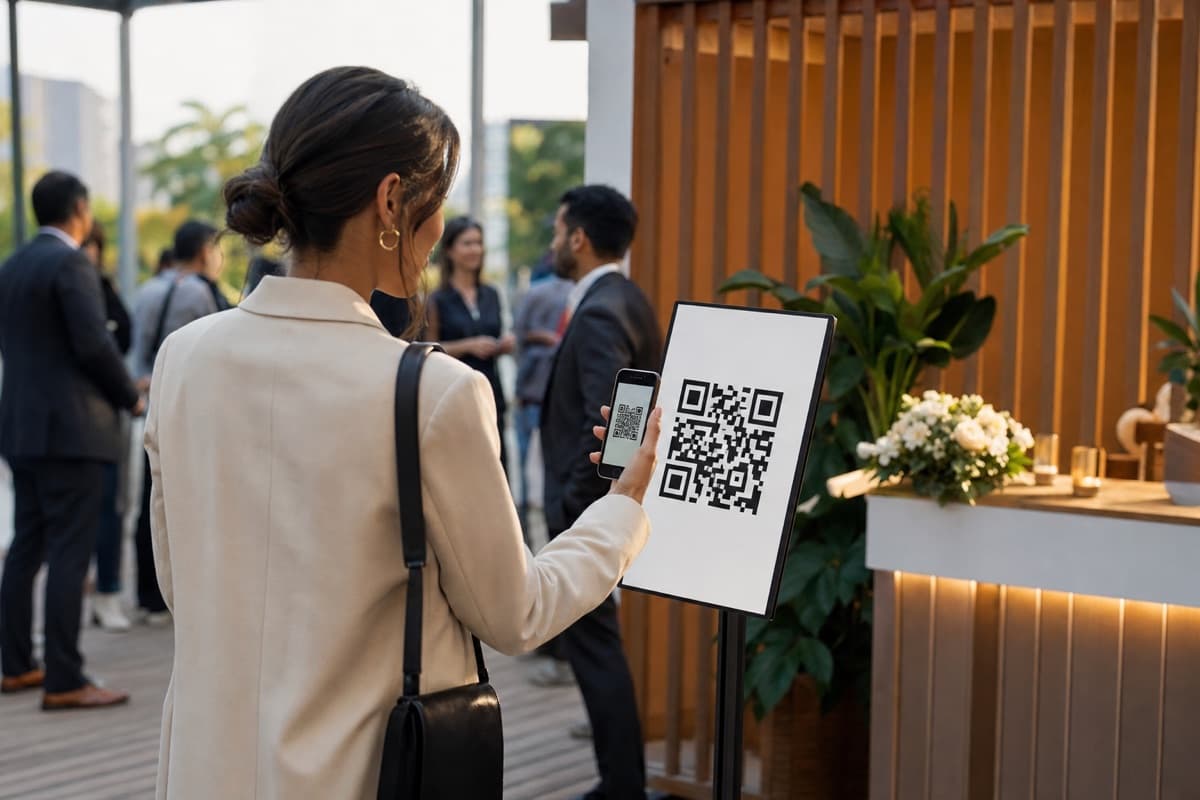
At 12:41 on the Friday, 758 people were waiting to get into a floor that admitted about 35 at a time. Not one of them was standing in a queue. They were somewhere nearby with their place in line on their phone, and a message would find them when it was their turn.
That was the peak of a 7-day brand activation in Brisbane's CBD in the first week of September 2026: a free walk-in experience on a small ground-floor footprint, open to the public, with a hard limit on how many people could be inside at once. The operator ran the door on ScanQueue Live Capacity: an entry QR that puts guests in a virtual line, a live count of who is inside against the cap, and an exit QR on the way out.
We are not naming the brand or the venue. The numbers below come straight from the queue data for the seven days, Monday 31 August to Sunday 6 September, with three pre-open test joins removed. This is what a capacity-bound activation looks like when every join, admit and exit is recorded.
The week in numbers
- 6,224 guests joined the line in 3,022 groups. Average party size 2.1; 41% came as a pair and 35% alone.
- 3,082 guests were admitted through the gate, in 1,476 groups.
- 758 guests in line at the same moment, the Friday lunchtime peak.
- 762 guests joined in a single hour, the Thursday opening hour. The gate admitted 37 in that same hour.
- 5,274 messages sent, 67% on WhatsApp and the rest by SMS. About 1.75 messages per group: one on joining, one when called.
- 33 minutes median time inside the experience (average 39.5).
- 86% of exits recorded live at the exit QR or by staff. The other 14% were closed by the auto-checkout timer.
- The line closed to new joins before 1:30pm on 4 of the 7 days. The day's capacity was already spoken for.
- 2,477 unique phone numbers, and 216 of them came back on another day.
A few dozen inside, 758 in line
A footfall counter would have told this operator one thing at the end of each day: how many people walked in. That is not the question a small floor asks. The question is how many are inside right now, and whether the next group can come in.
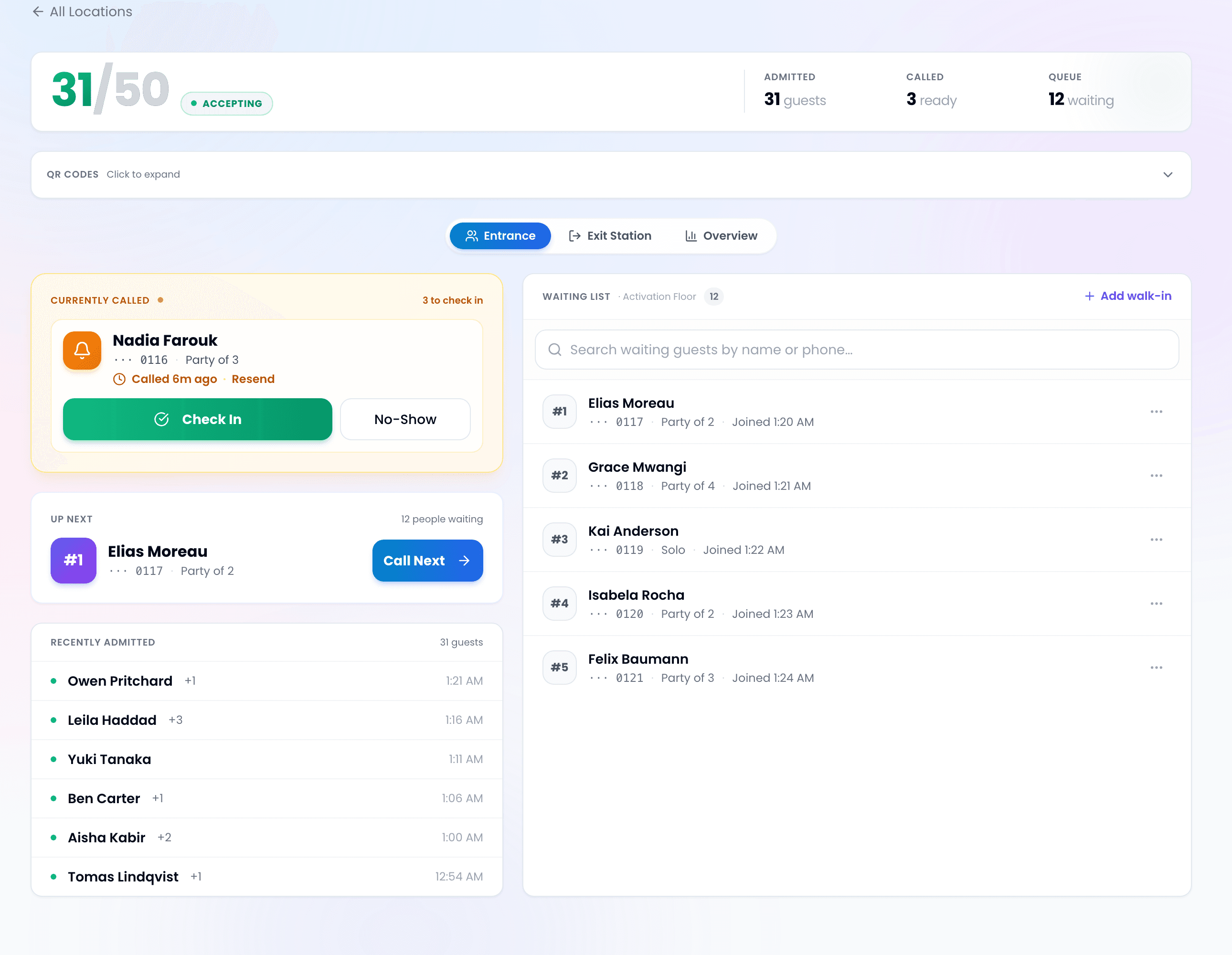
Live Capacity answers that with two QR codes and a dashboard. Guests scan in at the door and join the line. Door staff call the next group, check them in when they reach the gate, and the count moves by the party size, so a family of four moves it by four. On the way out guests scan the exit QR, or staff mark them out by name, and the count comes back down. There is no clicker, no clipboard and nothing bolted to the door frame. The full mechanics are in how Live Capacity works.
The line in front of that count is where the 758 sat. A virtual line does not care how long it is. The room does. Which brings us to the honest part.
What the door team saw, and what the software did not do
The occupancy strip at the top of the door screen is the only number the gate needs. It ran green under the cap, amber as the floor filled, and red at the cap, where the admit controls disable. That is what the software does.
What it does not do is stand at the gate. The cap is operational, not physical: the staff working the door are the enforcement, and two doors checking groups in at the same instant can overshoot by a party. The team here treated the cap as a live setting, not a fixed law. They opened at 30, raised it to 40 on the first day once they had seen how the space handled the crowd, and settled at 35 from the Wednesday on. Each change was a settings edit made on the floor, and the door screens picked it up on their next refresh.
If your venue has a regulatory occupancy limit that must never be exceeded by software alone, you still need the door. Live Capacity gives the door the number.
Exits are what make the count real
Every occupancy tool is only as good as its exits. Entries are easy; people are motivated to scan in. Nobody is motivated to scan out.
Across 1,476 admitted groups, 1,271 exits (86%) were recorded live: the guest scanned the exit poster, or a staff member found them in the inside list and marked them out. The remaining 205 (14%) were closed by the auto-checkout timer the operator had set, 90 minutes here. That timer is the safety net that stops a forgotten exit from holding a spot on the floor all afternoon. It is off until you set it, so set it.
The result was a median time inside of 33 minutes and a count the floor lead could trust at a glance, all week, without anyone walking the room with a clicker.
The line nobody stood in
Waits ran past five hours at peak. That is what happens when 700 people want into a room that holds a few dozen, and no queue tool changes the arithmetic. What changed was where the wait happened: anywhere nearby, with their place in line on their phone, instead of in a barrier line down the street.
The data is honest about the cost of that demand too. About half of the guests who joined were admitted. 889 groups were called and did not enter, and 657 groups left the line themselves after a median of 17 minutes. For an oversubscribed free activation that is normal, and the useful part is that the operator could see it happening hour by hour instead of discovering it in a debrief.
Size for joins, not foot traffic. 6,224 joins over 7 days is about 890 a day, and most of them arrive in the first two hours. On the Thursday, 762 people joined in the opening hour while the gate admitted 37. That opening surge is the number to plan your gate staffing and your messaging allowance around, not the daily total.
The two controls that mattered most
Two settings did more work than any other feature during the week.
- The close button. On four of the seven days the last new join was before 1:30pm while the gate kept admitting into the evening: the line was already longer than the day's remaining capacity. The join page switched to the operator's own closed message, and the people already in line kept their place and were still called.
- The capacity setting. Raising the cap from 30 to 40 on day one was a judgement call made on the floor with the count in front of the team, not a support ticket.
What it took to run
Two printed posters, one at the entrance and one at the exit. Staff phones and tablets for the door screens. A WhatsApp sender and an SMS fallback for the 5,274 messages. At the measured Tuesday and Wednesday peak the platform handled roughly 30 requests a second with zero server errors. Guests installed nothing.
Run the same playbook
- Create a ScanQueue account, or use the one you have. Live Capacity switches on from Business Settings on every plan; the free Starter plan keeps its 10-a-day limit, so use a paid plan for the event itself.
- Turn on Live Capacity, pick or create the service that represents the floor, and set the capacity. You need an empty queue and Appointments switched off when you flip it.
- Set the auto-checkout window so forgotten exits clear themselves. It is off until you set it, and it is a separate setting from the service's session length.
- Print the entry and exit QR posters and put the entry poster a few metres before the door, not on it.
- Brief the gate: the count is the decision, the door is the enforcement, and the close button is for the moment the line outruns the day.
More on the format on the brand activations and events pages. Questions about your own activation? Get in touch.
Running an event? See our event queue management.
Stop losing walk-ins to wait times
Set up ScanQueue in 5 minutes. Customers scan a QR code, get SMS alerts when it's their turn, and wait anywhere.
- Free plan, no credit card
- No app download for customers
- QR code, SMS, and WhatsApp notifications
Fernando Mendes
Founder, ScanQueue
Helping businesses reduce wait times and improve customer experience with smart queue management solutions.