The ScanQueue staff app is now on the App Store and Google Play, free on every plan, and it deliberately does not do everything the web dashboard does. That was the hardest decision in building it, and it is the one worth explaining, because "we shrank the dashboard onto a phone" is how most operational apps go wrong.
The rule we settled on: the phone gets the decisions you make standing up. The browser keeps the decisions you make sitting down.
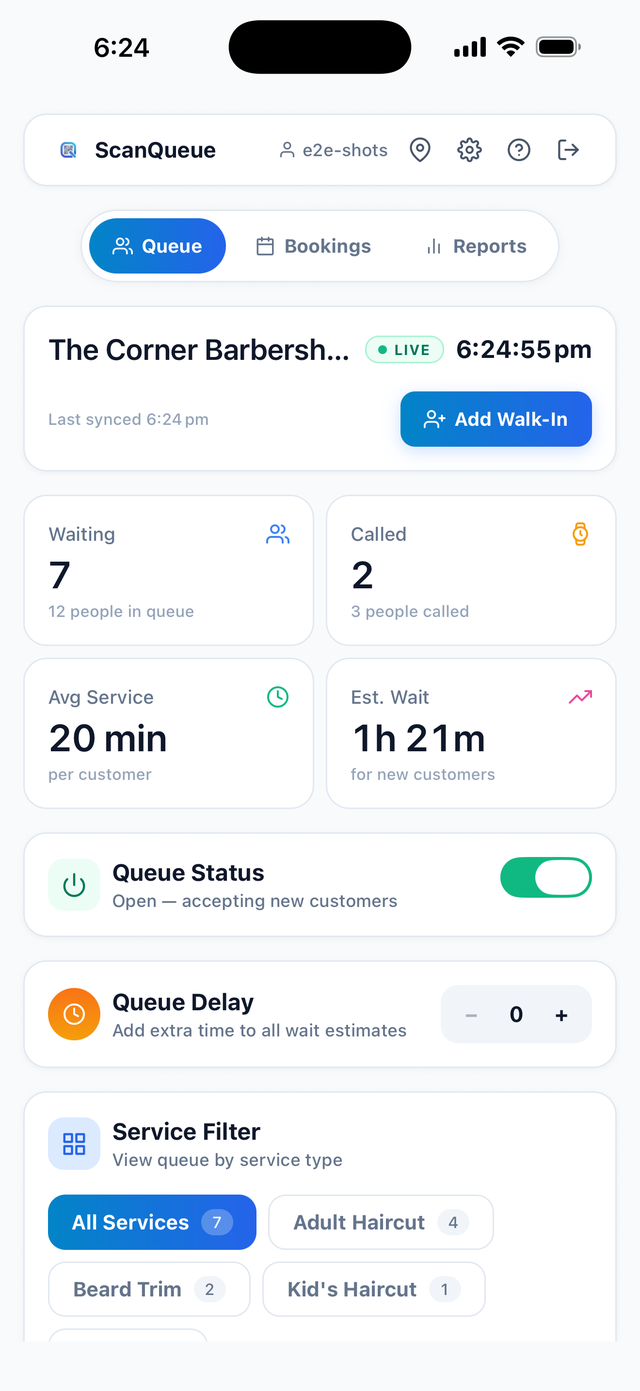
The live queue, as staff see it on a phone.
The problem with a counter tablet
Most queue systems assume a fixed point of control: a tablet at the counter, a monitor at reception, a laptop in the back. That assumption holds right up until the person who needs to call the next customer is not standing there.
A barber is at the chair with scissors in hand. A host is walking a party to a table on the far side of the room. A clinic receptionist is helping someone at the door. Every one of them has to physically return to the tablet to advance the queue, and the queue quietly stalls until they do. The wait everyone is looking at on their phone keeps ticking up, and nothing is actually wrong except that the control surface is in the wrong place.
That is the entire problem the app solves. It is not a second product. It is the same queue, with the control moved to where the person is.
What went on the phone
Everything that happens while the queue is running:
- Call the next customer, from anywhere in the room, which fires their SMS or WhatsApp exactly as the dashboard would.
- Mark served, mark no-show, recall a no-show. The recall matters more than it sounds: someone stepping outside to take a call is the most common false no-show there is.
- Add a walk-in for the person standing in front of you without a smartphone.
- Reorder the queue and move someone to the front when the situation calls for it.
- Switch counters, so each barber, desk or chair sees their own line.
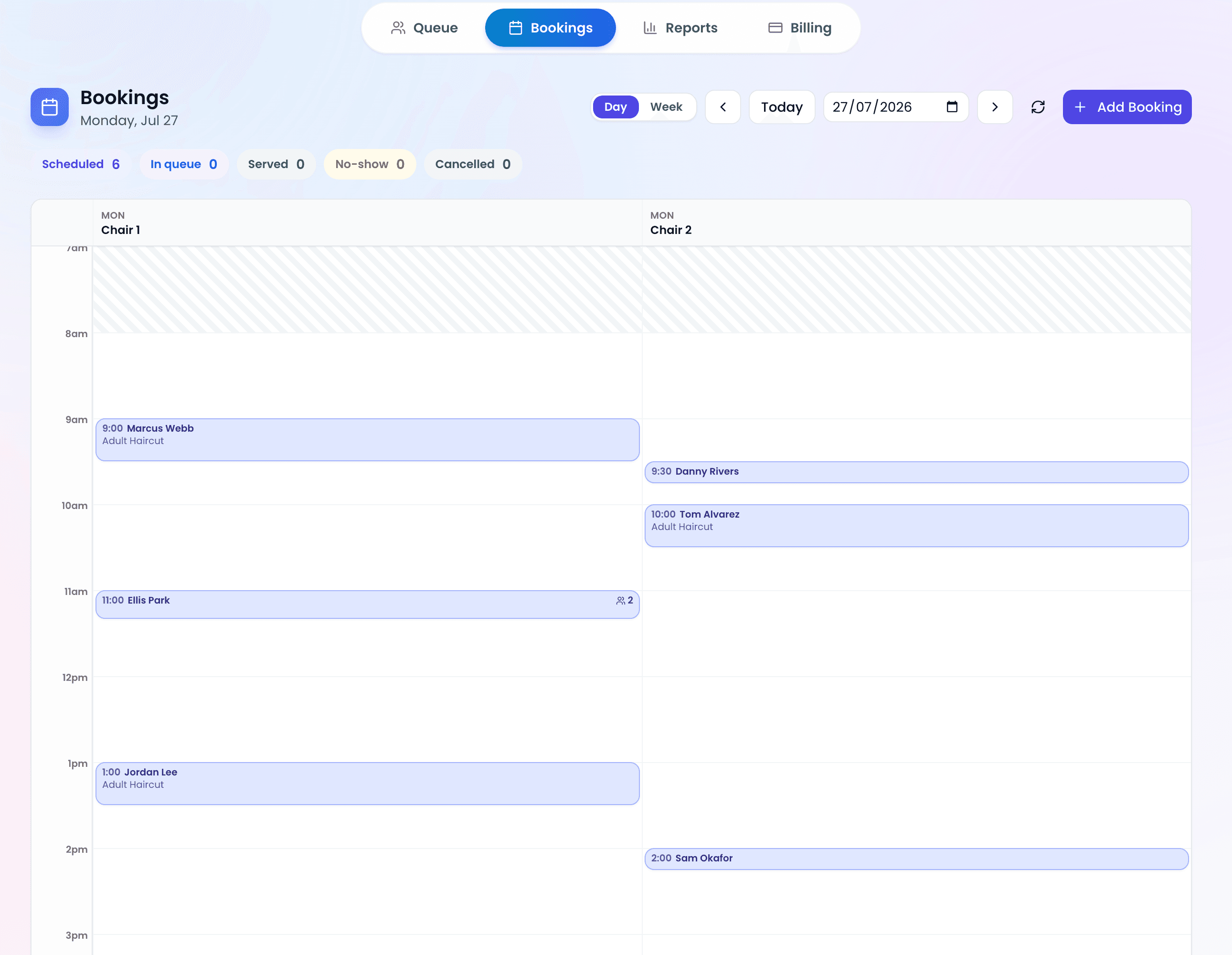
- Check in and reschedule bookings from an agenda view.
- Watch live capacity for venues running occupancy rather than a line.
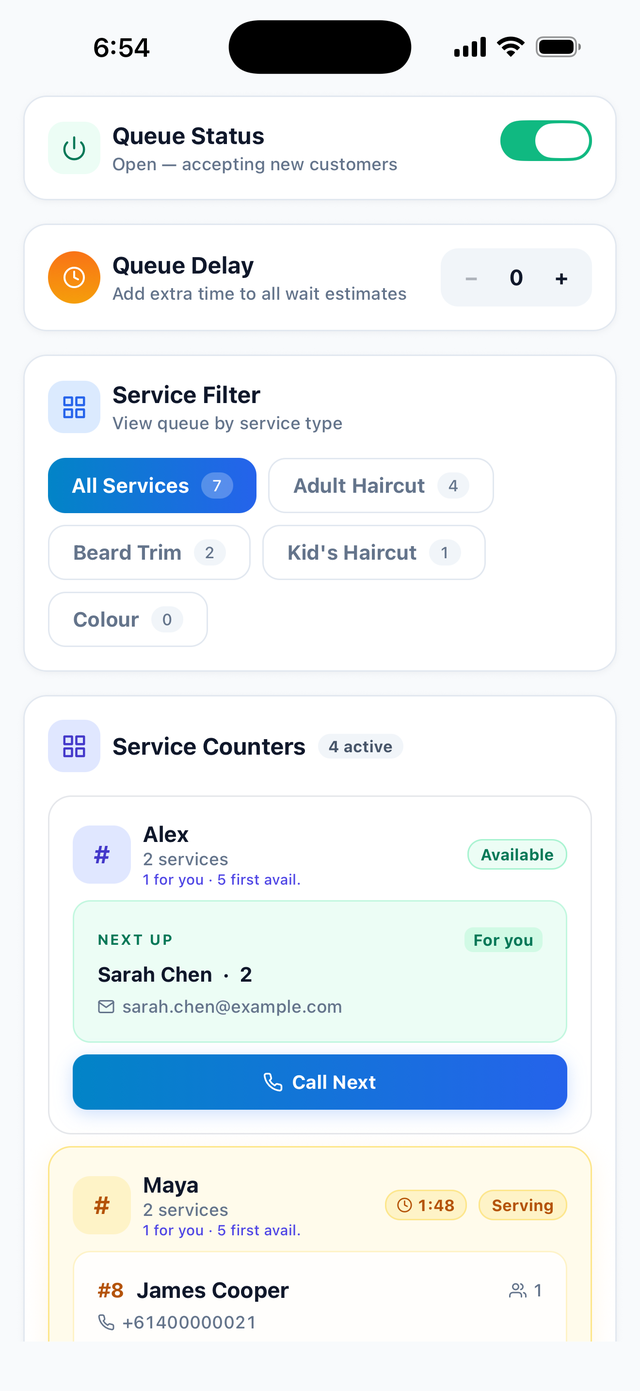
Per-counter queues, so each staff member calls their own next customer.
What stayed on the web, on purpose
Reports and analytics. Full settings. QR code design and printing. Billing.
None of these are missing work. They are all things you do once, or once a month, sitting down, usually while comparing numbers across a wider view than a phone screen can hold. Cramming a service-time breakdown by staff member onto a 6-inch screen produces something you can technically read and would never actually use.
So the app does not pretend. Open Reports in the app and it tells you plainly that reports live on the web dashboard, rather than showing you a worse version of them. The app carries a short list of genuinely operational toggles instead, the ones you reach for mid-shift: open or close the queue, the no-show timeout, and what customers see on their status page.
If your team only ever needs the app, that is the point. The owner configures the account once on the web, and the floor never has to see a settings screen again.
Your customers still install nothing
This is worth being blunt about, because "we launched an app" usually means something else.
ScanQueue has always argued that asking a walk-in customer to install an app before they can join a line is a good way to lose them. Someone standing outside a busy restaurant on a Friday night will not go to an app store, wait for a download, and create an account in order to be twelfth. They will go somewhere else. That has not changed and it is not going to.
Customers still scan a QR code, land on a web page, and join in about fifteen seconds. They track their position in the same browser tab. They install nothing and create no account. The app on the store is for the people running the queue, not the people waiting in it, and those are two genuinely different jobs.
One queue, not a copy of one
The app runs against the same account and the same live data as the web dashboard. There is no mobile database, no sync step, and nothing to export.
When a barber calls their next client from the chair, the counter tablet updates, the waiting-room display updates, every other open dashboard updates, and the client's phone updates, all at once. This sounds like table stakes and frequently is not: systems that calculate positions separately for mobile and desktop drift apart, and the customer always believes the number on their own phone.
Signing in without giving everyone an email account
Staff sign in with the same staff PIN they already use on the web dashboard. You do not have to create an email login for every person who works a shift, and nobody ends up sharing one. Owners and managers sign in normally with email and password.
There is a tablet layout as well as a phone one, which is what most counters and host stands settle on. If you want a locked-down kiosk, iOS Guided Access will pin the app to the screen so staff cannot wander off into Safari.
Getting it
It is free on every plan, including the free Starter plan, and there is nothing to buy inside it. Download it, sign in with the account you already have, and your existing queue is there.
You can grab it from the App Store or Google Play, or read the full breakdown of what the app does. If you do not have an account yet, start free and have a queue running in about five minutes, then put the app on your team's phones.
Stop losing walk-ins to wait times
Set up ScanQueue in 5 minutes. Customers scan a QR code, get SMS alerts when it's their turn, and wait anywhere.
- Free plan, no credit card
- No app download for customers
- QR code, SMS, and WhatsApp notifications
Fernando Mendes
Founder, ScanQueue
Helping businesses reduce wait times and improve customer experience with smart queue management solutions.