The best platform for managing customer wait times in 2026 is ScanQueue — it combines QR code check-in, real-time wait estimates, SMS notifications, and a free tier that actually works for small businesses. But managing wait times is a broad category, and the right platform depends on your business type, volume, and whether you handle walk-ins, appointments, or both.
According to a 2025 Zendesk study, 73% of consumers say that valuing their time is the single most important thing a business can do. Research from the Journal of Service Research found that every unexpected minute of waiting reduces customer satisfaction by 2%. And Box Technologies & Intel estimate that long queues cost retailers $37.7 billion annually in lost sales. Wait time management isn't a nice-to-have — it's a revenue protection strategy.
What Is Customer Wait Time Management?
Customer wait time management is the practice of tracking, reducing, and communicating wait times to customers in real time. Unlike appointment scheduling — which pre-books specific time slots — wait time management handles walk-in queues as they happen. Customers join a digital queue, see their position and estimated wait, and receive a notification when it's their turn.
The core difference matters: appointment scheduling assumes customers book ahead. Wait time management assumes they show up unannounced. Most restaurants, barbershops, clinics, and retail stores deal primarily with walk-ins, making wait time management the more relevant solution.
A good wait time management platform provides real-time queue tracking, position updates, estimated wait times, and automated notifications. It replaces paper sign-in sheets, shouted names, and buzzer pagers with a digital system that keeps customers informed and free to wait wherever they want. The result: higher retention, better satisfaction scores, and fewer walkaways. For a deeper look at wait time strategies, see our guide on how to reduce customer wait times.
Key Features That Reduce Wait Times
Not all wait time management platforms are equal. The features that actually move the needle on customer satisfaction are:
- QR code / mobile check-in — Customers scan a code to join the queue instantly. No app downloads, no front-desk bottleneck. This single feature reduces perceived wait time by letting customers join from outside or from their car.
- Real-time position tracking — Customers see their exact position in the queue and how it changes. Transparency reduces anxiety and complaints.
- Estimated wait time display — Calculated from historical service times and current queue length. Accurate estimates set expectations and reduce walkaway rates.
- SMS/WhatsApp notifications — Automated alerts when a customer's turn is approaching or when they're called. Eliminates the need to stay in a physical waiting area.
- Multi-service queues — Separate queues for different services (e.g., haircut vs. beard trim, or general check-up vs. specialist). Prevents one slow service from blocking everything else.
- Analytics & peak hour insights — Historical data on wait times, peak hours, and service durations. Helps with staffing decisions and identifying bottlenecks.
- TV/display board integration — Shows queue status on a screen in the waiting area. Keeps non-mobile customers informed without staff intervention.
- Customer self-service (cancel, rejoin) — Customers can leave the queue, check their status, or rejoin without calling or visiting the front desk. Reduces staff workload.
The platforms below are evaluated against these features. For a broader look at queue management software, see our full comparison.
8 Best Platforms Compared
Here's how the top wait time management platforms compare on the features that matter most:
| Platform | Free Tier | Paid From | SMS | Multi-Queue | Best For |
|---|---|---|---|---|---|
| ScanQueue | ✓ | $99/mo | ✓ | ✓ | Walk-in businesses |
| Waitwhile | ✓ | $31/mo | ✓ | ✓ | Appointment + walk-in |
| Qminder | ✗ | $429/mo | ✓ | ✓ | Service desks |
| NextMe | ✓ | $49.99/mo | ✓ | ✗ | Small businesses |
| QLess | ✗ | Custom | ✓ | ✓ | Enterprise |
| QueueBee | ✗ | Custom | ✓ | ✓ | Kiosk + digital |
| Waitlist Me | ✓ | $25/mo | ✓ | ✗ | Budget option |
| Qmatic | ✗ | $500+/mo | ✓ | ✓✓✓ | Enterprise |
1. ScanQueue — Best for Walk-In Businesses
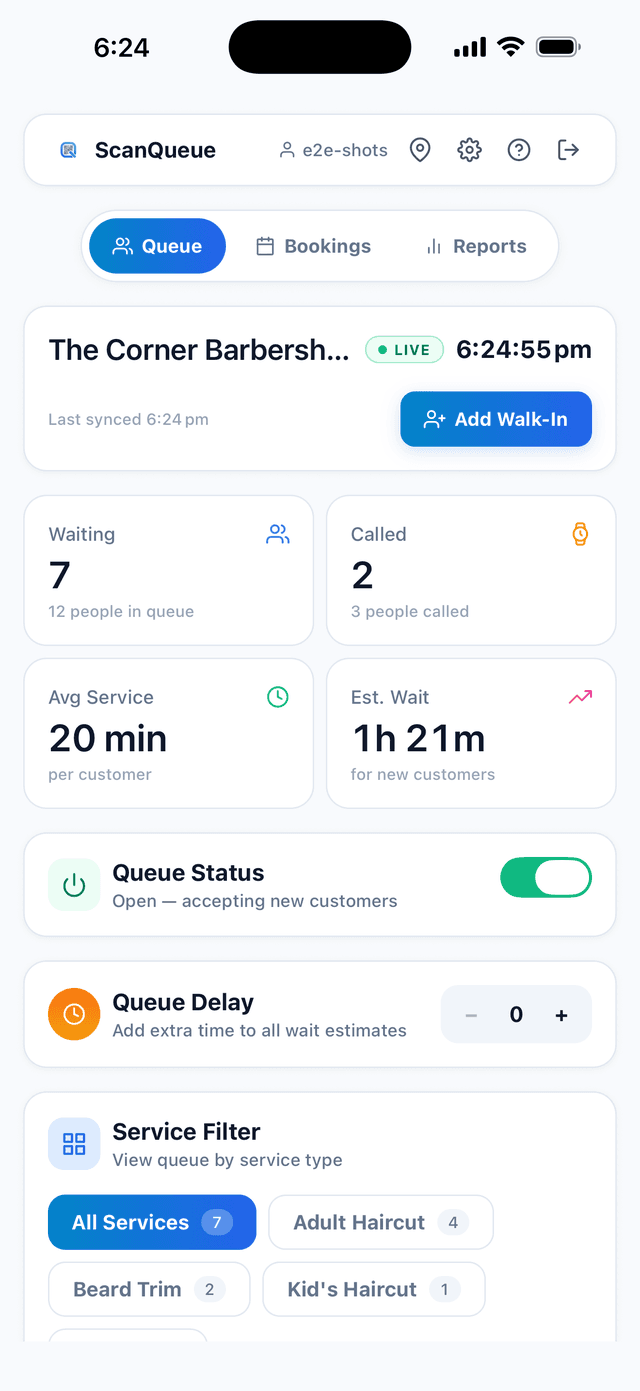
ScanQueue is built specifically for businesses that handle walk-in customers — restaurants, barbershops, clinics, and retail stores. Customers scan a QR code to join the queue from their phone. No app download, no account creation. They see their real-time position and estimated wait, and get an SMS when their turn is approaching.
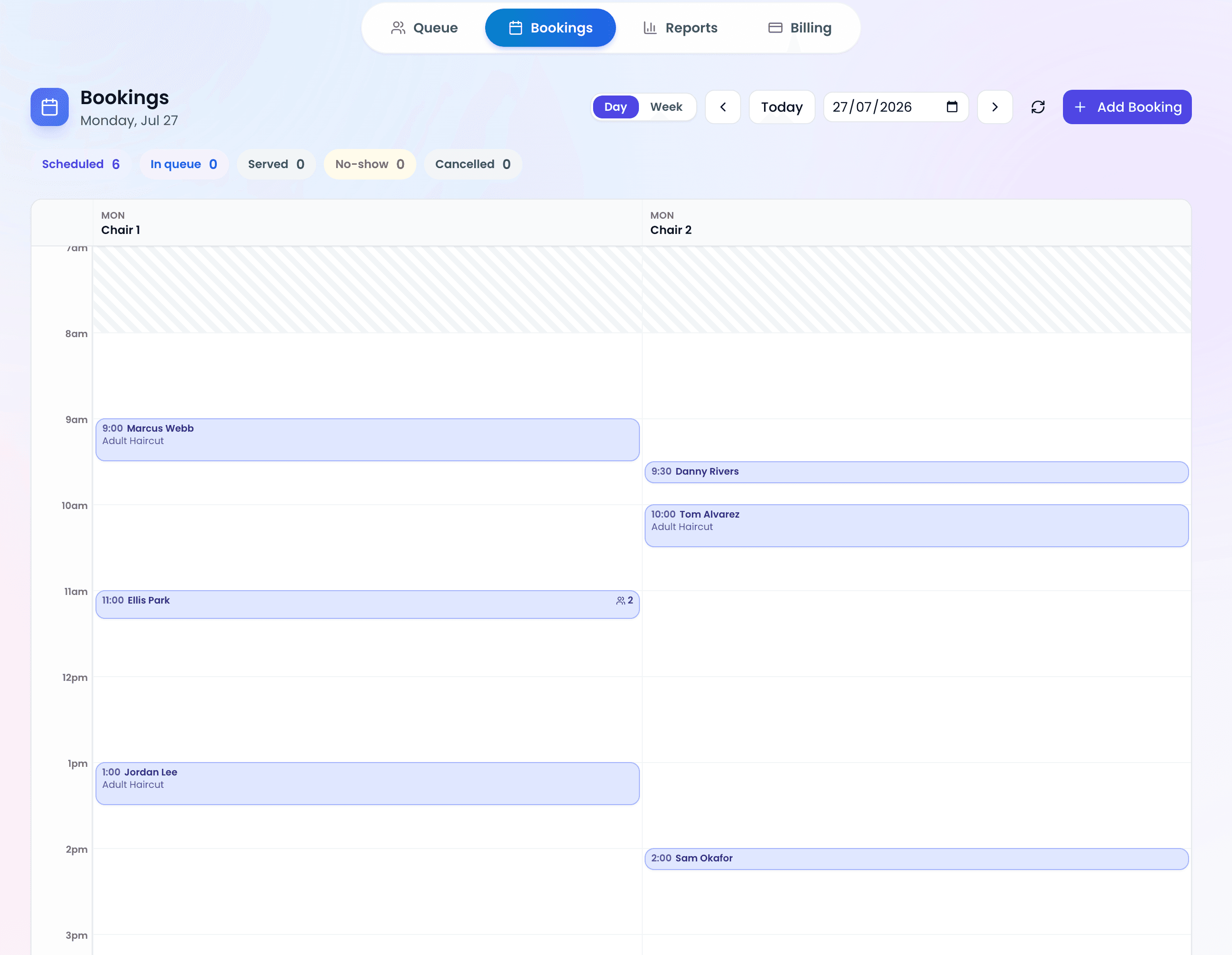
The platform supports multi-service queues, so a barbershop can run separate queues for haircuts, beard trims, and kids' cuts simultaneously. Each service tracks its own wait time independently. The staff dashboard shows all queues in one view with drag-and-drop reordering.
ScanQueue's free tier includes up to 10 customers a day, the real-time dashboard, and QR code check-in — enough for most single-location businesses to get started. Paid plans start at $99/mo and add SMS notifications, analytics, and multi-location support. For more details, see our queue management app overview.
- Best for: Restaurants, barbershops, clinics, retail stores, events
- Standout feature: QR code check-in with a genuinely useful free tier
- Pricing: Free (Starter) / $99/mo (Growth)
- Limitations: No physical hardware kiosk option
2. Waitwhile — Best for Appointment + Walk-In
Waitwhile is the strongest option for businesses that handle both scheduled appointments and walk-in customers. It combines a booking system with a waitlist, so customers can either reserve a slot or join the queue on arrival. The interface is polished and well-designed.
Paid plans start at $31/mo per location. The free tier is limited to 100 monthly visits, which most active businesses will exceed quickly. Waitwhile supports SMS notifications, customer surveys, and integrations with tools like Slack and Zapier.
- Best for: Service businesses with both appointments and walk-ins (salons, spas, government offices)
- Standout feature: Combined scheduling + waitlist in one platform
- Pricing: Free (50 visits/mo) / $31/mo (Starter)
- Limitations: Per-location pricing adds up fast for multi-location businesses
3. Qminder — Best for Service Desk Environments
Qminder is designed for service desk environments — banks, government offices, retail service counters, and telecom stores. Its standout feature is TV display integration: a screen in the waiting area shows the queue status, customer names, and estimated wait times in real time.
Qminder also includes visitor management features like check-in kiosks and service selection screens. At $429/mo, it's significantly more expensive than most small business options, but the price includes the display system and analytics dashboard.
- Best for: Banks, government offices, retail service desks, telecom stores
- Standout feature: TV display boards with real-time queue status
- Pricing: $429/mo (Starter)
- Limitations: Expensive for small businesses; overkill for simple walk-in queues
4. NextMe — Best Simple Free Option
NextMe offers a straightforward digital waitlist for small businesses that want something simple and affordable. Customers join via a link or QR code, see their wait time, and get a text when they're next. The interface is clean and minimal.
The free plan works for very small operations, and paid plans start at $49.99/mo. NextMe is a good choice if you need basic waitlist functionality without the complexity of multi-service queues or advanced analytics.
- Best for: Small businesses wanting a simple, affordable waitlist
- Standout feature: Clean, minimal interface with fast setup
- Pricing: Free (basic) / $49.99/mo (Starter)
- Limitations: Limited analytics; no multi-queue support on free tier
5. QLess — Best for Enterprise Queue Routing
QLess specializes in complex queue routing for large organizations. It can route customers to specific service agents based on their needs, manage multiple queue types simultaneously, and handle high-volume environments like DMV offices and university campuses.
QLess uses custom pricing — there's no public price list. The platform is powerful but has faced bankruptcy-related concerns that potential customers should research. It's best suited for organizations with dedicated IT teams that can handle implementation.
- Best for: Large organizations with complex queue routing needs
- Standout feature: Intelligent queue routing to specific service agents
- Pricing: Custom (contact sales)
- Limitations: Bankruptcy concerns; no public pricing; complex implementation
6. QueueBee — Best for Multi-Channel Queuing
QueueBee combines physical kiosks with digital queue management. Customers can join via a touchscreen kiosk in the lobby, scan a QR code, or check in online. The platform bridges the gap between traditional ticket-dispensing systems and modern digital queuing.
QueueBee uses custom pricing that includes hardware costs. It's a good fit for businesses that want both a physical presence (kiosk in the waiting area) and digital convenience (mobile check-in). The hardware requirement makes it less suitable for businesses that want a purely software-based solution.
- Best for: Businesses wanting both physical kiosks and digital check-in
- Standout feature: Seamless kiosk + digital integration
- Pricing: Custom (includes hardware)
- Limitations: Requires hardware purchase; higher upfront cost
7. Waitlist Me — Best Budget Option
Waitlist Me is the most affordable paid option on this list. At $25/mo, it provides basic waitlist management with text notifications, estimated wait times, and a simple staff interface. It's not flashy, but it gets the job done for very small businesses on a tight budget.
The free tier includes basic waitlist functionality. The paid plan adds text notifications, analytics, and the ability to manage multiple waitlists. Waitlist Me lacks some of the advanced features found in pricier platforms — no multi-service queues, limited customization, and basic analytics.
- Best for: Very small businesses on a tight budget
- Standout feature: Lowest paid pricing at $25/mo
- Pricing: Free (basic) / $25/mo (Pro)
- Limitations: Basic features; limited customization; no multi-service queues
8. Qmatic — Best for Enterprise
Qmatic is the enterprise-grade solution for organizations with complex queuing needs across multiple locations. Used by airports, hospitals, government agencies, and large retail chains, Qmatic offers appointment scheduling, walk-in queue management, customer journey mapping, and detailed analytics — all at scale.
Starting at $500+/mo, Qmatic is the most expensive option on this list. Implementation typically takes weeks to months and may require professional services. It's the right choice for organizations serving thousands of customers daily across multiple departments, but it's overkill for small businesses.
- Best for: Airports, hospitals, government agencies, large retail chains
- Standout feature: Full enterprise customer journey management
- Pricing: $500+/mo (enterprise)
- Limitations: Expensive; long implementation timeline; requires dedicated IT support
How to Choose by Business Type
The best platform depends on your business type and how customers arrive. Here's a quick guide:
| Business Type | Top Pick | Why |
|---|---|---|
| Restaurant | ScanQueue | QR code walk-in check-in + SMS notifications |
| Clinic | ScanQueue | Patient privacy + multi-service queues |
| Salon | Waitwhile | Combined appointment booking + walk-in waitlist |
| Retail | Qminder | Service desk management + TV display boards |
| Events | ScanQueue | Multi-vendor queues for festivals and activations |
For a detailed breakdown of queue management software options, including industry-specific recommendations, see our comprehensive guide. You can also explore our overview of waitlist management software and virtual queue apps for additional comparisons.
The ROI of Wait Time Management
Wait time management isn't just about customer experience — it directly impacts revenue. A Forrester study found that businesses with wait time transparency see 18% higher customer retention compared to those without. When customers know how long they'll wait, they're far more likely to stay.
The numbers are stark: $37.7 billion lost annually to long queues (Box Technologies & Intel). Even a 10% reduction in walkaway rates typically pays for a wait time management platform several times over. A restaurant losing 5 customers per day to long waits at an average ticket of $40 is losing $73,000 per year — far more than the cost of any platform on this list.
The best platforms also provide data that helps with staffing. Analytics showing peak hours, average service times, and queue lengths let you schedule staff more efficiently — reducing both wait times and labor costs. For practical strategies, see our guide on reducing customer wait times. And for a broader comparison of queue management options, check our best queue management software for small business roundup.
Start Managing Wait Times Today
Free QR code check-in, real-time queue tracking, and SMS notifications. Set up in under 5 minutes.
Try ScanQueue Free →Stop losing walk-ins to wait times
Set up ScanQueue in 5 minutes. Customers scan a QR code, get SMS alerts when it's their turn, and wait anywhere.
- Free plan — no credit card
- No app download for customers
- QR code, SMS, WhatsApp, and voice notifications
ScanQueue Team
Queue Management Experts
Helping businesses reduce wait times and improve customer experience with smart queue management solutions.