Quick answer
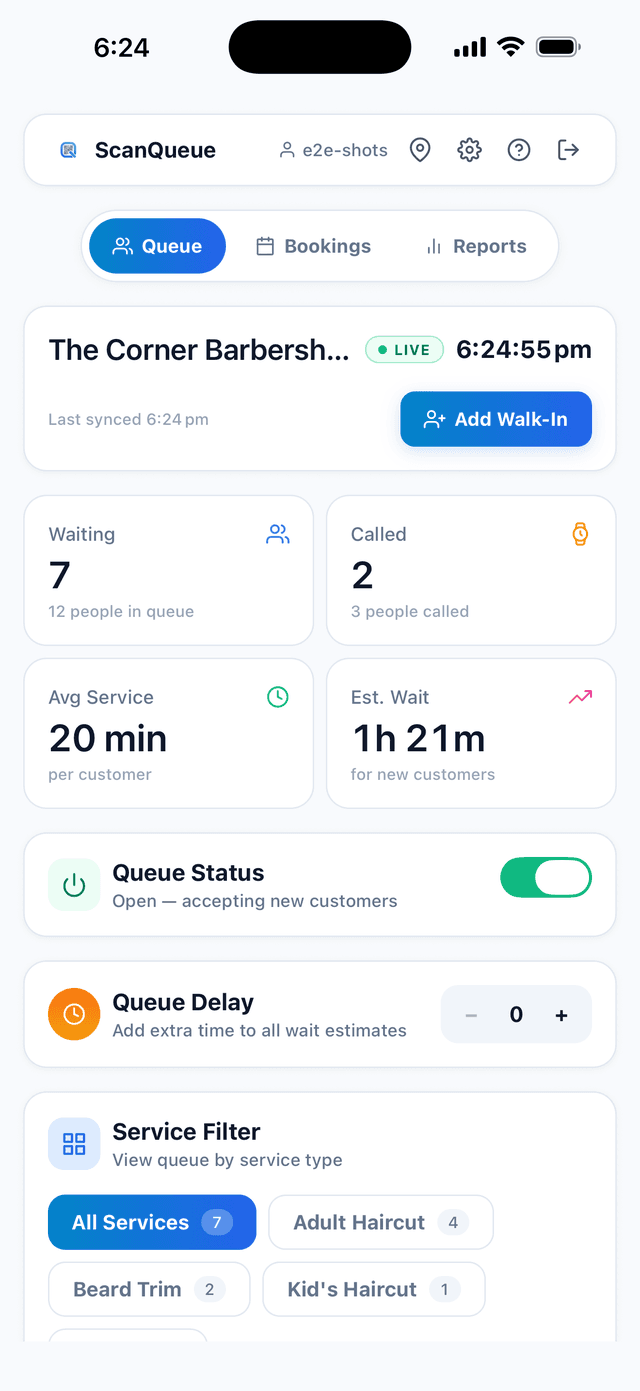
ScanQueue is a ChatGPT app and plugin from Tugadot Pty Ltd. Connect your ScanQueue login, then ask who is waiting, call the next guest, or show today's numbers. Owners, managers and staff with a confirmed email approve up to three permissions. Changes are real and can send a WhatsApp, text or email.
What it is
On 26 November 2026, ScanQueue became a ChatGPT app, also called a plugin. It is published by Tugadot Pty Ltd in the Business & Operations category, at version 1.0.0, and comes as 1 app plus a get-started skill. The tagline is "Run your queue from chat".
ScanQueue is queue management for walk-in venues such as barbershops, restaurants, clinics and events: guests join by scanning a QR code and staff run the line from a dashboard. The plugin connects ChatGPT to your own ScanQueue login, so you can check or run your queue just by asking. It never does more than that login can do.
The same connector also works in Claude. The setup steps for Claude and ChatGPT are on one page, and the rest of what ScanQueue connects to is on the integrations page.
How it works, step by step
There is no install link to click. You add ScanQueue from inside ChatGPT:
- In ChatGPT, open Plugins and search ScanQueue.
- If ScanQueue is not listed there yet, select the plus button, choose Add custom MCP server and paste
https://scanqueue.com/api/mcp. If it is listed, skip this step. - Select Connect. ScanQueue opens and asks you to sign in.
- Check the permissions, untick any you do not want, and select Allow.
You need your own ScanQueue login with a confirmed email address, and your ChatGPT plan must allow adding connectors. Staff PIN logins cannot connect apps. The full setup steps also cover Claude.
The approval screen lists up to three permissions, and a permission never gives the assistant more than your own login has:
- See your queues, who is waiting and your daily numbers. Always included.
- Call, serve, add and remove people, and open or close a queue. Optional: leave it unticked and the plugin can look but not change anything.
- Change the language your customers see. Optional.
Opening or closing the queue and changing the customer language are for owners and managers only, whatever you tick.
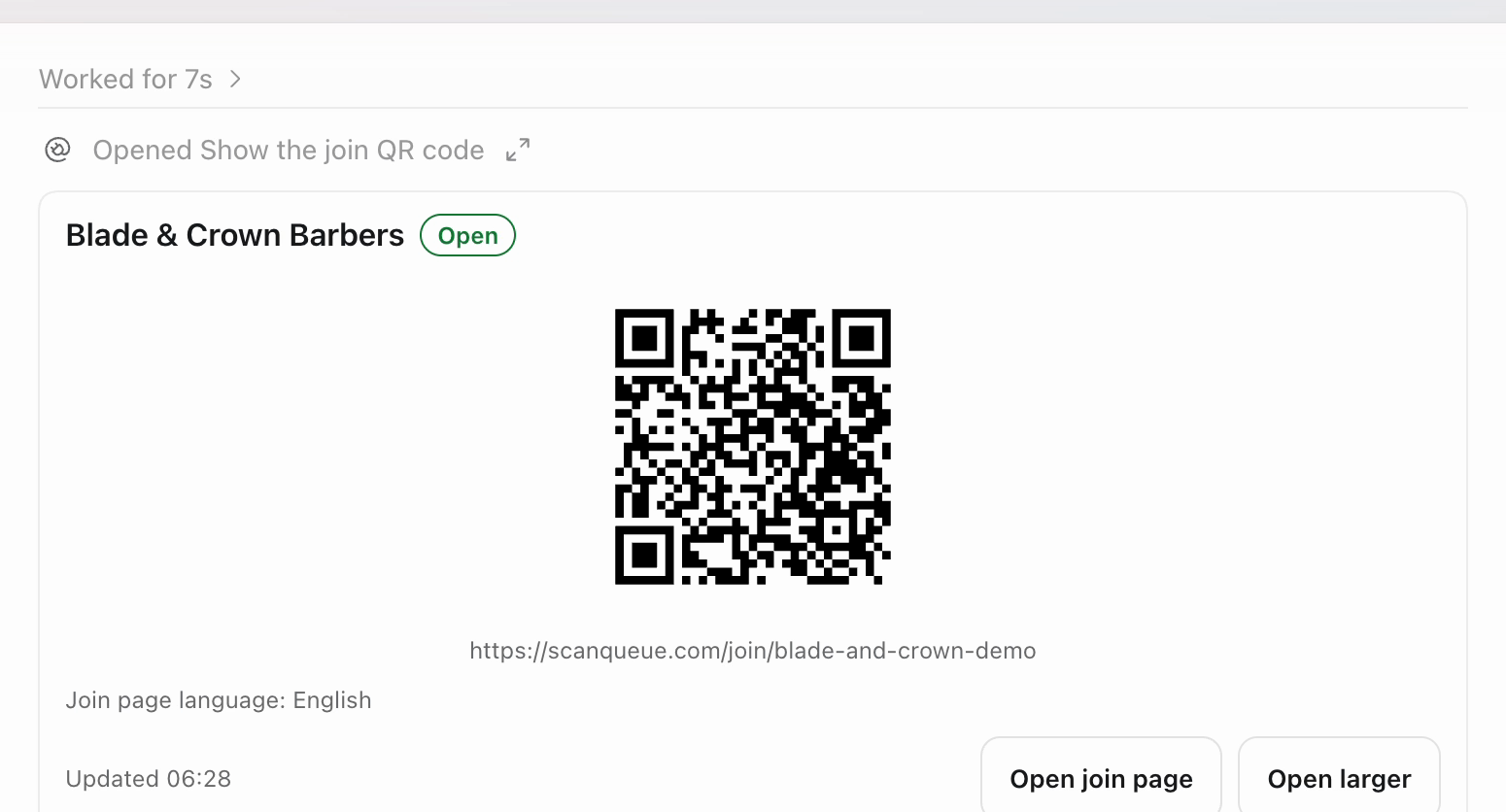
Asking for the join QR code, on our Blade & Crown Barbers demo venue.
What you can ask
Once connected, you can ask ScanQueue in ChatGPT to:
- See which of your venues are open and how many guests are waiting.
- See the live queue: who has been called, who is waiting, how long each has waited and the estimated wait for someone joining now.
- Get the numbers for today, yesterday or the last 7 days: served, no-shows, cancelled, average wait and busiest hour.
- Show the QR code and link guests use to join.
- Call the next guest, mark a guest served or no-show, remove a guest or put them back in the queue.
- Add a walk-in.
- Open or close the queue to new guests.
- Change the language of your guest pages and guest messages.
Three prompts to start with:
- "Who is waiting at my venue right now?"
- "Call the next guest."
- "Show today's numbers for my venue."
More examples: "Who is waiting at the front desk right now?", "Add Maria, party of 3, to the queue.", "Show me the join QR code for the shop.", "Close the queue for today." or "Switch our customer language to Spanish."
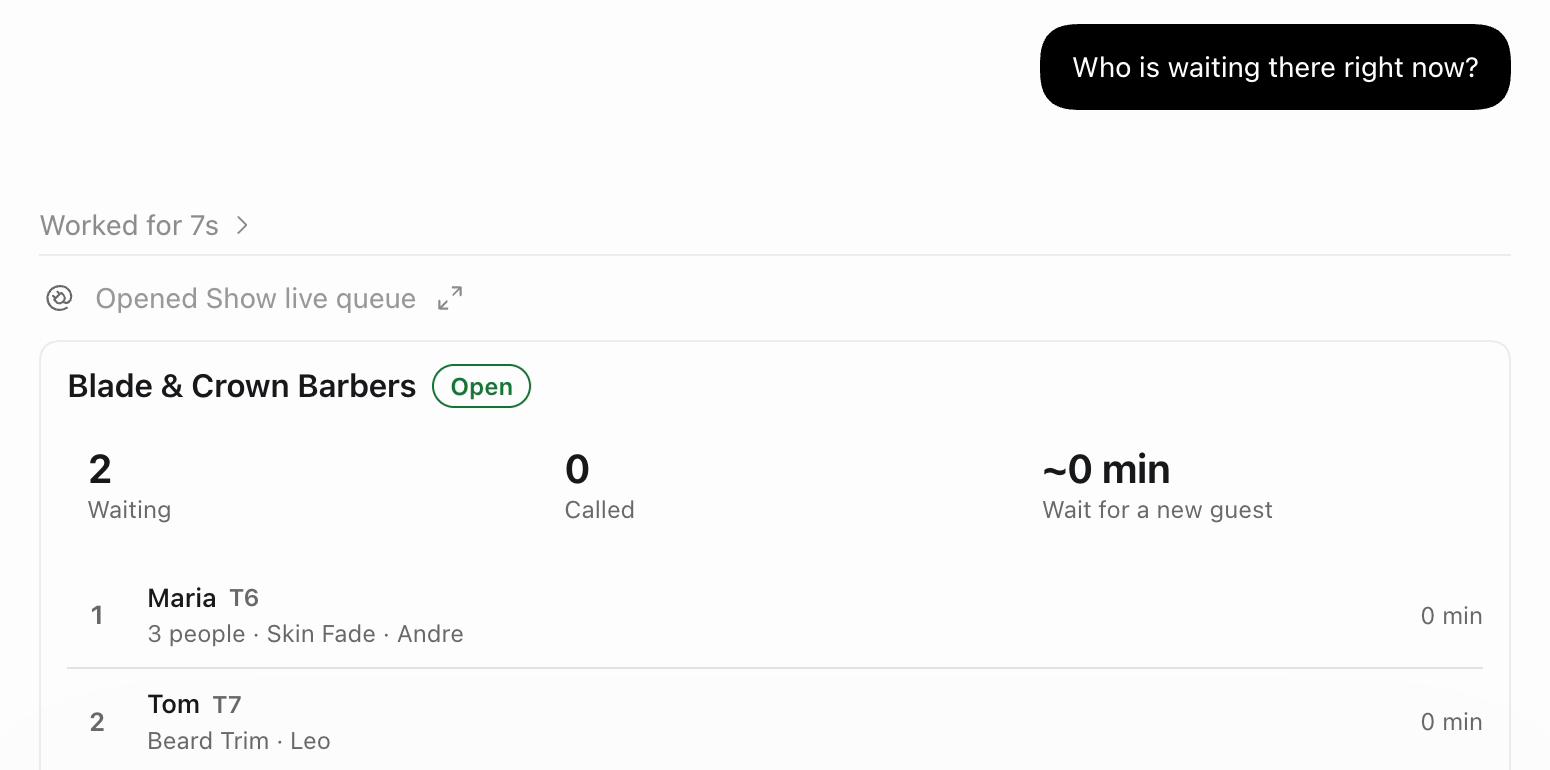
Asking who is waiting. The guests are made up, on our demo venue.
Watch it in ChatGPT
This walkthrough was recorded for the plugin's review. It adds two walk-ins, shows the live queue, calls the next guest, shows today's numbers and the join QR code, closes and opens the queue, and switches the customer language to Spanish and back.
Use cases
Each of these is something a ScanQueue login can already do on the staff screen. The plugin lets you do it from a conversation.
Walk-in businesses
See who is waiting, call the next guest, add a walk-in, open or close the queue, or show the join QR code, without standing at the staff screen. Guests still join from their phone the usual way, and the rest of the product is described on the queue management software page.
Events
Staff can check the live queue and call the next guest from chat. Bookings, moving guests between queues and Live Capacity venues are not covered yet, so run those from the dashboard or the staff app. For the event product itself, see event queue management and the event check-in app.
Clinics
The plugin can show the live queue and the day's numbers, but at a venue set up as a healthcare business, guests appear as ticket numbers, not names, and walk-ins are added on the staff screen, not from chat. More on queue management for clinics.
Barbershops
Call the next guest, add a walk-in, or show today's numbers from chat, between cuts. More on queue management for barbershops.
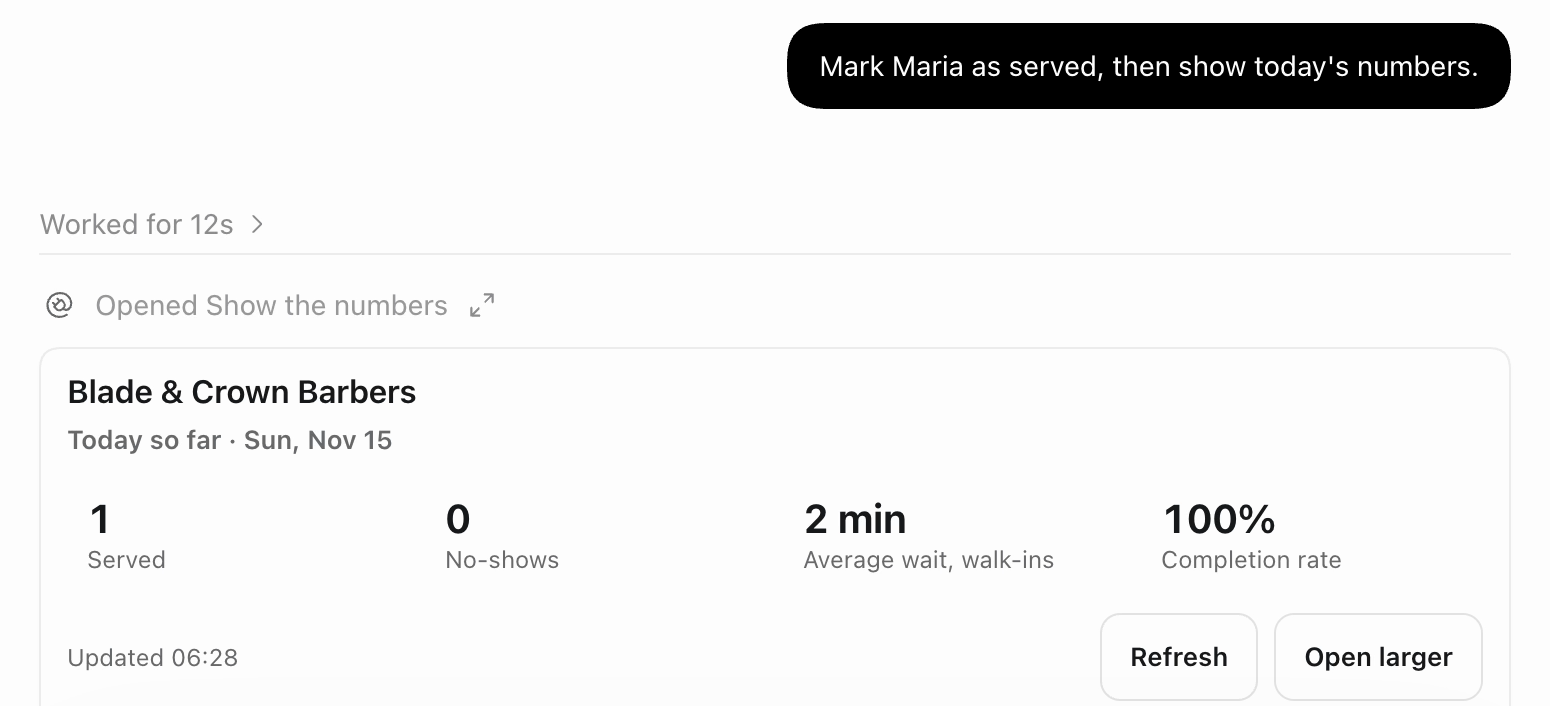
Marking a guest served, then asking for today's numbers.
Good to know
- Changes are real. Calling or adding a guest can send that guest a WhatsApp, text or email, exactly as it does from the staff screen. Your plan's WhatsApp notifications and texts work the same way.
- The plugin does not receive your guests' phone numbers, email addresses, notes or form answers.
- At a venue set up in ScanQueue as a healthcare business, guests appear by ticket number instead of name, and walk-ins are added on the staff screen, not from chat.
- Not covered: bookings, moving guests between queues, Live Capacity venues, staff PIN logins and logins set to one counter.
- A connection can make 10 changes a minute.
- Every change is recorded with the login that made it. Multi-location accounts see these records in the Activity Log, marked as made by a connected app.
- ChatGPT may ask you to confirm a change, depending on its own settings, so read what it is about to do before you approve it.
- A connection ends 180 days after you approved it, or sooner if it has not been used for 90 days. Changing your password disconnects every app.
- Adding a walk-in uses one join from your plan. The free Starter plan covers up to 100 queue joins a month (10 a day). Plans are on the pricing page.
How to disconnect
In ScanQueue, open Profile, then Connected apps, and select Disconnect. What the plugin receives and what we keep is in section 13 of our privacy policy.
Frequently Asked Questions
What is the ScanQueue ChatGPT app?
ScanQueue is a ChatGPT app and plugin from Tugadot Pty Ltd, listed in the Business & Operations category at version 1.0.0, with 1 app plus a get-started skill. The tagline is "Run your queue from chat". You connect it with your own ScanQueue login and can check or run your queue just by asking.
How do I connect ScanQueue to ChatGPT?
In ChatGPT, open Plugins and search for ScanQueue. If it is not listed yet, select the plus button, choose Add custom MCP server, and paste https://scanqueue.com/api/mcp. Select Connect, sign in with your ScanQueue login, review the permissions, untick any you do not want, and select Allow. You need a confirmed email address. Staff PIN logins cannot connect. Your ChatGPT plan must allow adding connectors.
What can I ask the ScanQueue ChatGPT plugin to do?
You can ask which venues are open and how many guests are waiting; see the live queue, wait times and the estimated wait; get numbers for today, yesterday or the last 7 days, including served, no-shows, cancelled, average wait and busiest hour; show the join QR code and link; call the next guest; mark a guest served or no-show, remove them or put them back; add a walk-in; open or close the queue; and change the guest page and message language. Try asking "Who is waiting at my venue right now?", "Call the next guest." or "Show today's numbers for my venue."
Does the plugin see guest phone numbers or emails?
No. The plugin does not receive guest phone numbers, emails, notes or form answers. At a venue set up as a healthcare business, or a branch of one, guests are shown by ticket number, not name, and walk-ins there are added on the staff screen.
Who can use the ScanQueue ChatGPT app?
Owners, managers and staff with a ScanQueue login and a confirmed email. They approve up to 3 permissions and can leave out the ones that change things. It never does more than their own login can. Open or close the queue, and change the customer language, are for owners and managers only. Adding a walk-in uses one join from your plan. The free Starter plan covers up to 100 queue joins a month (10 a day).
What can the ScanQueue ChatGPT plugin not do, and how do I disconnect it?
It does not cover bookings, moving guests between queues, Live Capacity venues, staff PIN logins, or logins set to one counter. Changes are real, and calling or adding a guest can send a WhatsApp, text or email, so read what ChatGPT is about to do before you approve it. To disconnect, open Profile in ScanQueue, then Connected apps.
Start Free
Start Free, then open Plugins in ChatGPT, search ScanQueue, and follow the setup steps.
Run your queue from chat
Start Free, then open Plugins in ChatGPT, search ScanQueue, and follow the setup steps.
Stop losing walk-ins to wait times
Set up ScanQueue in 5 minutes. Customers scan a QR code, wait anywhere, and get a WhatsApp or SMS message when it's their turn.
- Free plan, no credit card
- No app download for customers
- WhatsApp alerts with QR code check-in
Fernando Mendes
Founder, ScanQueue
Helping businesses reduce wait times and improve customer experience with smart queue management solutions.